
Alternatives to Anime Maker
Explore the best alternatives and competitors to Anime Maker.
Explore 20 alternatives to Anime Maker. Compare features, pricing, and find the best fit for your needs.
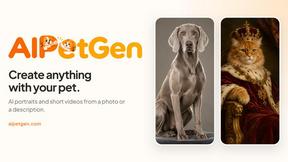
AIPetGen
AIPetGen turns a photo of your dog, cat, or other pet, or a written description, into a new picture or a short animation.


ZombieTrend
Turn two photos into a cinematic zombie love story video. Free AI generator for the viral Halloween trend.
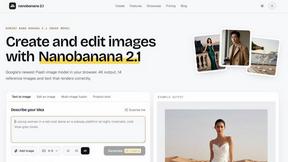
nanobanana 21
A fast, simple AI image studio powered by Nano Banana 2.1 - precise edits, readable text, consistent characters, up to 14 reference images.
opus55video
Opus55video turns written ideas into cinematic motion. Choose the format and duration to create striking AI video clips.
AI Album Cover Maker
Create release-ready album covers from a prompt or photo. Generate, refine, and export art for singles, EPs, mixtapes, and playlists.
GetYouTubeTranscript
Free YouTube transcripts on the web, a Chrome extension, and an API + MCP server so AI assistants can read YouTube.

Ideogram Studio
Create text-perfect logos, posters, ads, packaging, and ecommerce visuals with Ideogram 4 AI workflows.

Qwen Image Edit
Edit and generate visuals with Qwen Image Edit using prompts for background changes, text edits, posters, outpainting, and style exploration.
MetaMuse
Create AI videos from prompts and references, then generate and edit campaign-ready visuals with MetaMuse image and video tools.

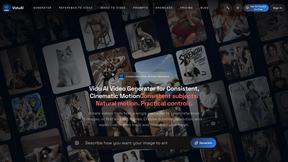
ViduAI
ViduAI creates videos from text, images, up to seven references, or first and last frames with Vidu Q3 workflows.
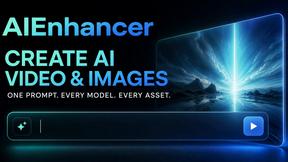
AIEnhancer
Enhance photos, create AI images, and generate videos with flexible workflows, creative effects, and a shared asset library.
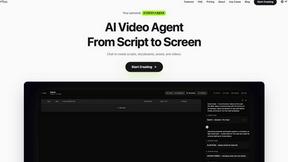
Pixo
Pixo is an AI video director that turns a prompt or script into a storyboard, consistent scenes, voiceover, and an edited final cut.

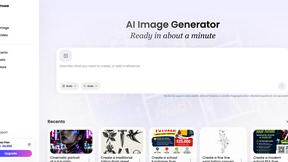
Presentation Intelligence
AI-native presentation and visual content platform that turns prompts, documents, images, videos, and data into polished, shareable decks.


Lockimate - AI Live Wallpapers
Turn any photo into a real Apple Live Photo that animates when you wake your iPhone. Restyle it and choose the motion — customizable.
About Anime Maker Alternatives
Anime Maker is a red-hot AI creative platform that sits at the intersection of content creation, design tools, and video generation, specifically engineered to transform text prompts and photos into stunning anime-style visuals, characters, logos, and even image-to-video concepts. As the demand for instant, high-quality anime aesthetics explodes across gaming, marketing, and social media, this tool gives artists and creators a streamlined browser workflow for rapid visual exploration. However, users often seek alternatives when they hit specific roadblocks—whether it’s a pricing model that doesn’t scale with their production volume, a lack of native mobile or desktop app support, or the need for more granular control over style parameters, export formats, or integration with other software like Blender or Photoshop. When evaluating an alternative, the smartest move is to look at the emerging tech that prioritizes flexibility without sacrificing speed. You want a platform that offers multiple generation modes—like text-to-image, image-to-video, and real-time filter effects—but also allows for deep customization of character proportions, color palettes, and background environments. Watch for tools that provide batch processing for high-volume creators, transparent licensing for commercial use, and robust API access if you’re building a pipeline for game assets or marketing collateral. The best alternatives in this trending space combine AI efficiency with human-centric editing, ensuring you can iterate fast while keeping that authentic, handcrafted anime feel.
FAQs about Anime Maker Alternatives
What is Anime Maker?
Anime Maker is an AI-powered creative platform designed to generate anime-style images, original characters, avatars, logos, filters, and image-to-video concepts from text prompts or uploaded photos. It provides a focused browser workflow that allows users to quickly explore visual ideas using multiple generation modes. The platform is optimized for artists, creators, game teams, marketers, and anime fans who need export-ready results for digital projects.
Who is Anime Maker for?
Anime Maker is built for a broad range of users including artists, content creators, game development teams, marketing professionals, and dedicated anime fans. It caters to anyone who needs rapid prototyping of anime-style visuals, from character design and logo creation to dynamic video concepts. The platform’s streamlined interface makes it accessible for both beginners exploring creative ideas and experienced professionals needing efficient workflows for commercial projects.
Is Anime Maker free?
Based on the product information provided, Anime Maker likely operates on a freemium or subscription-based model, offering limited free access for basic features or a trial period. Users typically need to upgrade for higher resolution exports, commercial licensing, or advanced generation modes like image-to-video. For exact pricing details, including any free tier limitations, users should consult the official Anime Maker website or service documentation.
What are the main features of Anime Maker?
Anime Maker’s core features include AI-driven text-to-image generation for anime-style visuals, photo-to-anime character conversion, logo and avatar creation, customizable filters, and image-to-video concept generation. The platform supports multiple generation modes within a browser-based workflow, allowing users to iterate on designs quickly. It is designed to produce export-ready results suitable for use in marketing materials, game assets, social media content, and personal projects.