
Alternatives to BlueHumanizer
Explore the best alternatives and competitors to BlueHumanizer.
Explore 20 alternatives to BlueHumanizer. Compare features, pricing, and find the best fit for your needs.

GetYouTubeTranscript
Free YouTube transcripts on the web, a Chrome extension, and an API + MCP server so AI assistants can read YouTube.

layahost
Moderation, routing, intent and scoring for any text over one Jev-compatible API, hosted in the EU.




amaze.directory
A directory of AI tools where every listing was opened and used by a person first. Search by job, filter by price, get the link.

benchmark.directory
146 AI tools across 20 categories, indexed by the job they do. Every listing earned its place. None of them paid for it.

saasgrow.ai
Find SaaS growth tools worth your time. Every tool is reviewed before it's listed, so the shortlist is already made for you.

Tools Network
Tools Network is your one-stop hub for discovering the best AI tools online. We curate and organize the web's top AI-powered tools.


Built2WinWeb AI SEO
AI‑ready websites, WebAgentScan SaaS, and Indexing Pack. MCP, A2A, llms.txt — hand‑coded PHP, complete ownership, flat‑fee, free quote.
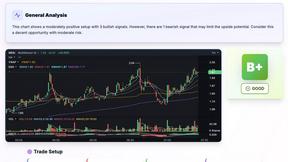
SnapPChart
SnapPChart grades a trading chart screenshot A+ to F, with an entry, stop, targets, and risk/reward. Works on stocks, forex, crypto, futures.



Free Gemini Omni
Create, remix, and edit cinematic AI videos from text, images, audio, and video prompts.

GPT Image 2 API
Generate and edit production-ready images with GPT Image 2 API, clear text rendering, reference images, and developer-friendly workflows.


About BlueHumanizer Alternatives
The AI writing landscape is shifting fast, and tools like BlueHumanizer are quickly becoming essential gear for anyone who works with LLMs. BlueHumanizer sits squarely in the AI Assistants category, functioning as a dedicated humanization layer that strips away the robotic cadence of ChatGPT, Claude, and Gemini outputs. It’s not a content generator; it’s a polish engine designed to restore natural flow, sentence variety, and authentic tone without mangling your original meaning or citations. As AI detection becomes more aggressive and readers grow savvier at spotting synthetic prose, the demand for reliable humanizers has exploded, making BlueHumanizer a hot entry in a rapidly heating space. Users commonly seek out alternatives for a few key reasons: platform compatibility, granular control, or workflow integration. While BlueHumanizer offers strong core features, some power users want deeper API access for bulk processing, more nuanced tone presets for specific industries like legal or medical writing, or a browser extension for real-time rewriting inside Google Docs or email clients. Others might be testing the waters with multiple tools to compare output quality, especially around preserving complex technical terms or maintaining brand voice consistency. When evaluating any alternative, look for three non-negotiables: the ability to reshape sentence architecture rather than just synonym swapping, support for your specific source languages, and transparent handling of quotes and data—because the worst outcome is a tool that “humanizes” your work into something less accurate or less you.
FAQs about BlueHumanizer Alternatives
What is BlueHumanizer?
BlueHumanizer is an AI-powered humanization tool that transforms text generated by large language models like ChatGPT, Claude, and Gemini into clear, natural, human-sounding prose. Unlike basic synonym swappers, it restructures entire sentences to restore natural rhythm and flow while keeping your original meaning, tone, and key points intact. It also leaves quotes and citations untouched, ensuring academic and professional integrity. The tool is free to start with no credit card required.
Who is BlueHumanizer for?
BlueHumanizer is built for students, researchers, marketers, and anyone who regularly uses AI writing tools and needs the output to read as polished, publishable content. It’s ideal for refining essays, polishing research papers, shipping on-brand marketing copy, or warming up everyday emails and reports. The adjustable humanization levels and tone controls make it versatile enough for both casual writers and professionals who demand precision and consistency.
Is BlueHumanizer free?
Yes, BlueHumanizer is free to start and does not require a credit card for initial access. Users can begin humanizing AI text immediately without any upfront payment. While the core functionality is available at no cost, the product is designed to be accessible from the first click, making it a low-risk entry point for anyone exploring AI text humanization.
What are the main features of BlueHumanizer?
BlueHumanizer offers one-click rewriting that reshapes sentence structure and restores natural rhythm, going far beyond simple synonym replacement. It supports over 50 languages, provides adjustable humanization levels, and includes tone controls to match your intended voice. The tool also automatically protects quotes and citations from alteration, ensuring academic or professional references remain accurate. It works seamlessly with outputs from ChatGPT, Claude, Gemini, and other major AI writers.