
Alternatives to dmaya
Explore the best alternatives and competitors to dmaya.
Explore 20 alternatives to dmaya. Compare features, pricing, and find the best fit for your needs.
White Screen Checker
Check your screen display for dead pixels using White screen or black screen checkers.

AppScreenshots
Create professional App Store and Google Play screenshots with 3D device frames, templates and batch export.

RemoveObjectFromPhoto
Remove unwanted objects, people, and text from photos with AI for clean, natural-looking results in seconds.
Adobe Alternatives
Explore open-source creative software by workflow, platform and development stage, with comparisons and official project links.

ImageAgent
Create and edit AI images through conversation, using text or reference images and refining results in chat.

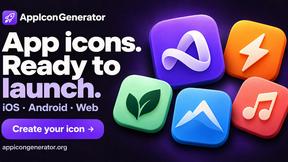
AppIconGenerator
Generate iOS and Android app icons from any image and export all platform sizes for free.
FreeCreate
Create AI images from text or reference photos and turn prompts or still images into short videos with FreeCreate. Start free—no account needed.
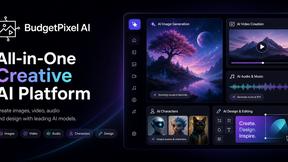
Budgetpixel AI
Create AI images, videos, music, and designs in one workspace with multiple models, powerful editing tools, and API access.
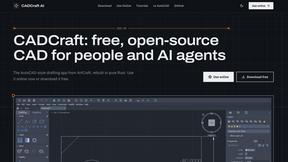
CADCraft
Free, open-source 2D CAD in Rust for precise drafting, DWG/DXF workflows, and AI-assisted automation via MCP, JSON, and CLI.
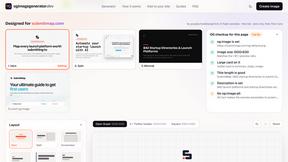
ogimagegenerator.dev
Paste a URL and AI designs on-brand Open Graph images from your page's colours, fonts and logo. Free, no sign-up.
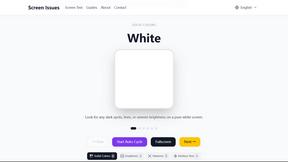
Screen Issues
Free Online Screen Test Tool - Instantly diagnose dead pixels, lines, color issues, and flickering. Multiple test modes, no download needed.

HookAds
Free ad creative hub: 1,750+ prompts behind viral AI ads, 118 hook frameworks, teardowns, swipe files and 27 free AI ad tools. Copy, remix, ship.
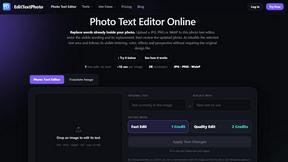
EditTextPhoto
AI-powered image text editor to edit, replace, fix, or translate text in images while preserving the original font, color, size, and style.

ImageGenerator
Create and edit AI images online with multiple models, text-to-image, image-to-image, background removal, and upscaling.

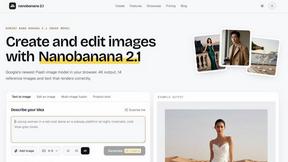
nanobanana 21
A fast, simple AI image studio powered by Nano Banana 2.1 - precise edits, readable text, consistent characters, up to 14 reference images.
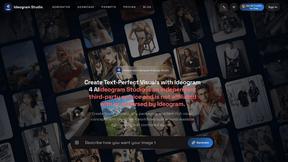
Ideogram Studio
Create text-perfect logos, posters, ads, packaging, and ecommerce visuals with Ideogram 4 AI workflows.
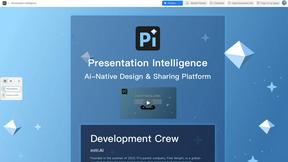
Presentation Intelligence
AI-native presentation and visual content platform that turns prompts, documents, images, videos, and data into polished, shareable decks.

Lockimate - AI Live Wallpapers
Turn any photo into a real Apple Live Photo that animates when you wake your iPhone. Restyle it and choose the motion — customizable.
About dmaya Alternatives
dmaya is an AI-powered vibe design platform that sits at the intersection of visual design and rapid prototyping. It's built for agencies and teams who need to create, iterate, and get client approval on UI designs before a single line of code is written. By chatting with an AI, users generate polished screens from text, making it a standout in the emerging category of conversational design tools. Users often explore alternatives for several key reasons. Budget constraints or specific pricing models can drive the search, as can the need for different feature sets, like more advanced prototyping or integration with existing developer workflows. Platform compatibility is another major factor, with teams needing tools that fit seamlessly into their current tech stack, whether that's Figma, Webflow, or a specific code framework. When evaluating other options, focus on your core workflow needs. Consider the fidelity of the AI-generated output, the smoothness of the client feedback and approval cycle, and the quality and flexibility of the exported code. The best alternative will balance AI-assisted speed with the intentional design control needed to align teams and catch issues early, ensuring you don't sacrifice vision for velocity.
FAQs about dmaya Alternatives
What is dmaya?
dmaya is an AI vibe design platform that lets you chat with an AI to generate professional UI designs from text descriptions, iterate through conversation, get client approval, and export to clean code.
Who is dmaya for?
It is built for agencies, teams, and freelancers who need to design, present, and get approval on visual interfaces before development begins.
What are the main features of dmaya?
Key features include AI chat for instant design generation, a built-in client review and approval system, automatic design token consistency, and export to HTML, CSS, and JS.
Why choose dmaya over other AI tools?
dmaya focuses on the intentional visual design step, allowing for team alignment and problem-solving early, rather than skipping straight to unstructured code.