
Alternatives to Shrinkpad
Explore the best alternatives and competitors to Shrinkpad.
Explore 20 alternatives to Shrinkpad. Compare features, pricing, and find the best fit for your needs.

ROIpad
ROIpad provides dynamic competitive positioning intelligence for SaaS. Identify high-converting messaging gaps, track rival moves, and capture market
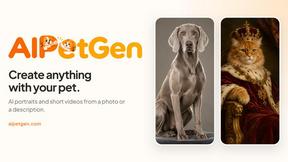
AIPetGen
AIPetGen turns a photo of your dog, cat, or other pet, or a written description, into a new picture or a short animation.


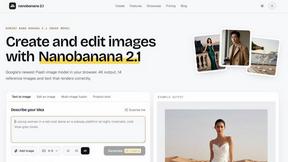
nanobanana 21
A fast, simple AI image studio powered by Nano Banana 2.1 - precise edits, readable text, consistent characters, up to 14 reference images.

Qwen Image Edit
Edit and generate visuals with Qwen Image Edit using prompts for background changes, text edits, posters, outpainting, and style exploration.

AIEnhancer
Enhance photos, create AI images, and generate videos with flexible workflows, creative effects, and a shared asset library.

Lockimate - AI Live Wallpapers
Turn any photo into a real Apple Live Photo that animates when you wake your iPhone. Restyle it and choose the motion — customizable.

Magic Eraser
AI-powered photo editor for removing objects, erasing backgrounds, enhancing images, and creating visuals.

IsThisAIImage
Free AI image checker: upload a photo for AI-generated and deepfake scores, a clear verdict, and optional generator hints.


ClipUtils
Free browser video & image tools: trim, compress, convert, resize & remove backgrounds. 100% on-device — your files never leave your browser.

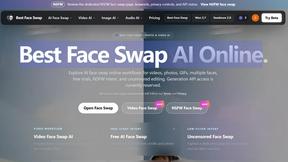
Best Face Swap
Best Face Swap delivers hot new AI workflows for frame-consistent video and photo face replacement with reserved API access.
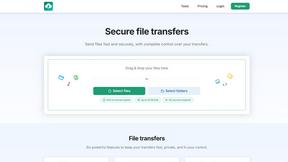
HypeShare
HypeShare is the emerging secure file transfer platform offering end-to-end encryption, up to 10GB free, and instant sharing without signup.

ComicsMaker
ComicsMaker turns your scene prompts into structured comic strips with AI-generated panels, dialogue, and export-ready layouts.

Art & See Custom Oil Painting Portraits
Transform cherished photos into stunning custom oil painting portraits, perfect for celebrating loved ones with timeless artistry.

Nano Banana
Create and edit stunning images effortlessly with Nano Banana's AI, now at 50% off for a limited time!.

SparkPix
Transform your photos effortlessly with SparkPix, the AI-powered online editor that enhances, restores, and stylizes images by simply typing.

RemoveTexts
Effortlessly erase text and unwanted elements from images in seconds with RemoveTexts, the AI tool that requires no design skills.
About Shrinkpad Alternatives
Shrinkpad is a leading Mac-native application in the image and photo optimization category, renowned for its powerful batch compression that slashes file sizes by up to 90% while preserving quality. Users often explore alternatives for various reasons, including budget constraints, the need for cross-platform compatibility on Windows or Linux, or a desire for different feature sets like advanced editing tools or integrated cloud storage. When evaluating other options, key considerations should include the processing method—cloud-based versus local for privacy—supported file formats, the efficiency of batch handling for large volumes, and the balance between compression strength and visual fidelity. The goal is to find a tool that aligns with your specific workflow, security requirements, and performance needs without compromising on the core utility of efficient media optimization.
FAQs about Shrinkpad Alternatives
What is Shrinkpad?
Shrinkpad is a powerful desktop application for macOS that batch compresses images and videos to save disk space and optimize assets while maintaining visual quality.
Who is Shrinkpad for?
It is tailored for photographers, designers, and content creators who need to efficiently manage and compress large quantities of media files on their Mac.
What are the main features of Shrinkpad?
Key features include batch compression for thousands of files, local processing for privacy, intelligent quality preservation, and support for over 50 image and video formats.
Is Shrinkpad secure?
Yes, Shrinkpad processes all files locally on your Mac, so your sensitive media never leaves your device or relies on cloud services.