
Alternatives to Sprite-AI
Explore the best alternatives and competitors to Sprite-AI.
Explore 20 alternatives to Sprite-AI. Compare features, pricing, and find the best fit for your needs.
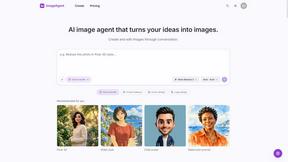
ImageAgent
Create and edit AI images through conversation, using text or reference images and refining results in chat.

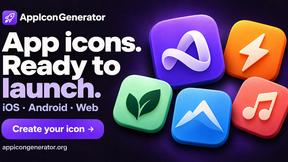
AppIconGenerator
Generate iOS and Android app icons from any image and export all platform sizes for free.
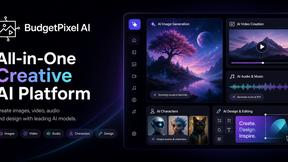
Budgetpixel AI
Create AI images, videos, music, and designs in one workspace with multiple models, powerful editing tools, and API access.
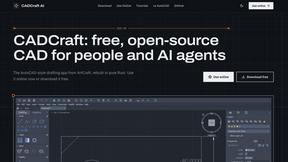
CADCraft
Free, open-source 2D CAD in Rust for precise drafting, DWG/DXF workflows, and AI-assisted automation via MCP, JSON, and CLI.
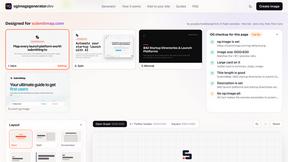
ogimagegenerator.dev
Paste a URL and AI designs on-brand Open Graph images from your page's colours, fonts and logo. Free, no sign-up.
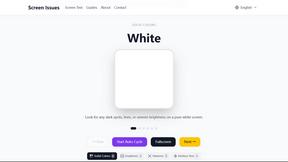
Screen Issues
Free Online Screen Test Tool - Instantly diagnose dead pixels, lines, color issues, and flickering. Multiple test modes, no download needed.

HookAds
Free ad creative hub: 1,750+ prompts behind viral AI ads, 118 hook frameworks, teardowns, swipe files and 27 free AI ad tools. Copy, remix, ship.
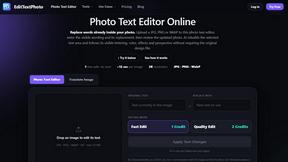
EditTextPhoto
AI-powered image text editor to edit, replace, fix, or translate text in images while preserving the original font, color, size, and style.
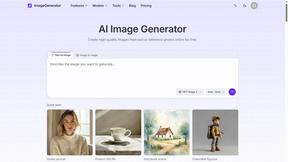
ImageGenerator
Create and edit AI images online with multiple models, text-to-image, image-to-image, background removal, and upscaling.

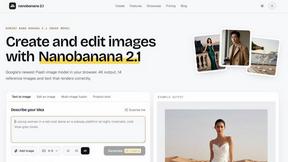
nanobanana 21
A fast, simple AI image studio powered by Nano Banana 2.1 - precise edits, readable text, consistent characters, up to 14 reference images.

Ideogram Studio
Create text-perfect logos, posters, ads, packaging, and ecommerce visuals with Ideogram 4 AI workflows.

Presentation Intelligence
AI-native presentation and visual content platform that turns prompts, documents, images, videos, and data into polished, shareable decks.

Lockimate - AI Live Wallpapers
Turn any photo into a real Apple Live Photo that animates when you wake your iPhone. Restyle it and choose the motion — customizable.

Magic Eraser
AI-powered photo editor for removing objects, erasing backgrounds, enhancing images, and creating visuals.

GPT Image 2 API
Generate and edit production-ready images with GPT Image 2 API, clear text rendering, reference images, and developer-friendly workflows.


About Sprite-AI Alternatives
The landscape of 2D game development is shifting rapidly, and developers are hungry for tools that eliminate the bottleneck of manual pixel art creation. Sprite-AI sits at the intersection of generative AI and game design, acting as a text-to-pixel-art engine that lets you describe a character or item and receive a clean, game-ready sprite in seconds. It is a design tool first and foremost, but one that leverages emerging AI capabilities to compress a workflow that traditionally took hours into a matter of clicks. However, as hot as this technology is, many users are starting to look at other options. The primary drivers for seeking an alternative often revolve around the token-based pricing model, which can feel restrictive for high-volume prototyping, or a desire for deeper integration with specific game engines beyond the standard PNG export. Platform limitations, such as the maximum output size capping at 128x128, or the need for more granular control over the AI’s stylistic output, also push creators to explore the ecosystem. When evaluating a replacement for a tool like Sprite-AI, you need to look for a platform that balances generative speed with editorial control. The most crucial factor is whether the alternative offers a sustainable pricing structure that aligns with your project’s scale—whether that’s a flat subscription, a one-time license, or a more generous free tier. Next, consider the fidelity of the output; some tools may generate sprites that require heavy manual cleanup, while others might offer higher resolution outputs or better adherence to specific art styles like retro 8-bit or modern pixel shading. Finally, pay close attention to the editor experience itself. A powerful pixel editor built into the generation pipeline is non-negotiable, as the ability to fine-tune every pixel directly after generation is what separates a useful AI tool from a gimmick. Look for alternatives that offer robust community assets or prompt libraries to help you hit the ground running without starting from a blank text box.
FAQs about Sprite-AI Alternatives
What is Sprite-AI?
Sprite-AI is an AI-powered pixel art generator designed to help indie game developers, hobbyists, and prototypers create 2D assets quickly. By describing a sprite in plain English, the app generates clean, game-ready pixel art in standard sizes like 32x32, 64x64, or 128x128. It is categorized as a design tool that leverages artificial intelligence to automate the creation of icons, items, characters, and hero or boss art.
Who is Sprite-AI for?
Sprite-AI is built specifically for indie game developers, hobbyists, and prototypers who need to generate 2D assets rapidly without requiring traditional drawing skills. It is ideal for solo developers or small teams working in engines like Unity, Godot, GameMaker, or Unreal who need to iterate on character and item designs quickly. The tool also serves creators who want to experiment with prompt-based art generation while retaining the ability to manually fine-tune the final pixels.
Is Sprite-AI free?
Sprite-AI operates on a token-based pricing model, meaning users only pay for the assets they generate rather than a flat subscription fee. There is no indication of a permanent free tier in the provided content, but the model is designed to be cost-effective for users who generate sprites sporadically. This pay-per-use structure allows developers to control their spending based on project needs without committing to a recurring monthly charge.
What are the main features of Sprite-AI?
The core features include a text-to-sprite generation engine that creates pixel art from plain English descriptions and a built-in pixel editor for manual fine-tuning with tools for painting, erasing, filling, and color picking. It supports export of transparent PNG files that are directly compatible with major game engines like Unity, Godot, GameMaker, and Unreal. Additionally, the platform includes a community gallery, prompt guides, and a token-based pricing system to help users generate assets efficiently.