
AI Video/Image Generator vs Img Editor
Side-by-side comparison to help you choose the right tool.

AI Video/Image Generator
Instantly transform any 2D image into a detailed, interactive 3D model with state-of-the-art AI.
Last updated: March 1, 2026

Img Editor
Transform your text prompts into stunning AI-generated images in seconds with Img Editor's advanced technology.
Last updated: February 28, 2026
Visual Comparison
AI Video/Image Generator
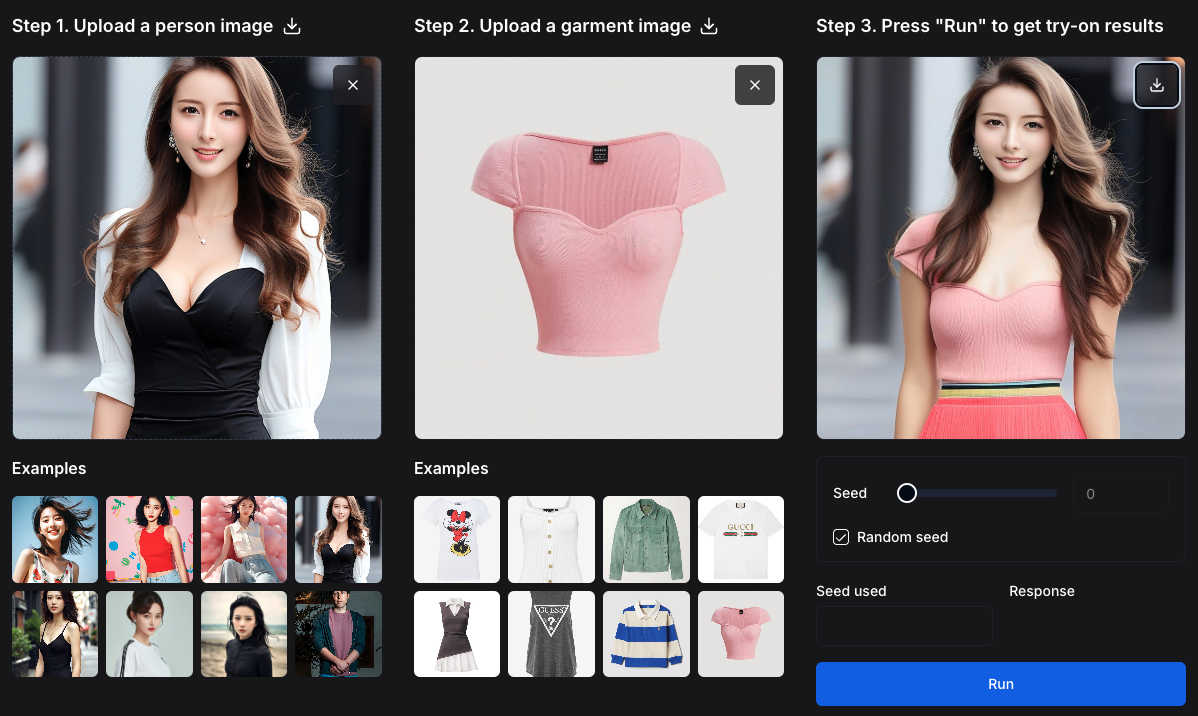
Img Editor

Feature Comparison
AI Video/Image Generator
In-Context Image Generation
This is the core revolutionary feature. FLUX.1 Kontext allows you to use both text prompts AND existing images as simultaneous input. The AI analyzes the visual context, relationships, and unique elements within your provided image, ensuring that new generations are coherent and consistent with your original assets. This enables precise character design, scene continuation, and style preservation that text-only models cannot achieve.
Any 3D Object & Body Reconstruction
A groundbreaking addition, this feature allows you to instantly transform any standard 2D photograph into a detailed, textured 3D model. "Any 3D Objects" reconstructs objects and scenes, while "Any 3D Body" provides accurate 3D human pose and shape estimation, even handling occlusions and unusual postures. This turns everyday images into manipulable 3D assets in seconds, a capability previously reserved for high-end professional software.
Interactive Prompting & Localized Control
Move beyond broad, unpredictable results. The platform provides tools for precise control, such as point clicks or bounding boxes to guide the AI's focus during 3D reconstruction or image generation. This allows for surgical edits and refinements, letting you alter specific elements of a scene or object without needing to regenerate the entire composition from scratch.
Multi-Object Scene Reconstruction & Manipulation
The AI excels at complexity. It can reconstruct complete 3D scenes containing multiple objects from a single 2D image. Once reconstructed, you can manipulate individual objects within that scene or freely control the camera perspective, enabling dynamic exploration and asset extraction for gaming, VR, or film pre-visualization.
Img Editor
Text-to-Image Generation
Img Editor's core feature allows users to input text descriptions and instantly generate stunning images. This feature leverages advanced AI algorithms to interpret user prompts, resulting in high-quality visuals that reflect the user's imagination and creativity.
Image Editing Capabilities
Beyond just generating images, Img Editor provides robust editing tools that allow users to refine and customize their creations. Users can adjust various aspects of their images, including colors, textures, and effects, ensuring that every detail aligns with their artistic vision.
Prompt Generator
The integrated prompt generator helps users craft effective and inspiring descriptions for their desired images. By suggesting keywords and phrases, this feature enhances the creative process, making it easier for users to convey their ideas clearly and effectively.
High-Quality Output Options
Img Editor offers multiple resolution settings, including 1K, 2K, and 4K ultra-quality options. This flexibility allows users to choose the best quality for their projects, catering to professionals who require high-resolution images for print and digital media.
Use Cases
AI Video/Image Generator
Consistent Character & Asset Design for Storytelling
Ideal for comic artists, game developers, and filmmakers. Generate multiple scenes, expressions, and angles of a character while maintaining perfect visual consistency. Upload a character sheet and generate new poses or settings, or transform concept art into a base 3D model for further development, streamlining the entire pre-production pipeline.
Rapid Product Visualization & Marketing Content
Marketers and e-commerce teams can upload a product photo and generate countless lifestyle images, different color variants, or contextual scenes without expensive photoshoots. Furthermore, transform a single product shot into an interactive 3D model for AR try-ons, 360-degree viewers, or immersive online shopping experiences.
Architectural Visualization & Interior Design
Architects and designers can upload a 2D floor plan or a photo of an empty room and generate photorealistic furnished renderings in various styles. The 3D reconstruction feature can also turn a photograph of a furniture piece or decor item into a 3D model for placement within a digital twin of the space.
Game Development & Metaverse Asset Creation
Accelerate game development by converting 2D concept art directly into 3D models with Any 3D. Create consistent textures and assets for characters, props, and environments using in-context generation. This drastically reduces modeling time and helps small studios or indie developers create rich, asset-dense worlds.
Img Editor
Artistic Creation
Artists can utilize Img Editor to create original artworks from simple text prompts, enabling them to explore new styles and concepts without the limitations of traditional tools. This feature fosters creativity and experimentation, making it an ideal resource for digital artists.
Marketing and Advertising
Marketers can generate eye-catching visuals for campaigns and social media posts quickly. With Img Editor, they can create tailored graphics that resonate with their audience, all while saving time and resources typically spent on conventional design processes.
Content Creation
Content creators can enhance their blogs or videos with unique visuals generated through Img Editor. By transforming ideas into images, they can make their content more engaging and visually appealing, helping to attract and retain the attention of their audience.
Education and Training
Educators can leverage Img Editor to create illustrative materials for their lessons. Whether it's designing infographics or visual aids, the platform provides an efficient way to produce educational content that enhances learning and comprehension.
Overview
About AI Video/Image Generator
The creative landscape is undergoing a seismic shift, and at the epicenter is the FLUX.1 Kontext Image Generator. This isn't just another AI art tool; it's a revolutionary suite of generative flow matching models designed for creators who demand precision, consistency, and control. Forget about generating random images from text alone. FLUX.1 Kontext understands the full picture, allowing you to prompt with both text AND images as input. This "in-context" generation is the game-changer, enabling you to create new, coherent renderings while meticulously preserving the context, relationships, and unique elements of your original assets. It's built for professionals, marketers, storytellers, and designers who need to maintain character consistency across scenes, make surgical local edits without a full redo, and iterate on concepts with unprecedented speed and quality. The era of disjointed, inconsistent AI imagery is over. FLUX.1 Kontext delivers professional, customizable, and contextually-aware visual content, transforming a simple prompt into a powerful, iterative creative workflow. Furthermore, the platform is now supercharged with the groundbreaking launch of Any 3D, a state-of-the-art AI that transforms any 2D image into detailed 3D objects and human models in seconds. This integration of 2D-to-3D reconstruction with advanced in-context image generation creates a holistic powerhouse for visual creation, from initial concept to immersive 3D asset.
About Img Editor
Img Editor is an innovative AI image generator that is revolutionizing the world of digital art creation. This free platform empowers users by transforming text descriptions and existing images into high-quality, professional-grade visuals. Whether you are an artist, designer, marketer, or content creator, Img Editor caters to your creative needs without the traditional financial barriers associated with AI art tools. The platform offers a unique value proposition: unlimited creative potential without subscription fees. Users can enjoy 10 free image generations daily, with additional opportunities to earn bonus credits. By integrating intuitive text-to-image generation with powerful image-editing features, Img Editor serves as a comprehensive toolkit for anyone looking to bring their visual concepts to life, from photorealistic landscapes to abstract designs.
Frequently Asked Questions
AI Video/Image Generator FAQ
What makes FLUX.1 Kontext different from other AI image generators?
Unlike standard text-to-image models, FLUX.1 Kontext is built on "in-context" generation. It uses your uploaded images as a visual reference, not just text prompts. This allows it to understand and preserve specific details, styles, and relationships, producing new images that are coherently linked to your original source material, which is essential for professional, consistent work.
How accurate is the 3D reconstruction from a single 2D image?
Any 3D is powered by state-of-the-art AI research trained on millions of diverse images. It achieves a 5:1 win rate in human preference tests against other leading models. While it produces highly detailed textured meshes suitable for many applications, the accuracy for precision engineering may vary. It excels at capturing shape, pose, and general geometry from everyday photos, even with occlusions.
Can I use the generated 3D models commercially?
The commercial usage rights depend on your subscription plan and the specific licensing terms provided by the platform. Typically, paid plans grant commercial licenses for the generated 3D and 2D assets. It is crucial to review the platform's Terms of Service or licensing agreement for detailed information on commercial use, redistribution, and attribution requirements.
Do I need any 3D modeling experience to use Any 3D?
No specialized 3D modeling experience is required. The process is designed to be accessible: you simply upload a 2D image, and the AI automatically generates a 3D model. The platform provides an interactive web interface where you can drag to rotate, scroll to zoom, and explore your model instantly, making advanced 3D technology available to everyone.
Img Editor FAQ
How many images can I generate for free each day?
Users can generate up to 10 images for free every day. This allows ample opportunity to explore Img Editor's capabilities without any financial commitment.
Can I edit the images generated by Img Editor?
Yes, Img Editor includes robust image editing tools that allow users to customize their creations. Users can adjust colors, add effects, and refine details to achieve their desired look.
Is there a limit to the quality of images I can generate?
Img Editor offers various output quality settings, including 1K, 2K, and 4K. Users can choose the resolution that best fits their project needs, ensuring flexibility for both digital and print uses.
How can I earn additional generations beyond the daily limit?
Users have opportunities to earn unlimited bonus credits through various activities, including submitting images to the gallery for review. This allows for more creative exploration without hitting a daily cap.
Alternatives
AI Video/Image Generator Alternatives
The AI Video/Image Generator category is exploding, with tools like FLUX.1 Kontext redefining creative workflows. These platforms use artificial intelligence to generate and manipulate visual content from text prompts and image inputs, moving far beyond simple filters into true generative creation. They are essential for marketers, designers, and content creators needing rapid, high-quality visuals. Users often seek alternatives for various reasons. Cost is a major factor, as pricing models range from freemium to high-tier subscriptions. Others need specific features, like video generation, 3D model creation, or different artistic styles. Platform compatibility, ease of use, and the need for commercial licensing also drive the search for different tools. When evaluating an alternative, focus on your core needs. Consider the quality and style of output, the level of control over details, and how well the tool handles consistency across multiple images. Also, assess the pricing structure, any usage limits, and whether it supports the specific workflows your projects demand, such as batch processing or API access for integration.
Img Editor Alternatives
Img Editor is an innovative AI image generator that falls under the category of image and photo editing tools. This platform allows users to create stunning visuals from text prompts or modify existing images, making it a powerful resource for artists, designers, marketers, and anyone interested in visual content. Users commonly seek alternatives to Img Editor for various reasons, such as pricing models, feature sets, and compatibility with specific platforms or devices. When evaluating alternatives, it’s essential to consider the range of creative tools offered, user-friendly interfaces, and any unique functionalities that may enhance the overall experience. With the growing popularity of AI-driven creative tools, individuals often look for options that provide similar capabilities to Img Editor without the constraints of subscription fees or limited access. It’s crucial to assess the quality of output, the flexibility of editing features, and the community and support available for users. Exploring these factors can help users find an alternative that best suits their artistic needs and enhances their creative journey.