
Clipt vs Sora 2 AI Video Generator
Side-by-side comparison to help you choose the right tool.

Clipt automates video editing tasks so your team can focus on storytelling while enhancing brand consistency with AI.
Last updated: February 28, 2026

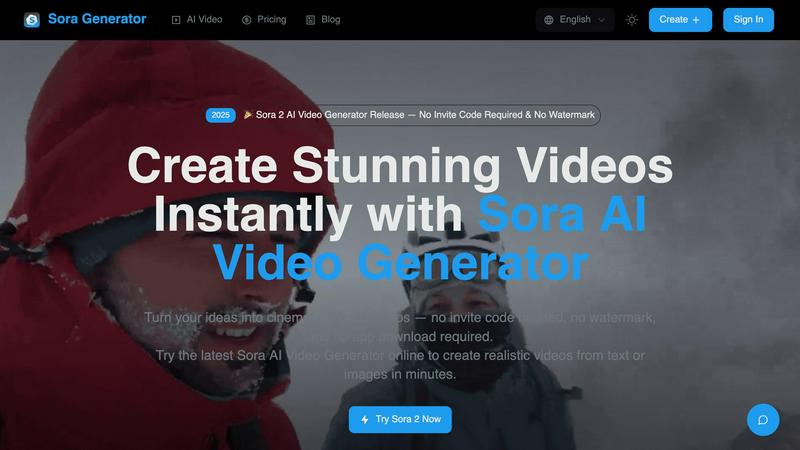
Sora 2 instantly creates stunning, watermark-free AI videos from your text or images with no setup required.
Last updated: March 26, 2026
Visual Comparison
Clipt

Sora 2 AI Video Generator
Feature Comparison
Clipt
Automatic Caption Generation
Clipt’s automatic captioning feature ensures that your videos are accessible and engaging. It creates word-accurate captions that you can customize with various fonts, colors, and animation presets, enhancing viewer experience and retention.
Slideshow Maker
The Slideshow Maker transforms your ideas into eye-catching carousels for social media. Utilizing AI, it generates scripts, images, and voice narration based on a simple description, allowing users to create visually appealing content in just a few clicks.
Talking Heads
Create professional spokesperson videos without the need for cameras or studios using the Talking Heads feature. Simply type what you want your avatar to say, and Clipt's AI will plan scenes and delivery styles, bringing your script to life with unique expressions.
Custom AI Characters
Clipt allows you to create unique, reusable AI characters tailored to your brand. After describing your ideal character, the AI generates multiple variations, ensuring consistent brand representation across all your video content.
Sora 2 AI Video Generator
Text-to-Video & Image-to-Video Generation
Unleash your creativity through two powerful modes. Describe your vision in text, or upload an existing image as a starting point. The AI seamlessly interprets your input, generating coherent, dynamic videos with realistic motion and detail. This dual-input flexibility allows for unparalleled creative control, whether you're building from a written concept or visualizing an existing picture.
Built-In AI Prompt Generator
Struggling to find the right words? This integrated tool is your secret weapon for better results. It helps you craft effective, detailed prompts that guide the AI to produce exactly what you envision. This feature is essential for optimizing output quality and ensuring your generated videos align perfectly with your creative goals, making advanced AI video generation accessible to everyone.
Advanced Storyboard Mode
Move beyond single clips and craft complete narratives. Storyboard mode allows you to create multi-scene videos by sequencing different prompts or images. This is a game-changer for producing short films, detailed product demos, or educational content with a logical flow, all within the same simple, user-friendly interface.
AI Video Upscaling & Watermark Removal
Enhance your final product with professional polish. The AI upscaler improves the resolution and quality of your generated videos. Crucially, you can export your work without any platform watermark, ensuring a clean, branded final asset ready for commercial use or public sharing on any channel.
Use Cases
Clipt
Social Media Marketing
Clipt is perfect for social media marketers who need to produce engaging video content quickly. Whether it's for TikTok or Instagram, the platform offers tools to create captivating videos that resonate with followers and drive engagement.
E-Commerce Promotion
For e-commerce businesses, Clipt’s Talking Heads feature allows brands to create personalized unboxing and testimonial videos. AI-generated characters can represent the brand consistently, enhancing credibility and fostering consumer trust.
Educational Content
Educators and trainers can utilize Clipt to create informative video lessons or tutorials. With the Slideshow Maker, they can easily convert lecture notes into engaging visual presentations that improve learning retention and engagement.
Influencer Collaborations
Content creators can leverage Clipt to streamline their collaboration efforts with brands. By using custom AI characters, influencers can maintain a consistent presence across various campaigns, all while producing high-quality video content efficiently.
Sora 2 AI Video Generator
Viral Social Media Content Creation
Content creators and influencers can generate eye-catching, trending videos for platforms like TikTok, Instagram Reels, and YouTube Shorts in minutes. Quickly produce engaging clips, explainers, or visual stories that capture attention and drive engagement without the need for filming or complex editing suites.
Rapid Marketing & Advertisement Production
Marketing teams can prototype and produce promotional videos, product showcases, and ad variants at lightning speed. Test different visual concepts, create targeted content for campaigns, and respond to market trends instantly, significantly reducing production timelines and costs.
Creative Storyboarding & Pre-Visualization
Filmmakers, writers, and designers can use Sora 2 to visualize scenes, characters, and concepts before actual production begins. Generate dynamic storyboards and mood videos to pitch ideas, secure funding, or guide creative direction with a tangible visual reference that was previously impossible to create quickly.
Educational & Explainer Video Development
Educators and trainers can transform lesson plans or complex information into engaging animated explainer videos. Simplify abstract concepts, create historical reenactments, or produce step-by-step instructional content that enhances learning and retention, all without animation expertise.
Overview
About Clipt
Clipt is a revolutionary video creation and editing tool designed for content creators, marketers, and businesses looking to enhance their video marketing efforts. It seamlessly ingests videos from popular platforms such as YouTube, X, LinkedIn, TikTok, and Instagram, as well as allows users to upload raw files. One of the standout features of Clipt is its ability to generate word-accurate captions, complete with customizable fonts, colors, and animation presets. This makes it ideal for brands aiming to create engaging and accessible video content. The platform boasts parallelized cloud rendering, ensuring that users can keep their production queues moving efficiently. With features such as the Slideshow Maker and Talking Heads, Clipt caters to a diverse range of video needs, making it a one-stop solution for anyone looking to harness the power of video in their marketing strategy.
About Sora 2 AI Video Generator
The landscape of video creation is undergoing a seismic shift, and Sora 2 AI Video Generator is at the forefront of this revolution. This is not just another tool; it's a browser-based powerhouse that instantly transforms your text prompts and images into high-quality, cinematic videos. Forget about lengthy waitlists, complex installations, or expensive software. Sora 2 delivers professional-grade visual content in seconds, directly from your idea to a finished video. Designed for the modern creator, marketer, and designer, it demolishes the traditional barriers of video production. No prior editing skills are required. Its intuitive workflow empowers users to generate engaging videos for social media, marketing campaigns, or creative projects with unprecedented speed and accessibility. The recent release of Sora 2 marks a major leap, offering this advanced capability with no invite code required and the critical option to remove watermarks, making your content truly your own. This is the new standard for turning imagination into visual reality.
Frequently Asked Questions
Clipt FAQ
How many characters can I create?
Clipt allows you to create multiple unique AI characters for your projects. There's no strict limit, and you can generate as many as you need for your content.
Can I use characters across different video types?
Absolutely! The AI-generated characters are versatile and can be used across all Clipt features, ensuring brand consistency regardless of the video format.
Are the characters unique to me?
Yes, the AI characters you create are unique to your account. You have full ownership of the characters, and they can be utilized in your videos without any licensing issues.
Can I edit a character after creating it?
Yes, you can edit your characters after creation. Clipt offers flexibility in adjusting character traits and styles to better fit evolving brand needs or preferences.
Sora 2 AI Video Generator FAQ
Do I need an invite code or waitlist to use Sora 2?
No. A major advantage of this platform is that it offers immediate access. The Sora 2 AI Video Generator is available now with no invite code required and no waitlist, allowing you to start creating stunning videos instantly upon signing up.
Can I download my videos without a watermark?
Yes. Sora 2 provides the option to remove the platform's watermark from your generated videos. This typically requires spending credits, but it allows you to export a clean, professional video file suitable for commercial use and public sharing on any platform.
What kind of inputs does the generator accept?
The tool accepts two primary inputs: text prompts and images. You can type a detailed description of your desired video or upload a JPG, PNG, or GIF image (max 10MB) to serve as the visual foundation. The AI then generates a video based on this input.
Is Sora 2 affiliated with OpenAI?
No. SoraGenerator is explicitly an independent platform and is not affiliated with OpenAI or other AI model providers. It offers access to advanced AI video models through its own proprietary interface and tooling, providing a dedicated service for AI video generation.
Alternatives
Clipt Alternatives
Clipt is a powerful tool designed to streamline video editing processes, especially in the realms of transcription, captioning, and rendering. It automates tedious tasks, allowing content creators to focus on storytelling rather than getting bogged down by technical details. Positioned within the marketing category, Clipt has gained popularity for its ability to ingest videos from various platforms and generate professional-looking content with minimal effort. Users often seek alternatives to Clipt for various reasons, including pricing, feature sets, and specific platform integration needs. While Clipt offers robust functionality, different teams may have unique requirements that necessitate exploring other options. When choosing an alternative, it's essential to consider factors such as ease of use, customization capabilities, integration with preferred platforms, and overall cost-effectiveness to ensure that the solution aligns with your team's workflow and objectives.
Sora 2 AI Video Generator Alternatives
Sora 2 AI Video Generator is a leading tool in the browser-based AI video creation space, allowing users to instantly produce cinematic clips from simple text prompts or images. It's designed for speed and accessibility, eliminating the need for complex software or technical skills. This category is exploding, with new platforms launching constantly, pushing the boundaries of what's possible. Users often explore alternatives for various reasons. Some may seek different pricing models, more specialized features for a niche like animation or realism, or a platform that integrates directly with their existing creative suite. Others might need longer video generation, more granular control over the output, or a different user interface that better matches their workflow. When evaluating other options, focus on your core needs. Consider the quality and style of the AI-generated video, the speed of generation, and the learning curve. Also, assess the cost structure, available export formats, and any unique features like advanced editing tools or specific motion controls. The right tool is the one that aligns with your project requirements and creative process.