
Hush Touch | Voice-to-Text for MacOS vs URL to Any
Side-by-side comparison to help you choose the right tool.

Hush Touch | Voice-to-Text for MacOS
Hush Touch is offline, on-device AI dictation for Mac that learns your voice for just $20.
Last updated: February 28, 2026

URL to Any
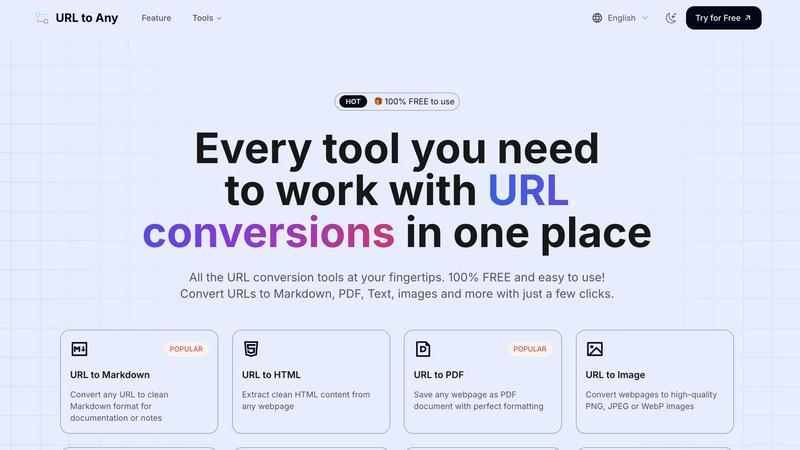
URL to Any instantly converts any webpage into Markdown, PDF, images, and more with one click.
Last updated: February 28, 2026
Visual Comparison
Hush Touch | Voice-to-Text for MacOS

URL to Any
Feature Comparison
Hush Touch | Voice-to-Text for MacOS
Dual-Engine On-Device Recognition
Hush Touch doesn't rely on a single point of failure. It intelligently blends Apple's DictationTranscriber for natural flow and punctuation with SFSpeechRecognizer to spot your custom vocabulary. This dual-engine approach is then refined by an Apple Intelligence final pass, all executed locally on your Mac. This means superior accuracy for technical terms and everyday speech without the latency or privacy risks of cloud processing. Your voice data never leaves your computer.
Adaptive Custom Vocabulary & Learning
Forget manually adding every industry term. Hush Touch provides a 500-term base and, critically, features auto-learn from corrections. When you fix a transcription, it detects and adds the correct word to your personal vocabulary. This frequency-weighted learning is even boosted per application, meaning it better recognizes your coding jargon in Xcode and your client names in Mail automatically. It learns and evolves with every use.
Smart, Local Text Processing
Experience dictation that thinks ahead. Beyond basic transcription, Hush Touch actively removes filler words ("um," "like"), performs intelligent auto-corrections, and can format numbered lists from your speech. You can also create voice snippets for frequently used phrases. All this smart processing happens in real-time, on your device, ensuring your workflow remains fast and uninterrupted.
Hands-Free Context Modes & Commands
Switch between optimized dictation modes for General writing, Emails, Code, and Notes with ease. Activate dictation completely hands-free by saying "Hey Siri, start touch." The app auto-inserts your text after a pause and can even send messages with voice commands like "okay send message." Double-click your hotkey for Siri-style auto-stop, creating a truly fluid, microphone-like experience.
URL to Any
🚀 Lightning-Fast, Multi-Format Conversion Engine
At the core of URL to Any is an optimized processing engine that delivers instant results. Go beyond basic text extraction. Convert any webpage into over 10 different formats with a single click, including Markdown for docs, PDF for archiving, PNG/JPEG for visuals, and structured data like JSON and XML for developers. This eliminates the need for multiple disparate tools, centralizing your entire conversion workflow into one blazing-fast, efficient platform.
🔒 Secure, Private & Cloud-Based Processing
Your data's security is paramount. All conversion magic happens securely in the cloud, requiring no risky software downloads or extensions that compromise your system. Most importantly, URL to Any operates on a strict privacy principle: your data and the URLs you process are never stored on their servers. This ensures complete confidentiality for sensitive research, internal documents, or any web content you handle, giving you peace of mind with every conversion.
🛠️ Advanced Extraction & AI-Powered Tools
URL to Any is packed with pro-level utilities that go simple conversion. Instantly extract all links from a site with the URL Extractor, analyze SEO meta tags and headings, or resolve URLs to IP addresses. The integrated AI Summarizer leverages cutting-edge AI technology to digest lengthy articles and provide concise summaries instantly, a must-have for researchers and content curators staying ahead of information overload.
🎯 User-Friendly Interface & Global Accessibility
Designed for effortless use, the intuitive interface ensures anyone can master it in moments—just paste, select, and convert. Access the entire toolkit from any device, anywhere in the world. With features like batch URL opening and one-click copying/downloading, it seamlessly integrates into any workflow. The platform is constantly evolving, adding NEW tools like meta tag analyzers to keep you at the forefront of web utility trends.
Use Cases
Hush Touch | Voice-to-Text for MacOS
Technical Documentation & Code Comments
Software engineers and developers can dictate complex commands, variable names, and framework terminology like "Kubernetes" or "kubectl" with confidence. The custom vocabulary learning ensures technical jargon is captured perfectly, making it ideal for writing documentation, adding code comments, or drafting project notes without breaking focus to type.
Medical & Legal Note Dictation
For physicians, therapists, and legal professionals, accuracy with specialized terminology is non-negotiable. Hush Touch learns medical diagnoses, drug names, and legal case references, transforming spoken notes into precise text. The 100% on-device processing guarantees patient and client confidentiality, complying with strict privacy regulations.
Content Creation & Freelance Writing
Writers, bloggers, and journalists can draft articles, emails, and social media content hands-free. The smart filler word removal and punctuation create cleaner first drafts, while the ability to speak in a natural, flowing manner helps overcome writer's block. The one-time cost is a major win over subscription-based tools.
Accessible Computing & Ergonomics
For users with RSI, mobility challenges, or anyone seeking a more ergonomic setup, Hush Touch provides a powerful voice-typing solution. The seamless integration with Siri and system-wide hotkeys allows for complete control of text input across any application on the Mac, reducing physical strain and increasing productivity.
URL to Any
📚 Academic Research & Documentation
Students and researchers can effortlessly capture online sources in a clean, citable format. Convert crucial articles or studies into PDFs for offline annotation or transform reference webpages into organized Markdown notes for literature reviews. The AI Summarizer is a game-changer for quickly digesting multiple papers, while extracting pure text helps in compiling bibliographies without ads or webpage clutter.
💻 Developer Workflow & Data Structuring
Developers can supercharge their workflows by converting API documentation or blog tutorials into Markdown for local knowledge bases. The URL to JSON and URL to XML features are invaluable for web scraping prototypes, quickly turning webpage content into structured data for apps. The URL Encode/Decode toolset supports 8+ formats, making it a handy Swiss Army knife for debugging and data processing tasks.
🎨 Content Creation & Digital Marketing
Content creators and marketers can capture visual inspiration or competitor layouts by converting websites to high-quality images (PNG, JPEG, WebP). Generate QR codes from campaign URLs for print materials in seconds. Use the Meta Tags Extractor to audit and analyze the SEO and social media previews (Open Graph, Twitter Cards) of any webpage, streamlining competitive research and on-page optimization.
🗄️ Professional Archiving & Knowledge Management
Professionals across industries can reliably archive important webpages, legal notices, or project briefs as perfectly formatted PDFs, ensuring layout fidelity for future reference. Convert internal wiki pages or announcements into text or Markdown for centralized knowledge management systems. The ability to process content securely and privately makes it ideal for handling sensitive business information found online.
Overview
About Hush Touch | Voice-to-Text for MacOS
Stop feeding the cloud. The next wave of AI productivity is happening offline, and Hush Touch is leading the charge for macOS users. This isn't just another dictation app; it's a paradigm shift towards private, intelligent, and perpetually learning voice-to-text software. Engineered exclusively for Mac, Hush Touch leverages the untapped power of your device by fusing two native Apple transcription engines with a final Apple Intelligence polish—all processed 100% on-device. The result? A shockingly lightweight 5.5 MB app that delivers cleaner, more accurate text without ever sending your voice data to a server. It's built for professionals, writers, developers, and anyone who values privacy and precision. For a one-time fee, you get a tool that removes filler words, masters your unique vocabulary, and integrates seamlessly into your workflow with hotkeys and Siri commands. This is the end of subscription lock-in and cloud dependency. Hush Touch represents the future: AI that works for you, learns from you, and protects you.
About URL to Any
🚀 HOT ALERT: In the fast-paced digital world, content is king, but format is its kingdom. URL to Any is the revolutionary, all-in-one web content conversion suite that's changing how creators, developers, and professionals interact with online information. This isn't just another simple converter; it's a comprehensive, cloud-powered toolkit designed to dismantle the barriers between a webpage and its potential. Simply paste any URL, and within seconds, transform it into a versatile array of formats including clean Markdown, perfectly formatted PDFs, high-quality images, structured JSON/XML, and even shareable QR codes. Built with a laser focus on user experience, it requires no registration, no software installation, and is 100% FREE, making powerful conversion accessible to everyone. Whether you're archiving research, documenting code, preparing content for publication, or extracting data for analysis, URL to Any streamlines your workflow, eliminates manual hassle, and supercharges productivity. It's the essential bridge between the dynamic web and your projects.
Frequently Asked Questions
Hush Touch | Voice-to-Text for MacOS FAQ
How does Hush Touch work offline without the cloud?
Hush Touch is engineered to run entirely on your Mac's hardware. It utilizes two built-in Apple speech recognition engines (DictationTranscriber and SFSpeechRecognizer) and performs its AI-enhanced final pass using Apple's on-device Intelligence framework. No audio data is ever uploaded to external servers, enabling full functionality completely offline.
What makes Hush Touch different from macOS's built-in dictation?
While macOS dictation is a basic tool, Hush Touch supercharges it. It combines two engines for better accuracy, adds smart post-processing like filler word removal, learns your personal vocabulary automatically, and offers context-aware modes. It's a dedicated, premium layer of intelligence built on top of the native system capabilities.
Does the app really learn the words I correct?
Yes, its adaptive learning is a core feature. When you manually correct a transcribed word or phrase in your text, Hush Touch detects that correction and automatically adds the intended word to your personal vocabulary. This frequency-weighted learning makes it smarter and more accurate for your specific needs over time.
Is there a trial available before I buy the license?
Absolutely. You can download a full-featured 7-day free trial directly from the Hush Touch website. No credit card is required for the trial, allowing you to test its on-device accuracy, vocabulary learning, and workflow integration thoroughly before committing to the one-time purchase.
URL to Any FAQ
Is URL to Any really free to use?
YES, 100% FREE! URL to Any is completely free to use with no hidden costs, tiered plans, or required registrations. Every tool, from URL to PDF and Markdown conversion to the AI Summarizer and advanced extractors, is available at no charge. This commitment to accessibility ensures everyone from students to enterprise users can benefit from its powerful features without any financial barrier.
How does URL to Any ensure my privacy and data security?
Privacy is a foundational principle. When you convert a URL, the content is processed transiently in the cloud to generate your output. Immediately after the conversion is complete and delivered to you, the data is purged. URL to Any does not store the webpages you convert, your IP address, or any personal information on its servers, guaranteeing a secure and private conversion experience.
What formats can I convert a URL into?
The platform supports a wide and growing range of formats. Key outputs include Markdown, PDF, HTML, Text, and high-quality Images (PNG, JPEG, WebP). For developers and data work, you can convert to JSON and XML. It also creates QR Codes, MP3 audio (for text-to-speech), and offers advanced utilities like encoding/decoding in 8+ formats and bulk URL extraction.
Do I need to install software or a browser extension?
No installation is necessary! URL to Any is a fully cloud-based web application. You can access and use all its tools directly from any modern web browser on your desktop, tablet, or phone. While an optional browser extension is available for added convenience, the core website provides the complete, powerful functionality without any downloads, making it instantly accessible and safe to use.
Alternatives
Hush Touch | Voice-to-Text for MacOS Alternatives
Hush Touch | Voice-to-Text for MacOS is a standout in the AI assistant category, offering a powerful, privacy-first dictation tool. It leverages on-device Apple technology to transcribe speech into text offline, making it a go-to for users who prioritize speed and data security in their daily workflow. Users often seek alternatives for various reasons. Some might need a cross-platform solution that works beyond macOS, while others look for different pricing models like subscriptions or free tiers. Feature sets also drive the search, whether it's demand for advanced editing commands, integration with specific apps, or support for multiple languages. When evaluating other options, key considerations include the processing method—cloud-based for power or on-device for privacy—and the overall accuracy and "intelligence" of the transcription. Also, assess how seamlessly the tool fits into your existing apps and whether its command structure aligns with your natural speaking style.
URL to Any Alternatives
URL to Any is a leading AI-powered web content conversion tool, part of the dynamic AI Assistants category. It instantly transforms any webpage link into versatile formats like Markdown, PDF, and QR codes, streamlining digital workflows for creators and developers alike. Users often explore alternatives for various reasons. Some may require advanced features like batch processing or API access, while others might need integrations with specific platforms like Notion or Google Docs. Budget constraints or a preference for open-source solutions can also drive the search for different tools. When evaluating an alternative, prioritize core needs. Consider the range of output formats, processing speed, and ease of use. Security and data privacy are paramount, especially for sensitive content. Finally, assess the overall value—whether a freemium model or a one-time purchase aligns best with your long-term usage and workflow requirements.