
Customer Feedback vs Interhubz
Side-by-side comparison to help you choose the right tool.

Customer Feedback
Transform customer opinions into actionable insights and keep your community engaged with real-time feedback.

Interhubz
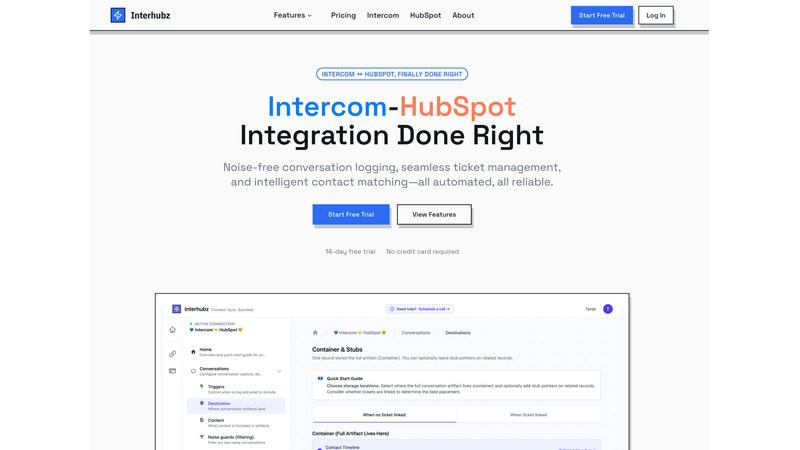
Interhubz syncs Intercom chats to HubSpot as clean, single timeline entries automatically.
Last updated: February 28, 2026
Visual Comparison
Customer Feedback

Interhubz
Feature Comparison
Customer Feedback
Comprehensive Feedback Collection
Customer Feedback offers a versatile system for gathering input from users through various channels. From customizable widgets embedded on your website to user-friendly forms and interactive wishlists, this feature ensures that you can capture feedback wherever your customers are most engaged.
AI-Powered Insights
With the integration of advanced AI technology, Customer Feedback transforms raw comments into clear, actionable insights. This feature helps businesses quickly identify trends, sentiments, and areas for improvement, streamlining the decision-making process and enhancing overall productivity.
Real-Time Updates Sharing
Keep your users informed and engaged with the real-time updates sharing feature. This functionality allows businesses to communicate changes, new features, and improvements directly to users, fostering a sense of community and ensuring that customers feel valued and connected.
Customizable Reporting Dashboard
The customizable reporting dashboard allows businesses to visualize their feedback data in a way that suits their unique needs. Users can create tailored reports that highlight key metrics, trends, and customer sentiments, making it easier to present findings to stakeholders and drive strategic decisions.
Interhubz
One Rich Note Per Conversation
Ditch the timeline pollution for good. Instead of bombarding your HubSpot contact records with a separate entry for every single message, tag change, or assignment, Interhubz consolidates an entire Intercom conversation into one intelligently formatted note. This single artifact contains the full transcript, a summary, all file attachments, and a deep link back to the original chat. It transforms chaotic data into a readable, actionable history that your sales and CS teams can instantly understand, saving them from digging through fragments to grasp the full customer story.
Intelligent Contact & Company Matching
Eliminate duplicate records and ensure flawless data alignment with our advanced matching algorithms. Interhubz goes far beyond basic email matching. It intelligently connects Intercom contacts to HubSpot records using multiple identifiers including email, phone number, and custom user properties you define. This multi-layered approach guarantees that every conversation is attached to the correct person and company in your CRM with zero duplicates, creating a pristine, unified customer profile that both support and revenue teams can trust.
Bi-Directional Ticket Spine
Bridge the gap between support and sales with seamless, real-time ticket management. With one click from inside Intercom, agents can create a fully linked HubSpot ticket. The magic is in the sync: ticket status and ownership updates flow bi-directionally. When a ticket stage changes in HubSpot, it reflects in Intercom, and vice-versa. This eliminates the manual copy-pasting, tab-switching, and status drift that plague disconnected workflows, keeping both systems perfectly in sync without any manual effort.
Embedded Intercom Inbox App
Empower your support team with context without ever leaving their workflow. The Interhubz app installs directly into the Intercom Inbox, providing a live panel of HubSpot data. Agents can view contact and company details, see deal stages, and create or link HubSpot tickets instantly—all without switching tabs or applications. This embedded experience creates a unified workspace, drastically reducing context-switching and enabling faster, more informed customer interactions.
Use Cases
Customer Feedback
Product Development
Utilize Customer Feedback to gather insights during the product development phase, ensuring that the final offering aligns with customer expectations. By collecting input early and often, businesses can refine their products based on real user needs.
Customer Satisfaction Surveys
Leverage the tool to create customer satisfaction surveys that gauge user experience and satisfaction levels. This data can be crucial for identifying pain points and areas where improvements can be made.
Community Engagement Initiatives
Implement Customer Feedback features to enhance community engagement initiatives. By encouraging users to share their thoughts and suggestions, businesses can cultivate a loyal customer base and foster a thriving community around their brand.
Marketing Strategy Optimization
Analyze the feedback collected to optimize your marketing strategies. Understanding customer sentiments and preferences allows businesses to tailor their marketing efforts, targeting the right audience with the right messages at the right time.
Interhubz
Scaling Support-to-Sales Handoffs
For growth-stage companies, smooth handoffs from support to sales are critical for capturing revenue opportunities. Interhubz ensures that when a support conversation reveals a sales-qualified lead, the context is perfectly preserved in HubSpot as a single, rich note. The sales team receives a complete narrative, not a jumbled timeline, allowing them to pick up the conversation intelligently and accelerate the deal cycle without missing a beat or asking the customer to repeat themselves.
Maintaining a Clean CRM for Revenue Operations
RevOps teams are tasked with maintaining data integrity, but standard integrations pollute HubSpot with bot chats, spam, and fragmented notes. Interhubz’s configurable Noise Guards automatically filter out low-value interactions based on message count, duration, and type. This ensures only meaningful, human conversations sync to your CRM, resulting in a clean database that delivers accurate reporting, reliable analytics, and trustworthy automation triggers for your revenue team.
Unifying Customer Context for Account Management
Customer Success Managers (CSMs) need a holistic view of their accounts, but vital support interactions are often siloed in Intercom. Interhubz solves this by bringing every customer conversation into the HubSpot timeline as a structured note. CSMs can quickly scan a contact’s history, see recent issues, and understand sentiment without logging into another tool, enabling them to provide proactive, context-rich support and drive higher retention rates.
Streamlining SaaS Onboarding and Product-Led Growth
For product-led growth (PLG) models, user interactions during sign-up and onboarding are goldmines of insight. Interhubz captures these early Intercom conversations and syncs them directly to the user’s profile in HubSpot. This allows growth and product teams to analyze friction points, track feature questions, and identify upsell signals directly within their primary revenue platform, turning support data into a powerful engine for optimizing the user journey and conversion funnel.
Overview
About Customer Feedback
Customer Feedback is an all-in-one tool designed to empower businesses to gather, analyze, and act upon customer insights seamlessly. This innovative platform allows users to collect feedback through diverse channels such as widgets, forms, and wishlists, ensuring that no customer voice goes unheard. With the power of artificial intelligence, Customer Feedback rapidly identifies patterns and trends from raw comments, enabling companies to focus on actionable insights rather than getting lost in an overwhelming amount of data. Moreover, it fosters a vibrant community by allowing businesses to share updates and engage with users effectively, keeping them excited and connected. Whether you are a startup or an established enterprise, Customer Feedback is your go-to solution for elevating customer experience and driving product innovation.
About Interhubz
Stop the integration chaos. If your support team lives in Intercom while sales and customer success operate in HubSpot, you know the drill: fragmented context, polluted timelines, and endless manual work. Standard integrations create a flood of 8+ unreadable timeline entries per conversation, turning your CRM into a cluttered mess where critical customer insights get lost. Interhubz is the definitive fix, engineered for modern revenue teams who demand operational elegance. This isn't just another connector; it's an intelligent synchronization layer that automates the flow of customer conversations with precision. It transforms noisy Intercom chats into a single, rich, and formatted HubSpot timeline note, complete with full transcripts and attachments. With advanced noise guards to filter out bots and spam, intelligent contact matching to eliminate duplicates, and bi-directional ticket sync, Interhubz ensures both sides of your business operate from a single source of truth. Built by operators who've lived the pain, it delivers 100% sync reliability in minutes, not days. For teams where clean data and seamless workflows are non-negotiable, Interhubz is the mission-critical upgrade that finally makes the Intercom-HubSpot integration work the way it should.
Frequently Asked Questions
Customer Feedback FAQ
How does Customer Feedback collect data?
Customer Feedback collects data through various channels such as customizable widgets, straightforward forms, and interactive wishlists, allowing users to provide feedback in their preferred manner.
Can I analyze trends over time?
Yes, Customer Feedback utilizes advanced AI technology to analyze trends over time, helping businesses identify patterns in customer feedback and adjust their strategies accordingly.
Is the platform suitable for small businesses?
Absolutely! Customer Feedback is designed for businesses of all sizes, from startups to large enterprises, making it a versatile tool for any organization looking to enhance customer insights.
How can I share updates with my customers?
The platform features a real-time updates sharing function, allowing you to communicate changes, new features, and important information directly to your users, keeping them engaged and informed.
Interhubz FAQ
How does Interhubz prevent duplicate contacts in HubSpot?
Interhubz employs a sophisticated, multi-property matching logic that goes beyond simple email lookup. It first attempts to match by email address. If no match is found, it can then try matching by phone number or by custom unique identifiers you specify (like a User ID). This layered approach ensures that even if a contact uses a slightly different email across platforms, they are correctly matched to an existing HubSpot record, effectively eliminating the creation of frustrating and messy duplicates.
Can I control which Intercom conversations sync to HubSpot?
Absolutely. Interhubz is built with intelligent filters called "Noise Guards." You have full control to block conversations that don't belong in your CRM. You can set minimum thresholds for message count or conversation duration to filter out brief bot interactions. Most powerfully, you can automatically exclude conversations that were auto-closed or tagged as spam, ensuring only meaningful, human-driven support dialogues populate your valuable HubSpot timeline.
Does the ticket sync work in real-time?
Yes, the ticket sync is real-time and bi-directional. When a support agent changes the status of a linked conversation in Intercom, that update is immediately reflected in the corresponding HubSpot ticket's stage. Conversely, if a sales rep updates the ticket stage in HubSpot, the Intercom conversation status changes automatically. This real-time sync eliminates the lag and data drift that cause misalignment between teams.
How long does it take to set up Interhubz?
Setup is designed to be completed in under 10 minutes, not hours or days. It involves three simple steps: a one-click OAuth connection to both Intercom and HubSpot, configuring your matching preferences (with smart defaults provided), and setting your Noise Guard filters. Once configured, the sync begins automatically. There's no need for complex API key management or technical configuration, allowing you to gain value almost instantly.