
LinkedInPro vs Proofapp
Side-by-side comparison to help you choose the right tool.
Get a pro AI headshot instantly to upgrade your LinkedIn profile.
Last updated: February 28, 2026

Proofapp
Stop endless feedback loops by pinning visual comments directly on any live website.
Last updated: March 4, 2026
Visual Comparison
LinkedInPro
Proofapp

Feature Comparison
LinkedInPro
AI-Powered Professional Enhancement
This feature goes beyond basic photo editing. LinkedInPro's sophisticated AI engine is specifically trained on professional aesthetics. It intelligently analyzes your uploaded photo to enhance lighting, refine skin tones, sharpen focus, and suggest optimal framing to create a headshot that radiates competence and approachability, mimicking the quality of a high-end studio session without the hassle.
Instant Studio-Quality Results
Say goodbye to waiting weeks for edits. LinkedInPro delivers polished, professional-grade headshots in a matter of seconds. This lightning-fast processing leverages cloud-based AI, allowing you to upload a photo and receive multiple enhanced options almost immediately, perfect for last-minute profile updates before a big opportunity or networking event.
Simple Two-Step Process
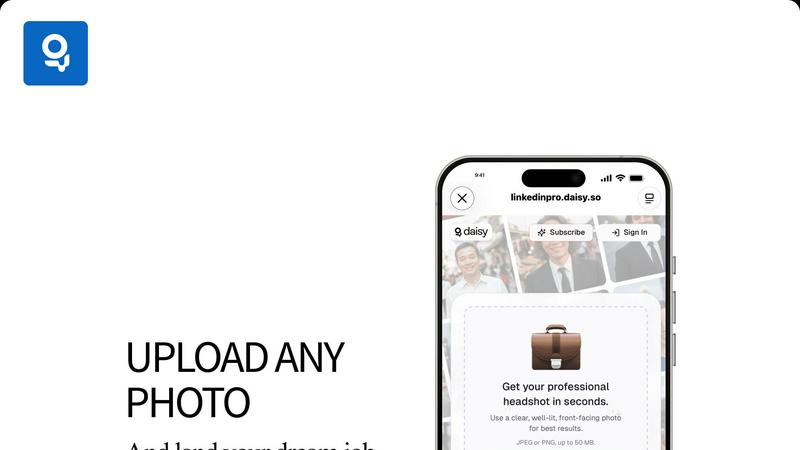
The platform is designed for maximum ease of use. The entire workflow is streamlined into two simple steps: upload a clear, front-facing photo from your device or take one directly, and let the AI work its magic. There's no complex software to learn, making professional branding accessible to everyone, regardless of technical skill.
Secure and Ethical AI Processing
LinkedInPro prioritizes your privacy and data security. Uploads are handled with secure protocols, and the AI is built on ethical image generation principles. The tool enhances your existing photo rather than creating a deepfake or fictional persona, ensuring your digital representation remains authentic and trustworthy, a critical factor in professional networking.
Proofapp
Visual Click-to-Comment Pinning
This is the core engine of Proofapp. Instead of describing a UI element with words, stakeholders click directly on the live screenshot to drop a pin and leave feedback. This eliminates all ambiguity from phrases like "top left, under the nav." Every comment is visually anchored to the exact pixel it references, providing immediate, impossible-to-misinterpret context. This turns subjective descriptions into objective, actionable tasks, ensuring developers and designers know precisely what to fix.
Multi-Breakpoint Automatic Screenshot Capture
Proofapp understands that modern design is multi-device. You don't need to manually take and upload screenshots. Simply provide a URL, and the platform intelligently captures your site at key breakpoints, including desktop and mobile views. This ensures feedback is comprehensive and that issues specific to a particular screen size are caught and discussed directly on the relevant visual, streamlining the responsive testing process.
Secure, Account-Free Client Sharing
Streamline client collaboration by generating secure, shareable links to your proofing projects. The game-changing feature is that clients and external reviewers can participate fully—viewing, commenting, and attaching files—without the barrier of creating a user account. Links can be set to expire for added security. This drastically reduces friction in the feedback collection process, making it as easy as sending a link.
Real-Time Collaboration & Feedback Management
Proofapp creates a centralized, living dashboard for all project feedback. Team members see comments appear in real-time, can reply in threads to discuss solutions, and attach supporting images or documents directly to a comment. The ability to mark feedback as "Resolved" provides clear progress tracking, turning a chaotic list of requests into a managed workflow that ensures nothing falls through the cracks.
Use Cases
LinkedInPro
The Active Job Seeker
For individuals applying to new roles, a professional headshot can significantly increase profile views and recruiter engagement. LinkedInPro allows job seekers to instantly upgrade their LinkedIn, Indeed, and other platform profiles with a credible photo, helping them stand out in a crowded applicant pool and make a powerful first impression before the first interview.
The Entrepreneur and Founder
Startup founders and solopreneurs need to build a strong, trustworthy personal brand to attract investors, partners, and clients. LinkedInPro provides an affordable way to maintain a consistent, professional image across all business platforms—LinkedIn, company websites, and speaker bios—projecting legitimacy and confidence crucial for business growth.
The Content Creator and Influencer
Professional content creators, consultants, and industry influencers rely on their personal brand. LinkedInPro enables them to quickly generate a suite of high-quality, consistent headshots for various platforms (newsletter headers, webinar speaker images, social media) without recurring photoshoot costs, keeping their visual brand fresh and engaging.
The Established Professional Needing a Refresh
Even seasoned executives and experts often have outdated profile pictures. LinkedInPro offers a discreet and convenient solution for a quick profile refresh. Without the need to schedule a formal photoshoot, they can upload a recent photo and get an updated, age-appropriate, and professionally polished headshot that reflects their current role and stature.
Proofapp
Freelancer Client Website Approvals
Freelancers can present website drafts to clients using Proofapp, looking highly professional while saving immense time. Instead of trading emails with attached, annotated screenshots, they share a single link. Clients click to give precise feedback, which the freelancer can then address and mark as resolved. This transparent process builds trust, reduces revision rounds, and allows freelancers to manage multiple client projects from one organized dashboard.
In-House Design & Development Team Sprints
Agile teams use Proofapp during internal design reviews and QA phases. Developers can share a staging URL, and designers, product managers, and marketers can all pin feedback directly on the build. This consolidates Slack messages, emails, and hallway conversations into one source of truth pinned to the UI, streamlining the sprint cycle and ensuring visual and functional bugs are reported with perfect clarity before deployment.
Marketing Agency Campaign Launches
Marketing agencies managing landing page or digital campaign launches for clients utilize Proofapp to coordinate feedback across copy, design, and client teams. Stakeholders can comment on specific headlines, images, or call-to-action buttons directly on the live preview. This visual process prevents copy changes from getting lost in email threads and ensures the final asset aligns perfectly with the client's vision before going live.
Software Product User Acceptance Testing (UAT)
During UAT phases, product teams can share a new feature build via Proofapp with a broader group of testers or beta users. Testers can report bugs or suggest improvements by clicking directly on the problematic element, attaching screenshots or console logs, and providing detailed context. This creates a structured, visual bug report log that is far more efficient for developers to triage and act upon than traditional spreadsheets or emails.
Overview
About LinkedInPro
In the hyper-competitive digital arena, your profile picture is your first impression, your silent elevator pitch. LinkedInPro is the game-changing AI tool that instantly transforms your everyday selfies into studio-quality professional headshots. This isn't just a simple filter; it's a sophisticated AI engine designed to understand professional aesthetics, delivering polished results in seconds. It's built for the modern professional: ambitious job seekers cutting through the noise, savvy entrepreneurs building a magnetic personal brand, and established experts needing a quick, credible profile refresh. The core value proposition is revolutionary accessibility. LinkedInPro dismantles the traditional barriers of cost, scheduling, and inconvenience associated with professional photography. For a fraction of the price of a single photoshoot session, you gain access to a digital studio, empowering you to project confidence, competence, and approachability across all professional platforms, 24/7. In an age where AI is reshaping personal branding, LinkedInPro puts cutting-edge, ethical image generation directly in your hands, ensuring you always put your best face forward.
About Proofapp
Proofapp is the disruptive visual collaboration platform that's finally killing the endless email feedback loop. In an era where remote work and rapid iteration are the norm, Proofapp provides the critical infrastructure for clear, contextual, and actionable communication. It transforms the chaotic process of collecting website and design feedback from a game of broken telephone into a streamlined, visual workflow. Simply paste a URL, and Proofapp automatically generates pixel-perfect screenshots across desktop and mobile breakpoints, creating a shared canvas for your entire team and clients. Reviewers can then click directly on the design to pin comments, spark threaded discussions, attach files, and mark items as resolved—all without the friction of creating an account. Designed for the modern builder—freelancers, agile dev teams, design agencies, and marketing squads—Proofapp cuts through miscommunication, slashes revision cycles by up to 60%, and reclaims an average of 5+ hours per week per team. Its core value proposition is undeniable: replace scattered, vague notes with organized, visual feedback that gets projects shipped faster, with less frustration and more clarity for everyone involved.
Frequently Asked Questions
LinkedInPro FAQ
What kind of photo should I upload for the best results?
For optimal AI enhancement, upload a clear, well-lit, front-facing photo. Ensure your face is fully visible without heavy shadows, hats, or sunglasses. A neutral background and a direct gaze help the AI engine best understand and professionally enhance your features. Supported formats are JPEG or PNG, up to 50 MB.
How does LinkedInPro ensure my photos are secure?
LinkedInPro uses secure, encrypted connections for all photo uploads and processing. The platform has a clear Privacy Policy outlining data handling practices. The AI processes your image to enhance it ethically without storing it for unauthorized training or sharing it with third parties, prioritizing your digital security.
Is this just a filter or is it actual AI?
This is genuine AI, not a simple filter. While filters apply uniform effects, LinkedInPro's engine performs a detailed analysis of your photo. It makes intelligent, context-aware adjustments to lighting, skin texture, sharpness, and composition specifically tailored to create a professional headshot, delivering a uniquely enhanced result for each user.
Can I use the generated headshots commercially?
Yes, the professional headshots generated by LinkedInPro are intended for your personal professional use. This includes using them on your LinkedIn profile, company website, professional portfolios, speaker bios, and other business-related materials. They are designed to represent you authentically in a commercial and professional context.
Proofapp FAQ
Do reviewers need an account to give feedback?
No, this is a key advantage of Proofapp. You can share projects with clients, stakeholders, or team members via a secure link. They can view the screenshots, click to add comments, participate in threads, and attach files immediately without any sign-up process, removing a major barrier to collecting quick and easy feedback.
What kind of websites can I upload to Proofapp?
Proofapp works with any publicly accessible website URL. Simply paste the link into the platform, and it will automatically crawl and capture screenshots. It is ideal for reviewing live websites, staging environments, prototypes, and even password-protected sites if you provide the login credentials during the capture setup.
How does the pricing compare to other tools?
Proofapp positions itself as offering enterprise-grade visual collaboration at a fraction of the cost, specifically noting it can be 600% cheaper than some competitors. It emphasizes value for smaller teams, with transparent, scalable pricing that includes a generous free tier and often promotional "early bird" discounts to lock in low rates.
Is my data and feedback secure on the platform?
Yes, Proofapp is built with security in mind. It offers features like secure, expirable share links and mentions enterprise-grade security practices including role-based permissions and audit logs. This ensures that sensitive client projects and internal design feedback are handled with care, giving teams and agencies peace of mind.
Alternatives
LinkedInPro Alternatives
LinkedInPro is a trending AI-powered productivity tool that instantly generates professional headshots from user photos, revolutionizing personal branding. It caters to professionals seeking a fast, affordable alternative to traditional photoshoots. Users often explore alternatives for various reasons, including budget constraints, the need for different AI editing styles, or a preference for platforms offering more integrated social media or resume-building features beyond just headshots. When evaluating other options, key factors to consider are the quality and realism of the AI generation, the diversity of style templates, data privacy policies, and overall value relative to the cost. The right tool should align with your specific professional image goals.
Proofapp Alternatives
Proofapp is a leading visual feedback and website review platform in the design tools category. It streamlines collaboration by letting teams and clients pin comments directly on live website screenshots, eliminating the chaos of scattered emails and vague notes. Users often explore alternatives for various reasons, including budget constraints, the need for specific integrations like Jira or Figma, or requirements for more advanced features like video feedback or user testing capabilities. The search for the right tool is a hot topic as remote collaboration and agile workflows continue to dominate. When evaluating an alternative, focus on core needs: seamless screenshot capture, intuitive commenting tools, and robust notification systems. Prioritize platforms that offer the right balance of a frictionless experience for clients and powerful workflow management for your internal team to keep projects moving at lightning speed.