
ClubDJ Pro vs Orphiq
Side-by-side comparison to help you choose the right tool.

ClubDJ Pro
ClubDJ Pro is professional DJ software with built-in video mixing, GPU effects, and a one-time purchase for all platforms.
Last updated: March 19, 2026

Orphiq
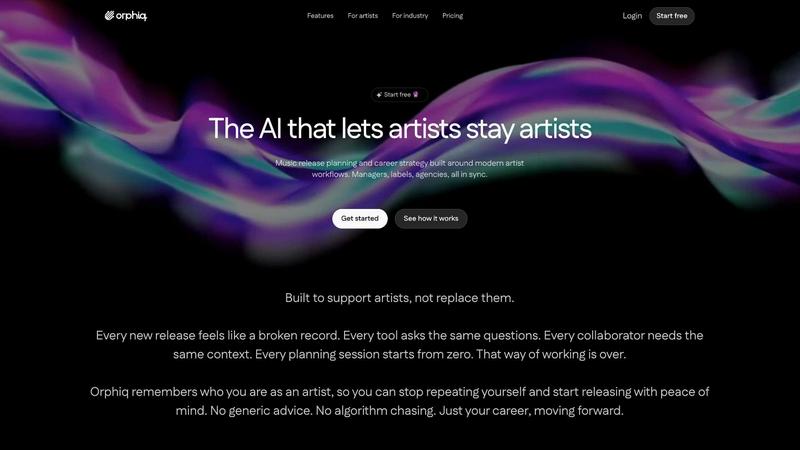
Orphiq is your AI workspace for music, streamlining release strategies, content creation, and career planning for.
Last updated: February 28, 2026
Visual Comparison
ClubDJ Pro

Orphiq
Feature Comparison
ClubDJ Pro
Built-in Dual-Deck Video Mixing
ClubDJ Pro fundamentally changes the game by treating video as a first-class citizen, not an afterthought. It features two fully independent video decks that sync perfectly with your audio tracks. This allows you to crossfade, cut, and blend between music videos, visualizers, or custom content using a dedicated library of over 41 shader-based transitions. No external software or complex setups are required, making professional A/V performances accessible directly from your primary DJ interface.
25+ GPU-Accelerated Video Effects & Overlays
Leverage the power of your computer's graphics card for real-time, stunning visual manipulation. Each deck has access to a suite of over 25 high-performance effects like invert, grayscale, posterize, and more, all running with zero latency. Furthermore, you can layer on 13+ animated VFX overlays—such as strobe, matrix, and kaleidoscope—to add dynamic texture and energy to your visual output, creating a truly immersive experience for any audience.
Professional Audio Engine with Beat Sync & Vinyl Scratching
At its heart, ClubDJ Pro is built on a robust, low-latency BASS audio engine designed for precision. Its advanced beat detection provides BPM analysis with two-decimal precision, while continuous phase-locked beat sync keeps tracks perfectly aligned. For traditionalists and turntablists, it offers true vinyl-style scratching with bidirectional playback and frequency sliding, delivering an authentic, responsive feel that meets professional standards.
Cross-Platform Compatibility & Free Web Mixer
Break free from device lock-in. ClubDJ Pro provides a consistent, powerful mixing experience across desktop (Windows/macOS), iOS (iPhone/iPad), and even directly in your web browser. The free online mixer requires no download or account, letting you practice or perform from any device instantly. This unified ecosystem, combined with MIDI controller support on iOS and desktop, ensures your workflow is fluid and uninterrupted, no matter where you are.
Orphiq
Persistent Creative Profile
Orphiq's persistent creative profile allows artists and their teams to access a comprehensive overview of their unique brand and music history. This feature reduces the need for repetitive discussions and ensures that everyone involved is on the same page, streamlining communication and planning.
AI-Powered Content Suggestions
With Apollo, the AI assistant, Orphiq provides tailored content suggestions based on an artist's specific sound and brand. This feature enables artists to maintain a consistent online presence and create engaging social media posts without the hassle of brainstorming from scratch.
Release Strategy AI
The Release Strategy AI within Orphiq helps artists plan their release timing and rollout effectively. By analyzing industry trends and audience engagement, this feature allows for strategic decision-making that maximizes the reach and impact of each new release.
Smart Analytics and Revenue Insights
Orphiq offers smart analytics that allow artists to ask questions about their data without needing to navigate complex dashboards. Additionally, the platform provides revenue insights, identifying new monetization opportunities and helping artists understand their financial landscape.
Use Cases
ClubDJ Pro
Live Club & Event Visual Performances
Transform standard DJ sets into full audiovisual spectacles. DJs and VJs can use ClubDJ Pro's dual video decks and 1080p external video output to drive projectors and LED screens live in clubs, at weddings, or at corporate events. Syncing custom visuals, music videos, and live camera feeds with the music creates an unforgettable, immersive atmosphere that elevates any performance beyond just sound.
Mobile DJing with an iPad or iPhone
Harness professional mixing power in a truly portable package. With the touch-optimized iOS app, DJs can run entire sets directly from an iPad or iPhone, connecting compatible MIDI controllers for tactile control. This is perfect for smaller gigs, pop-up events, or beach parties where a full laptop setup is impractical, without sacrificing key features like video mixing, effects, and beat-synced looping.
Creative Practice & Track Preparation Anywhere
Utilize the free, no-download web mixer to experiment, practice blends, and prepare sets from any computer—whether it's a library PC, a friend's laptop, or a Chromebook. This removes all barriers to entry for beginners and provides a incredibly convenient sketchpad for pros to test new track combinations and cue points without installing software, fostering creativity on the go.
Producing Dynamic Content for Social Media & Streaming
Content creators and streamers can use ClubDJ Pro as a powerful production tool. Record your mixes with synchronized, reactive visuals to create high-quality videos for YouTube, TikTok, or Twitch streams. The built-in video effects and transitions allow you to produce visually engaging content that stands out in crowded social feeds, all within a single application.
Orphiq
Independent Artist Launching Their First Single
An independent artist can utilize Orphiq to develop a comprehensive release plan for their debut single, leveraging the platform's features to streamline tasks, schedule promotions, and connect with fans effectively.
Established Artist Coordinating a Global Rollout
For established artists working with a team, Orphiq simplifies the coordination of a global release. The platform allows for collaborative planning and real-time updates, ensuring that every team member is aligned on strategy and execution.
Manager Overseeing Multiple Artists
A manager can use Orphiq to oversee multiple artists efficiently, utilizing the AI-powered tools to create tailored strategies for each artist, track progress, and manage deadlines without losing sight of individual goals.
Label Enhancing Artist Development
Music labels can adopt Orphiq to enhance their artist development processes, using the insights and recommendations offered by the AI to guide artists in their career progression and maximize their potential in the industry.
Overview
About ClubDJ Pro
Forget everything you thought you knew about DJ software. ClubDJ Pro isn't just another mixing app; it's a paradigm shift for the modern performer, merging audio and visual artistry into one seamless, powerful platform. Born in 2004 and completely reborn with cutting-edge technology, this software shatters the barrier between DJ and VJ, offering built-in, professional-grade video mixing without the need for clunky plugins or expensive add-ons. It’s engineered for DJs of all levels—from bedroom creators crafting their first mix to touring professionals commanding a club's energy—who demand a tool that’s as visually compelling as it is sonically precise.
Its core value proposition is a triple threat: unparalleled video capabilities, true cross-platform freedom, and a refreshingly simple one-time purchase model. While competitors lock you into annual subscriptions and fragmented ecosystems, ClubDJ Pro delivers a complete studio on Windows, macOS, and iOS, with even a free, no-download web mixer for instant creativity. This focus on speed, simplicity, and raw performance, backed by over 25 GPU-accelerated video effects and 41 shader transitions, makes it the definitive choice for anyone ready to command both the soundscape and the visual field. This is the future of performance, available today.
About Orphiq
Orphiq is an innovative AI workspace tailored specifically for music artists and their support teams, including managers, labels, and agencies. This platform seamlessly integrates release planning, content creation, and career guidance into a single, user-friendly interface. Its core value lies in its ability to learn and remember details about each artist, creating a persistent creative profile that eliminates the need for repetitive conversations or rehashing plans. Orphiq empowers artists by streamlining the entire process of music release, from initial planning to rollout, making it suitable for anyone from independent musicians to major label acts. With features like instant professional rollouts, personalized content suggestions, and actionable career advice, Orphiq helps artists focus on what they do best—making music. By fostering collaboration and building real relationships with fans, Orphiq is revolutionizing how artists and their teams approach their careers in the digital age.
Frequently Asked Questions
ClubDJ Pro FAQ
Is ClubDJ Pro really free to use?
Yes, the desktop application offers a fully-featured free download. You can access all core features, including video mixing, to test the software extensively. For unlimited session length and to support ongoing development, a one-time license purchase of $39.99 is required. The online web mixer is completely free with no time limits or accounts needed.
How does the video mixing feature work compared to other software?
ClubDJ Pro integrates video mixing directly into its core architecture, unlike other platforms that require separate purchases or third-party plugins. This means video controls are native to the interface, performance is optimized through GPU acceleration, and the workflow between audio and video is seamless and intuitive, as both are managed on the same dual decks.
Can I use my existing MIDI controller with ClubDJ Pro?
Absolutely. ClubDJ Pro offers comprehensive MIDI controller support across its desktop and iOS versions. This allows you to map hardware knobs, faders, and pads to software functions for a tactile, hardware-like mixing experience, integrating smoothly into your existing setup.
What are the system requirements for video mixing?
For optimal video performance, a computer with a dedicated graphics card (GPU) is recommended to handle the 25+ GPU-accelerated effects and 41+ shader transitions smoothly. The software will utilize the GPU to ensure real-time video processing without dropping frames, especially when using external video output at 1080p resolution.
Orphiq FAQ
What does Orphiq do?
Orphiq serves as an all-in-one AI workspace for music artists, helping them streamline release planning, content creation, and career strategy while learning about the artist to provide personalized guidance.
Can Orphiq build a release plan for my next single?
Yes, Orphiq can create a comprehensive release plan tailored to your specific single, integrating timeline management, task assignments, and promotional strategies to ensure a successful rollout.
Does Orphiq help with social media and content planning?
Absolutely! Orphiq provides content suggestions and planning tools that enable artists to prepare their social media posts and promotional material in advance, aligning them with their brand and audience.
Can managers, labels, and agencies use Orphiq?
Yes, Orphiq is designed for not just artists but also managers, labels, and agencies, allowing them to collaborate more effectively and manage multiple projects with ease while tapping into AI-driven insights.
Alternatives
ClubDJ Pro Alternatives
ClubDJ Pro is a professional DJ software application in the audio and music category, known for its clean, performance-focused interface that runs across iOS, macOS, and Windows. It delivers core mixing tools like dual decks, effects, and beat matching with an emphasis on speed and simplicity over feature bloat. DJs often explore alternatives for various reasons, including specific budget constraints, the need for advanced production integrations, or compatibility with certain hardware controllers. The quest for a different workflow or access to exclusive music libraries also drives the search for other platforms. When evaluating other options, key considerations should include cross-platform support, the depth of performance features versus ease of use, and long-term value. The ideal choice balances professional reliability with an intuitive design that matches your specific mixing style and performance goals.
Orphiq Alternatives
Orphiq is an innovative AI workspace tailored for music artists and their teams, including managers, labels, and agencies. This platform integrates key functions like release strategy, content creation, and career planning into a cohesive experience, allowing users to create a persistent creative profile. This profile aids in streamlining collaboration and reduces the repetitive cycle of rebuilding plans from scratch, enhancing efficiency for artists at any stage of their career. Users often seek alternatives to Orphiq for various reasons, such as pricing concerns, specific feature sets, or compatibility with existing workflows. When looking for an alternative, it’s crucial to evaluate the platform's capabilities, ease of use, and how well it aligns with your unique needs as an artist or team. Consideration should also be given to the level of AI integration and support offered, ensuring that the solution can effectively enhance your creative process and career trajectory.