
Practical AI (Practical AI for SMB) vs Prompt Builder
Side-by-side comparison to help you choose the right tool.

Practical AI (Practical AI for SMB)
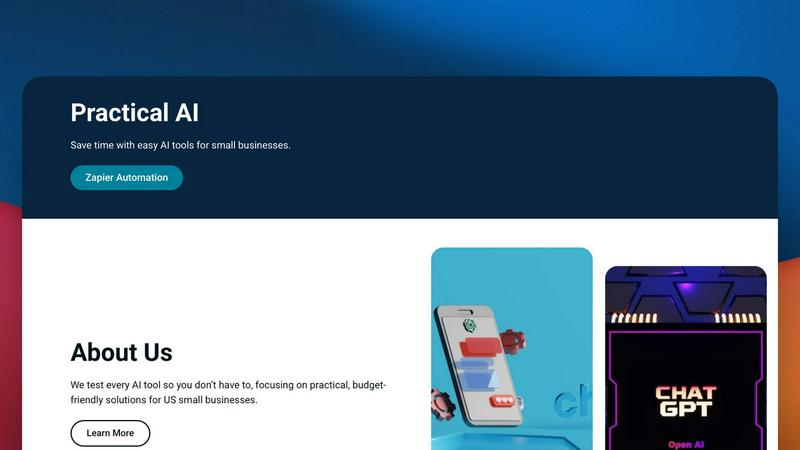
Practical AI delivers tested, budget-friendly automation guides to help small businesses save time and boost efficiency.
Last updated: April 4, 2026

Prompt Builder
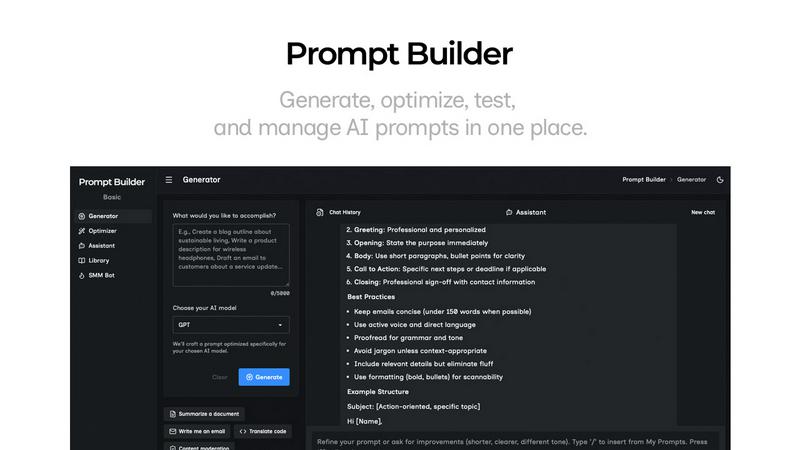
Generate, optimize, test, and manage AI prompts in one place. Turn an idea into a ready-to-use prompt in seconds.
Visual Comparison
Practical AI (Practical AI for SMB)
Prompt Builder
Overview
About Practical AI (Practical AI for SMB)
Practical AI for SMB is the definitive, hype-free command center for US small and medium-sized businesses ready to harness automation and artificial intelligence. In a landscape flooded with complex tech jargon and untested promises, this platform cuts straight to what works. It provides meticulously tested, step-by-step guides and blueprints that translate powerful tools like ChatGPT, Claude, and no-code platforms like Zapier into tangible business results. The mission is clear: empower SMB owners, managers, and operators to automate repetitive tasks, streamline core operations, supercharge marketing efforts, and unlock new efficiencies without requiring a technical background or a massive budget. Founded by lead automation specialist Aapt Dubey, who brings firsthand experience from building over 800 real-world workflows, every piece of advice is battle-tested in actual business scenarios. This isn't theoretical; it's a practical toolkit focused on immediate ROI, covering industry-specific automations for local service businesses, AI-driven content creation, customer service bots, and honest reviews that separate the market leaders from the noise. For any SMB feeling left behind by the AI revolution, Practical AI is the essential, trusted co-pilot for sustainable growth.
About Prompt Builder
Prompt Builder is a prompt engineering workspace for writing, testing, and saving prompts. Describe the task in plain English, and it helps you create a prompt that matches the model you choose. Start with a draft, refine it in chat, save or pin versions, then run them when you are ready. It works with GPT, Claude, Gemini, Llama, Mistral, DeepSeek, Grok, Perplexity, and more. You also get an Optimizer, an assistant for quick tests, and a library of reusable prompts and templates from the community. Turn an idea into a ready-to-use prompt in seconds. Refine it in chat, save it to your Library, and run it anytime.