
Project20x vs SVG to 3D
Side-by-side comparison to help you choose the right tool.

Project20x
Project20x ensures your AI governance is compliant and effective for modern needs.
Last updated: March 4, 2026

SVG to 3D
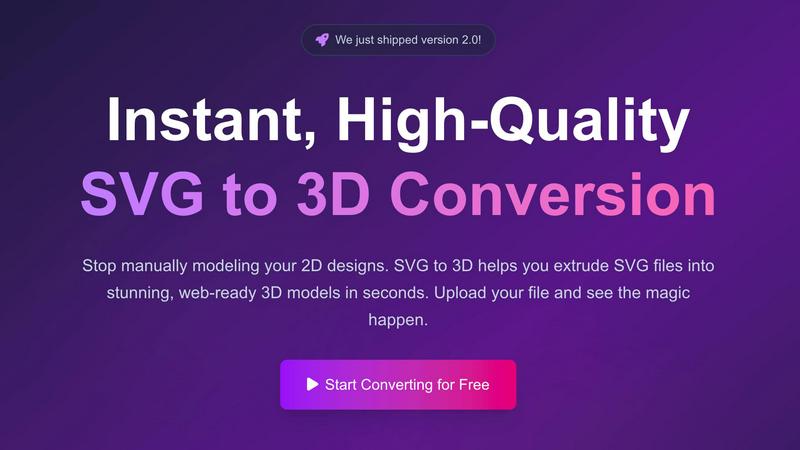
Instantly extrude your SVG files into stunning, web-ready 3D models in seconds.
Last updated: February 28, 2026
Visual Comparison
Project20x

SVG to 3D
Feature Comparison
Project20x
AI-Powered Governance Layer
This core feature employs a sophisticated ten-step AI methodology to assist in the policy creation process itself. It analyzes draft legislative texts in real-time, flagging ambiguities, potential conflicts with existing laws, and gaps in logic before they become operational nightmares. It brings data-driven foresight to the drafting table, enabling lawmakers to craft clearer, more effective, and future-proof regulations from the very first draft.
Rules-as-Code Automation Engine
At the heart of Project20x, this feature automatically translates approved, human-readable policies into machine-executable code. This "Rules as Code" approach turns static PDFs into dynamic, automated workflows for permits, benefits, compliance checks, and more. It eliminates manual processing bottlenecks, ensures consistent application of the law, and creates a living digital twin of the regulatory framework that can be tested and updated with agility.
Citizen-Facing AI Agent Interface
Project20x deploys a suite of specialized AI agents trained directly on the codified rulebook. Citizens and businesses get 24/7 access to these agents for instant guidance on regulations, application processes, and eligibility checks. This feature demystifies government services, providing immediate, accurate answers and transactional support without wait times, making public service interaction as seamless as a top-tier consumer app.
Quantifiable Transparency & Audit Trail
Every action, from a policy edit in the Governance Layer to a citizen query answered by an AI agent, is logged on an immutable audit trail. This feature provides full traceability, allowing for real-time performance dashboards, impact quantification, and robust accountability. It ensures all automated processes are explainable and subject to human oversight, building essential public trust in AI-driven governance.
SVG to 3D
Instant Browser-Based Conversion
Experience lightning-fast processing that converts your SVG files into 3D models in seconds, not minutes. There's no software to download or install—everything runs securely in your browser. Our optimized algorithms handle complex paths and shapes, delivering a high-quality 3D preview immediately upon upload, streamlining your creative workflow from the get-go.
Advanced 3D Modeling Controls
Go far beyond a simple extrude. This tool provides fine-grained control to craft professional models. Precisely adjust the thickness, add complex custom bevels for rounded edges, and apply realistic PBR materials and textures. The real-time preview lets you see every adjustment live, ensuring your final model has the clean geometry and polished look that basic converters can't achieve.
Web-Optimized GLB/GLTF Export
Built with developers in mind, SVG to 3D specializes in generating lightweight, high-performance GLB and GLTF files. These exports are perfectly structured for seamless integration into popular web frameworks like Three.js, React Three Fiber, and Babylon.js, making it the ultimate solution for adding interactive 3D logos and icons to websites.
Multi-Format Export for Any Project
Your 3D model shouldn't be locked into one ecosystem. That's why we support exports in all the key formats: web-ready GLB/GLTF, universal OBJ, and 3D-print ready STL. This flexibility ensures your creation is ready for any application, from digital experiences to physical fabrication, all with clean, optimized geometry.
Use Cases
Project20x
Streamlining Federal Grant & Aid Distribution
Agencies like USDA or USAID can use Project20x to codify complex grant eligibility rules. The system automates application screening, instantly verifying criteria and calculating award amounts, while AI agents guide applicants. This slashes processing times from months to minutes, reduces errors, and ensures funds are distributed faster and more fairly to those in need.
Modernizing Defense Contracting & Compliance
The DOD can implement Project20x to manage the vast, intricate web of procurement regulations (FAR/DFARS). The platform automates compliance checks for contractors, streamlines proposal evaluations against coded requirements, and provides contractors with an AI agent for immediate regulatory clarification, accelerating acquisition cycles and strengthening supply chain integrity.
Accelerating Business Licensing & Permitting
The Department of Commerce or local governments can transform business license codes into automated workflows. Entrepreneurs interact with an AI agent to determine required permits, submit applications digitally, and receive automated approvals based on pre-coded rules. This dramatically reduces the time to open a business, fostering economic growth and innovation.
Transforming Public Education Program Administration
The Department of Education can deploy Project20x to manage federal student aid or school program funding. The system automates eligibility verification for millions of students, provides families with a personalized AI guide for the FAFSA process, and gives administrators dashboards to track fund utilization and program effectiveness in real time.
SVG to 3D
Creating Interactive 3D Web Assets
Elevate your website or web app instantly. Convert SVG logos, icons, and UI elements into engaging 3D models. With our optimized SVG to GLB pipeline, developers can effortlessly integrate these assets into Three.js or React Three Fiber projects, creating immersive, interactive experiences that captivate users and set your digital presence apart.
Prototyping and Presenting UI/UX Designs
Impress clients and stakeholders by adding a new dimension to your mockups. Quickly convert Figma or Illustrator SVG assets into 3D models to showcase UI components, logos, or illustrations with realistic depth, lighting, and materials. This is a game-changer for presenting concepts with tangible, visually rich prototypes.
Preparing Models for 3D Printing
Bridge the gap from digital design to physical object. Transform 2D artwork, logos, or custom shapes into ready-to-print 3D models. The tool's clean SVG to STL export ensures watertight geometry that slicer software can process flawlessly, enabling makers and hobbyists to fabricate their designs without needing complex CAD knowledge.
Enhancing Brand and Marketing Materials
Generate unique 3D content for social media, advertisements, and presentations. Convert brand SVGs into 3D models that can be animated, rendered with studio-quality materials, and used across digital campaigns. This adds a cutting-edge, professional polish to marketing assets that demands attention.
Overview
About Project20x
Project20x is the AI-native operating system for modern government, breaking the cycle of bureaucratic stagnation by translating dense policy into dynamic, executable digital action. This isn't just another software suite; it's a foundational shift in how governance is built, managed, and experienced. The platform deconstructs the entire lifecycle of public policy through three revolutionary layers: Governance, Management, and Interface. It empowers lawmakers with AI-driven legislative analysis, transforms approved policies directly into automated "Rules as Code" workflows, and deploys always-available AI agents to serve citizens. Designed for government agencies, policymakers, and the public, Project20x delivers unprecedented transparency, operational efficiency, and 24/7 civic engagement. It's the critical bridge between legislative intent and real-world impact, ensuring every regulation is traceable, quantifiable, and securely overseen by humans. This is how government scales for the 21st century.
About SVG to 3D
Stop the tedious manual modeling. SVG to 3D is the groundbreaking browser-based tool that instantly transforms your 2D vector graphics into stunning, production-ready 3D models. Built for the modern creator, it solves a critical bottleneck in today's digital workflows: the need for a fast, accessible bridge between 2D design and immersive 3D spaces. Whether you're a web developer aiming to add interactive 3D flair to a site, a designer mocking up UI with depth, or a maker preparing a logo for 3D printing, this tool eliminates the complexity of traditional heavyweight 3D software. Its core value proposition is speed, simplicity, and professional-grade output. You can upload an SVG and within seconds, manipulate extrusion depth, apply advanced bevels, and layer on realistic PBR materials—all with a live preview. With exports optimized for the web (GLB/GLTF) and fabrication (STL), SVG to 3D is the essential, no-compromise solution for developers, designers, and 3D printing enthusiasts who demand quality without the steep learning curve.
Frequently Asked Questions
Project20x FAQ
How does Project20x ensure the AI doesn't make biased or incorrect decisions?
Project20x is built on a principle of human-centric AI. The system does not create policy; it executes codified rules created and approved by human lawmakers. Every automated decision is traceable back to the specific rule in the source legislation. Furthermore, all AI agent interactions are monitored, and the system includes robust human-in-the-loop oversight protocols for complex or exceptional cases, ensuring accountability at every step.
Is our sensitive government data secure on the Project20x platform?
Security is foundational, not an add-on. Project20x is architected to meet and exceed stringent government security standards (like FedRAMP requirements). It employs end-to-end encryption, strict access controls, and operates with a zero-trust security model. All data processing and storage comply with the highest levels of governmental data classification and privacy protocols.
Can Project20x integrate with our existing legacy government IT systems?
Yes. Project20x is designed as a platform that can integrate with existing systems through secure APIs and modular components. The "Rules as Code" engine can pull data from legacy databases to inform decisions, and the interface layer can be deployed as a front-end channel, augmenting current infrastructure without requiring a full, risky "rip-and-replace" overhaul.
What happens when laws change? How quickly can the platform update?
This is where the "Rules as Code" methodology shines. When a new law is passed and signed, policymakers use the Governance Layer to analyze and refine it. Once finalized, the updated policy is translated into new code within the Management Layer. This update can then be deployed across the entire ecosystem—updating automated workflows and retraining the public-facing AI agents—in a fraction of the time it takes to manually retrain staff and rewrite procedural manuals.
SVG to 3D FAQ
Is SVG to 3D really free to use?
Yes, the core conversion tool is 100% free to use with no registration required. You can upload your SVG, adjust settings, and export your 3D model without any cost. This makes it an incredibly accessible tool for students, hobbyists, and professionals alike to experiment and integrate 3D into their workflows.
What 3D file formats can I export to?
SVG to 3D supports exports in multiple industry-standard formats. For the web, you can export to the highly efficient GLB and GLTF formats. For broader 3D software use, OBJ is available. For 3D printing, you can export directly to STL, ensuring compatibility with any slicer software like Cura or PrusaSlicer.
How does the tool handle privacy and my files?
Privacy is a top priority. When possible, all processing is done locally in your browser, meaning your SVG files and generated 3D models never need to be uploaded to an external server. Your designs remain secure and on your machine, giving you complete peace of mind.
Can I use SVGs with text or complex paths?
Absolutely. The tool is engineered to handle a wide range of SVG elements, including complex paths, compound shapes, and text. For best results, ensure your SVG uses "outlined" or converted-to-path text, as this guarantees the geometry extrudes correctly into a clean, printable, and usable 3D model.
Alternatives
Project20x Alternatives
Project20x is a leading AI governance platform, specifically designed to transform how governments create, manage, and implement policy. It falls squarely into the category of AI Assistants for governance, using advanced technology to translate complex regulations into automated, citizen-friendly services. Users often explore alternatives for several key reasons. Budget constraints and specific pricing models are a primary driver, as public sector procurement can be complex. Others may seek platforms with different feature specializations, such as a stronger focus on public consultation tools versus backend legislative analysis. The need for integration with existing government IT ecosystems or a preference for different deployment models (like on-premise vs. cloud) also fuels the search for other solutions. When evaluating an alternative, focus on core capabilities. Look for robust AI that can handle legislative text analysis and "Rules as Code" automation. Security and auditability are non-negotiable for public trust. Finally, assess the platform's ability to serve both internal policy makers and external citizens through intuitive interfaces, ensuring the solution bridges the entire governance lifecycle.
SVG to 3D Alternatives
SVG to 3D is a specialized AI assistant that instantly converts 2D vector graphics into high-quality 3D models. It belongs to the growing category of browser-based design tools that streamline complex workflows, eliminating the need for heavy desktop software. This focus on speed and simplicity for web-ready GLB and 3D-printable STL files is its core appeal. Users often seek alternatives for various reasons. Some need more advanced modeling features beyond extrusion and bevels, while others may prioritize different pricing models or offline capabilities. Platform dependency, specific export format needs, or integration with other design ecosystems can also drive the search for a different tool. When evaluating alternatives, consider your primary use case. Is it for real-time web graphics, 3D printing, or animation? Key factors include the quality of the 3D output, supported file formats, the depth of customization available, and how seamlessly the tool fits into your existing design or development pipeline. The goal is to find a solution that matches your technical requirements and creative workflow.