
SVG to 3D vs Zunvix
Side-by-side comparison to help you choose the right tool.
SVG to 3D
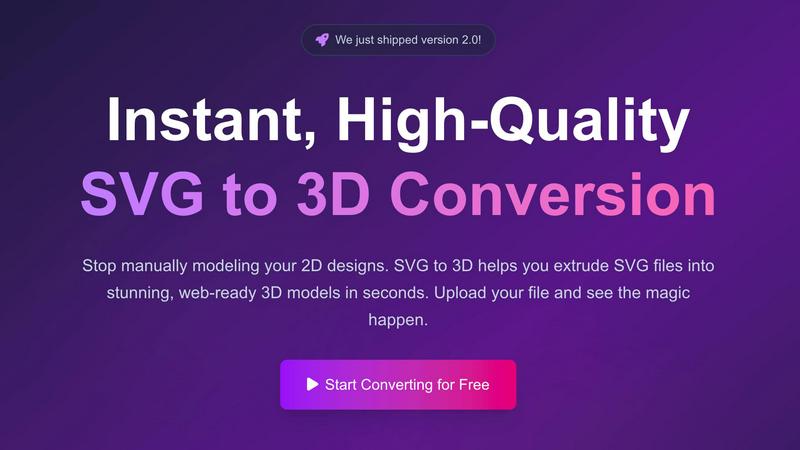
Instantly extrude your SVG files into stunning, web-ready 3D models in seconds.
Last updated: February 28, 2026

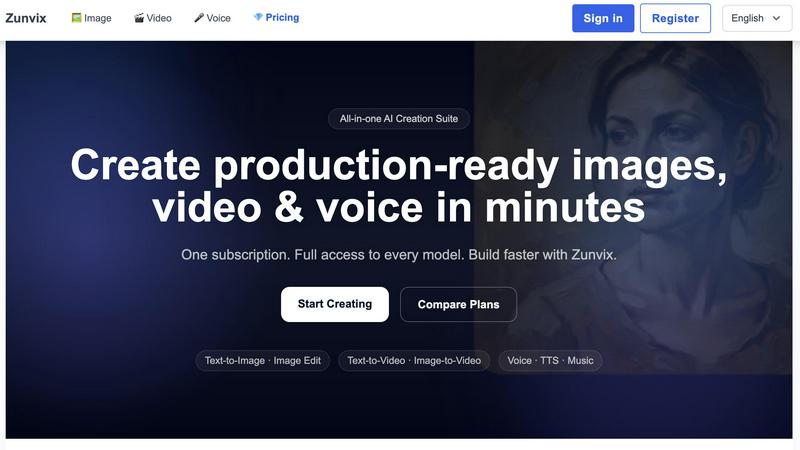
Zunvix is your all-in-one AI platform for creating stunning images, videos, and voice content quickly and effortlessly.
Last updated: February 28, 2026
Visual Comparison
SVG to 3D
Zunvix
Feature Comparison
SVG to 3D
Instant Browser-Based Conversion
Experience lightning-fast processing that converts your SVG files into 3D models in seconds, not minutes. There's no software to download or install—everything runs securely in your browser. Our optimized algorithms handle complex paths and shapes, delivering a high-quality 3D preview immediately upon upload, streamlining your creative workflow from the get-go.
Advanced 3D Modeling Controls
Go far beyond a simple extrude. This tool provides fine-grained control to craft professional models. Precisely adjust the thickness, add complex custom bevels for rounded edges, and apply realistic PBR materials and textures. The real-time preview lets you see every adjustment live, ensuring your final model has the clean geometry and polished look that basic converters can't achieve.
Web-Optimized GLB/GLTF Export
Built with developers in mind, SVG to 3D specializes in generating lightweight, high-performance GLB and GLTF files. These exports are perfectly structured for seamless integration into popular web frameworks like Three.js, React Three Fiber, and Babylon.js, making it the ultimate solution for adding interactive 3D logos and icons to websites.
Multi-Format Export for Any Project
Your 3D model shouldn't be locked into one ecosystem. That's why we support exports in all the key formats: web-ready GLB/GLTF, universal OBJ, and 3D-print ready STL. This flexibility ensures your creation is ready for any application, from digital experiences to physical fabrication, all with clean, optimized geometry.
Zunvix
AI Image Generation
Zunvix allows users to create high-quality images from text prompts or edit existing images with precision. With multiple AI models at your disposal, you can customize styles and achieve high-resolution outputs that meet your creative needs. This feature is essential for marketers and designers looking to produce eye-catching visuals quickly.
AI Video Creation
Transform your text or images into cinematic videos in a matter of minutes with Zunvix's AI video generation capability. This feature supports various durations and produces HD-quality content, making it ideal for social media, advertisements, and presentations. The ease of use allows even those with minimal video editing experience to create engaging clips effortlessly.
AI Voice and Music Generation
Zunvix's voice tools are designed for versatility, offering capabilities like text-to-speech, speech-to-text, and AI music generation. Whether you need voiceovers for videos, background music for presentations, or transcription services, Zunvix provides premium models that ensure high-quality audio outputs suitable for any project.
Flexible Credit System
The platform features a flexible credit system that allows users to allocate credits across all tools—image, video, and voice. This unifying approach ensures that you can use your credits as needed without worrying about specific limitations tied to each tool, making content creation more efficient and straightforward.
Use Cases
SVG to 3D
Creating Interactive 3D Web Assets
Elevate your website or web app instantly. Convert SVG logos, icons, and UI elements into engaging 3D models. With our optimized SVG to GLB pipeline, developers can effortlessly integrate these assets into Three.js or React Three Fiber projects, creating immersive, interactive experiences that captivate users and set your digital presence apart.
Prototyping and Presenting UI/UX Designs
Impress clients and stakeholders by adding a new dimension to your mockups. Quickly convert Figma or Illustrator SVG assets into 3D models to showcase UI components, logos, or illustrations with realistic depth, lighting, and materials. This is a game-changer for presenting concepts with tangible, visually rich prototypes.
Preparing Models for 3D Printing
Bridge the gap from digital design to physical object. Transform 2D artwork, logos, or custom shapes into ready-to-print 3D models. The tool's clean SVG to STL export ensures watertight geometry that slicer software can process flawlessly, enabling makers and hobbyists to fabricate their designs without needing complex CAD knowledge.
Enhancing Brand and Marketing Materials
Generate unique 3D content for social media, advertisements, and presentations. Convert brand SVGs into 3D models that can be animated, rendered with studio-quality materials, and used across digital campaigns. This adds a cutting-edge, professional polish to marketing assets that demands attention.
Zunvix
Marketing Campaign Visuals
Zunvix is perfect for marketers aiming to generate campaign visuals and variants quickly. With the ability to produce high-quality images and videos in minutes, you can enhance your marketing strategies and stay ahead of the competition by delivering engaging content consistently.
Product Visuals for E-commerce
E-commerce businesses can leverage Zunvix to create stunning product visuals in no time. Generate studio-quality images that showcase your products effectively, helping to attract customers and drive sales without the need for extensive photography resources.
Social Media Content Creation
For social media managers, Zunvix simplifies the process of creating quick social content. From short-form videos to captivating images, you can easily produce engaging posts that resonate with your audience and boost interaction on various platforms.
Creative Storytelling
Writers and content creators can utilize Zunvix to bring their stories to life visually. By generating characters, illustrations, and dynamic scenes, you can create immersive narratives that captivate viewers and enhance the storytelling experience across different mediums.
Overview
About SVG to 3D
Stop the tedious manual modeling. SVG to 3D is the groundbreaking browser-based tool that instantly transforms your 2D vector graphics into stunning, production-ready 3D models. Built for the modern creator, it solves a critical bottleneck in today's digital workflows: the need for a fast, accessible bridge between 2D design and immersive 3D spaces. Whether you're a web developer aiming to add interactive 3D flair to a site, a designer mocking up UI with depth, or a maker preparing a logo for 3D printing, this tool eliminates the complexity of traditional heavyweight 3D software. Its core value proposition is speed, simplicity, and professional-grade output. You can upload an SVG and within seconds, manipulate extrusion depth, apply advanced bevels, and layer on realistic PBR materials—all with a live preview. With exports optimized for the web (GLB/GLTF) and fabrication (STL), SVG to 3D is the essential, no-compromise solution for developers, designers, and 3D printing enthusiasts who demand quality without the steep learning curve.
About Zunvix
Zunvix is a pioneering AI-driven creative generation platform that streamlines and accelerates the digital content creation process. With a powerful suite of tools, Zunvix empowers users to generate high-quality images, dynamic videos, and professional-grade audio content, all within a single subscription model. Designed for a diverse range of users including content creators, developers, marketers, and brand owners, Zunvix provides an intuitive interface that pairs advanced AI models with user-friendly workflows. The platform enables the efficient transformation of ideas into scalable visual and audio content, making it an invaluable resource for individuals, startups, and large enterprises alike. Whether you're looking to create compelling marketing campaigns or simply want to explore your creative potential, Zunvix offers the tools necessary for success in the ever-evolving digital landscape.
Frequently Asked Questions
SVG to 3D FAQ
Is SVG to 3D really free to use?
Yes, the core conversion tool is 100% free to use with no registration required. You can upload your SVG, adjust settings, and export your 3D model without any cost. This makes it an incredibly accessible tool for students, hobbyists, and professionals alike to experiment and integrate 3D into their workflows.
What 3D file formats can I export to?
SVG to 3D supports exports in multiple industry-standard formats. For the web, you can export to the highly efficient GLB and GLTF formats. For broader 3D software use, OBJ is available. For 3D printing, you can export directly to STL, ensuring compatibility with any slicer software like Cura or PrusaSlicer.
How does the tool handle privacy and my files?
Privacy is a top priority. When possible, all processing is done locally in your browser, meaning your SVG files and generated 3D models never need to be uploaded to an external server. Your designs remain secure and on your machine, giving you complete peace of mind.
Can I use SVGs with text or complex paths?
Absolutely. The tool is engineered to handle a wide range of SVG elements, including complex paths, compound shapes, and text. For best results, ensure your SVG uses "outlined" or converted-to-path text, as this guarantees the geometry extrudes correctly into a clean, printable, and usable 3D model.
Zunvix FAQ
Do all plans include every AI model?
Yes, every subscription plan grants users full access to Zunvix's comprehensive model catalog for image, video, and voice generation, ensuring that you can utilize all tools regardless of your chosen plan.
Can I use the generated content commercially?
Absolutely. Users retain ownership of their outputs and can utilize them for commercial purposes, provided they respect third-party rights. This empowers creators to monetize their work without legal hurdles.
How do credits work?
Credits in Zunvix are shared across all tools, including image, video, and voice. The number of credits consumed depends on the specific model and task, and credits are renewed each billing cycle, offering flexibility in usage.
Is there support for teams and collaboration?
Yes, Zunvix offers various subscription plans designed for teams, enabling features like batch generation and team sharing. This facilitates collaboration and boosts productivity for teams that are frequently producing content together.
Alternatives
SVG to 3D Alternatives
SVG to 3D is a specialized AI assistant that instantly converts 2D vector graphics into high-quality 3D models. It belongs to the growing category of browser-based design tools that streamline complex workflows, eliminating the need for heavy desktop software. This focus on speed and simplicity for web-ready GLB and 3D-printable STL files is its core appeal. Users often seek alternatives for various reasons. Some need more advanced modeling features beyond extrusion and bevels, while others may prioritize different pricing models or offline capabilities. Platform dependency, specific export format needs, or integration with other design ecosystems can also drive the search for a different tool. When evaluating alternatives, consider your primary use case. Is it for real-time web graphics, 3D printing, or animation? Key factors include the quality of the 3D output, supported file formats, the depth of customization available, and how seamlessly the tool fits into your existing design or development pipeline. The goal is to find a solution that matches your technical requirements and creative workflow.
Zunvix Alternatives
Zunvix is an innovative AI content generation platform that caters to creators, developers, and brands by simplifying the process of producing high-quality images, videos, and character designs. As an all-in-one solution, it integrates advanced AI technology with an intuitive interface, allowing users to create commercial-ready visual assets with ease. However, many users often seek alternatives due to various factors such as pricing, specific feature sets, or compatibility with their existing workflows and platforms. When searching for alternatives to Zunvix, it's essential to consider what aspects are most crucial for your needs. Look for platforms that offer similar capabilities in AI content generation, user-friendly interfaces, and flexible pricing models. Additionally, assess the level of support, customization options, and integration capabilities to ensure that your chosen solution aligns with your creative vision and operational requirements.