

DocuExtractor
DocuExtractor swiftly transforms messy receipts and invoices into structured data for easy CSV and Excel downloads.
About DocuExtractor
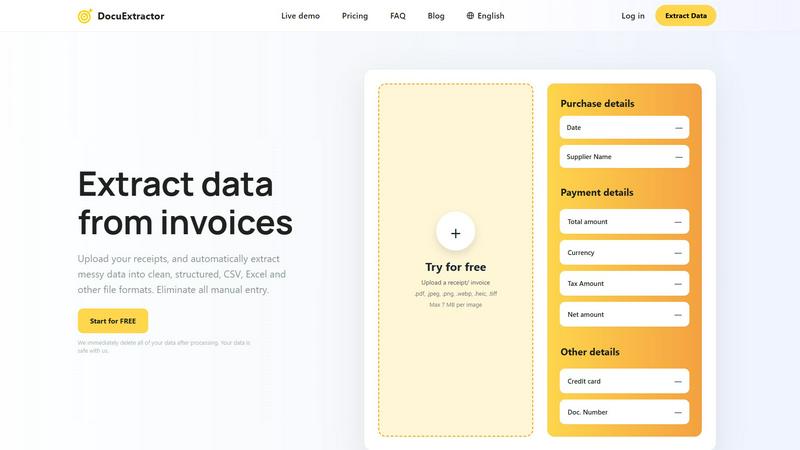
DocuExtractor is a cutting-edge document conversion software tailored to enhance the data extraction process for accountants, bookkeepers, and businesses managing financial documentation. This intuitive tool is designed to convert a variety of document types—such as invoices, bank statements, and receipts—into clean, structured formats like CSV and Excel. By harnessing advanced Optical Character Recognition (OCR) technology, DocuExtractor guarantees high accuracy in extracting essential information, substantially minimizing the time wasted on manual data entry. Users can effortlessly upload documents in multiple formats, including PDF and JPG, and receive their extracted data almost instantly. With a firm commitment to security, all uploaded data is deleted immediately after processing, ensuring user confidentiality. DocuExtractor stands as the ideal solution for organizations aiming to elevate their productivity while eliminating the burdensome task of data entry, providing a seamless experience that integrates effortlessly into any workflow.
Features of DocuExtractor
Advanced Optical Character Recognition (OCR)
DocuExtractor employs state-of-the-art OCR technology to accurately convert scanned documents and images into editable text. This feature ensures that key financial information is extracted with 99.6% accuracy, allowing users to trust the data they receive.
Multi-Format Uploads
Users can upload documents in several formats such as PDF, JPG, PNG, and more. This flexibility allows businesses to process various document types without worrying about compatibility issues, making it easier to manage diverse financial records.
Batch Processing
With DocuExtractor, users can upload multiple documents at once, significantly speeding up the data extraction process. This batch processing capability is perfect for businesses that handle large volumes of invoices and receipts, saving both time and effort.
Secure Data Handling
DocuExtractor prioritizes user privacy and data security. All documents uploaded for processing are automatically deleted immediately after extraction, ensuring that sensitive information remains confidential and protected from unauthorized access.
Use Cases of DocuExtractor
Streamlining Invoice Management
Businesses can utilize DocuExtractor to quickly process invoices, extracting critical details such as supplier names, payment amounts, and dates. This efficiency reduces manual entry errors and accelerates accounting workflows.
Automating Receipt Tracking
For accountants and bookkeepers, DocuExtractor simplifies the task of tracking receipts. Users can easily upload receipts and receive organized data that is ready for expense reporting, saving time and enhancing accuracy.
Enhancing Financial Reporting
Organizations can streamline their financial reporting processes by using DocuExtractor to convert bank statements and other financial documents into structured formats. This automation enables faster data compilation and reporting.
Supporting Audit Preparations
During audits, financial professionals can rely on DocuExtractor to extract necessary documentation quickly. By providing accurate and organized data, it facilitates smoother audit processes and ensures compliance with regulations.
Frequently Asked Questions
How does DocuExtractor ensure data accuracy?
DocuExtractor utilizes advanced OCR technology combined with specialized algorithms tailored for various document types, achieving an impressive extraction accuracy rate of 99.6%.
Is my data safe with DocuExtractor?
Absolutely. DocuExtractor is committed to user confidentiality and security. All uploaded data is deleted immediately after processing, ensuring your sensitive information is never stored or misused.
Can I upload multiple documents at once?
Yes, DocuExtractor supports batch processing, allowing users to upload multiple documents simultaneously. This feature dramatically speeds up the data extraction process for those handling large volumes of documents.
In what formats can I download my extracted data?
Users can download their extracted data in CSV or Excel formats, making it easy to integrate the results into accounting software or other applications for further analysis or reporting.
Explore more in this category:
Similar to DocuExtractor


IZIPAY
IZIPAY is a virtual and physical crypto card service that lets users top up with digital assets and pay online like with a regular card.


PerPageFax
PerPageFax lets you send a fax online from any browser for a flat $0.50 per page — no account, no subscription, no fax machine.

SnapPChart
SnapPChart grades a trading chart screenshot A+ to F, with an entry, stop, targets, and risk/reward. Works on stocks, forex, crypto, futures.

Venduris
Venduris is a renewal intelligence platform that gives mid-size companies control over SaaS & AI contract renewals before leverage disappears.