

KPI Studio
KPI Studio transforms your data into stunning animated video charts in under 60 seconds, making metrics engaging and easy to share.
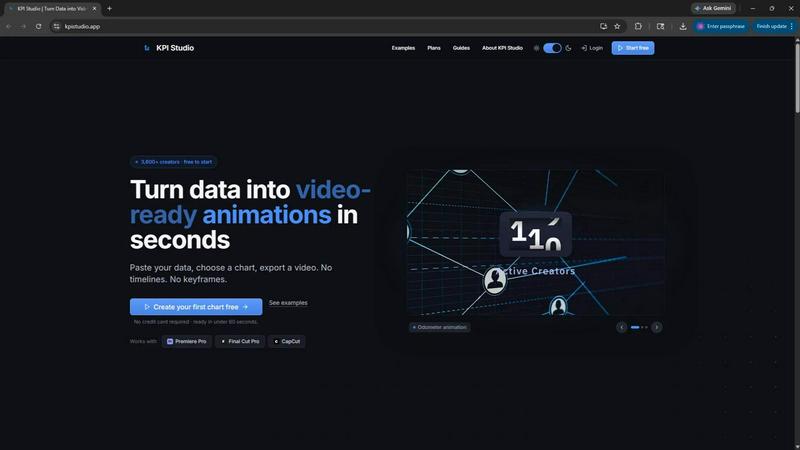
About KPI Studio
KPI Studio is a cutting-edge tool designed specifically for data-driven video creators who require high-quality animated charts but lack the time or expertise to create them from scratch. By streamlining the entire process of transforming raw data into video-ready visuals, KPI Studio empowers creators to produce engaging content efficiently. The platform addresses common pain points in video production, such as the time-consuming nature of traditional motion design or the limitations of basic design tools like Canva. With KPI Studio, users can simply paste their data, select a chart type, and export a fully animated visual in under 60 seconds. This innovative approach eliminates the need for complex software like After Effects and the hassle of hiring freelancers, enabling creators to focus on delivering their message. Designed for those on a publishing schedule, KPI Studio ensures that your charts are ready exactly when you need them, making it the perfect tool for creators aiming to boost engagement and retention in their videos.
Features of KPI Studio
Quick Data Input and Export
KPI Studio allows users to paste their data directly into the platform, taking the hassle out of inputting metrics. Once the data is entered, users can select their desired chart type and export fully animated visuals in under 60 seconds. This rapid turnaround is essential for creators working on tight deadlines.
Multiple Export Formats
The platform supports a variety of export formats, including MP4, GIF, MOV, and PNG with transparency. This flexibility ensures that users can seamlessly integrate their animated charts into popular video editing software like Premiere Pro, Final Cut, and CapCut without needing additional editing.
Real-Time Preview
KPI Studio offers a real-time preview feature that lets users see their animations before exporting. This immediate feedback allows for quick adjustments and ensures that the final output meets the creator's expectations, enhancing the overall quality of the video.
JSON Export for Advanced Users
For creators looking to integrate their animations into custom workflows, KPI Studio offers JSON export options. This feature allows for deeper editing and integration into existing pipelines, providing advanced users with the flexibility to customize their charts to fit specific needs.
Use Cases of KPI Studio
Social Media Content Creation
KPI Studio is perfect for social media managers who need to create engaging visuals quickly. With the ability to generate animated charts in seconds, they can enhance their posts with eye-catching data representations that drive higher engagement rates across platforms like Instagram, TikTok, and YouTube.
Business Presentations
Professionals preparing for business meetings or presentations can leverage KPI Studio to present complex data in a visually appealing manner. The tool allows them to create animated charts that effectively communicate key metrics, making their presentations more impactful and memorable.
Educational Videos
Content creators in the educational sector can use KPI Studio to produce informative videos that explain complex concepts through animated data visualizations. This approach not only helps viewers grasp the information more easily but also keeps them engaged throughout the video.
Marketing Campaigns
Marketers can utilize KPI Studio to create compelling visuals for their campaigns, showcasing important analytics and metrics. By transforming data into animated visuals, they can effectively convey their messages and persuade potential customers, ultimately driving higher conversion rates.
Frequently Asked Questions
How quickly can I create animations with KPI Studio?
You can create fully animated visuals in under 60 seconds by simply pasting your data, selecting a chart type, and exporting the animation. The tool is designed for speed and efficiency, making it ideal for creators on tight deadlines.
What file formats can I export my animations in?
KPI Studio supports multiple export formats, including MP4, GIF, MOV, and PNG with transparency. This allows for easy integration into various video editing software, ensuring your animations fit seamlessly into your projects.
Is there a free trial available for KPI Studio?
Yes, KPI Studio offers a free plan that allows users to try the tool without needing to provide credit card details. This plan includes unlimited PNG exports and three animated exports, making it accessible for new users to explore the platform.
Can I customize the charts before exporting?
Absolutely! KPI Studio offers customization options for each chart type, allowing users to tailor their visuals to fit their specific needs. This ensures that the final output aligns with the creator’s brand and messaging.
Similar to KPI Studio

MetaMuse
Create AI videos from prompts and references, then generate and edit campaign-ready visuals with MetaMuse image and video tools.


AIEnhancer
Enhance photos, create AI images, and generate videos with flexible workflows, creative effects, and a shared asset library.


Free Gemini Omni
Create, remix, and edit cinematic AI videos from text, images, audio, and video prompts.

GPT Image 2 API
Generate and edit production-ready images with GPT Image 2 API, clear text rendering, reference images, and developer-friendly workflows.


CloutStack
Curated directory of tools for influencers engaged with the creator economy