
securememo.app
Securememo.app offers encrypted notes without accounts or tracking, ensuring your privacy is always protected.
About securememo.app
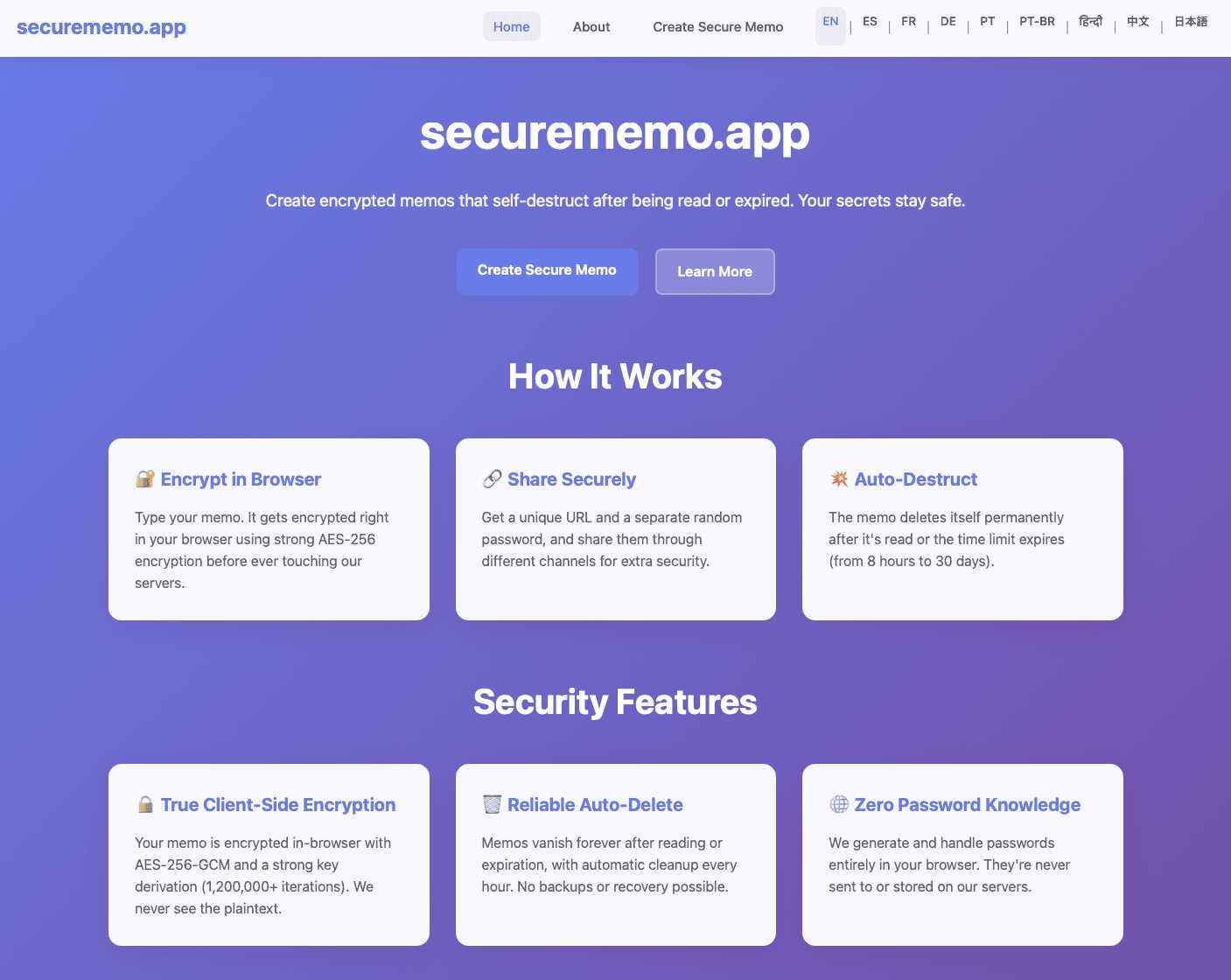
Securememo.app is an innovative, privacy-centric memo service designed to empower users with the ability to create, share, and manage encrypted notes directly from their web browser. In an age where data security is paramount, Securememo.app stands out by offering client-side encryption, meaning that your sensitive information is encrypted right in your browser before it ever reaches their servers. This cutting-edge approach guarantees that your notes remain inaccessible to anyone but you, ensuring your privacy is fully protected.
Whether you are a privacy-conscious individual, a professional handling sensitive information, or simply someone who values discretion in note-taking, Securememo.app delivers an exceptional user experience. The service allows for easy sharing of memos through unique links and strong, randomly generated passwords, all created on your device. With no account required, it prioritizes anonymity and ease of use. Available in over 20 languages, Securememo.app is truly a global solution for secure note-taking.
Features of securememo.app
Client-Side Encryption
Securememo.app utilizes robust client-side encryption that ensures your notes are encrypted on your device before being transmitted. This means that no one—neither the service providers nor potential hackers—can access your sensitive information.
Self-Destructing Notes
One of the standout features of Securememo.app is its self-destructing notes. Users can set a timer for their memos to automatically delete after a specified period, adding an extra layer of security and peace of mind for those sharing sensitive information.
Unique Link Sharing
Sharing notes is seamless with Securememo.app’s unique link sharing feature. Once you create a memo, a distinct link is generated, allowing you to easily share your note with anyone while maintaining control over access.
Password Protection
Each memo can be secured with a strong, randomly generated password that is created solely on your device. This ensures that even if someone obtains the link to your memo, they cannot access it without the password, which you can share through a separate channel.
Use Cases of securememo.app
Secure Personal Notes
Individuals can use Securememo.app to jot down personal notes, reminders, or thoughts without the worry of unauthorized access. The service's secure environment ensures that private information remains confidential.
Professional Collaboration
In professional settings, teams can use Securememo.app to share confidential project notes, brainstorming ideas, or sensitive information with colleagues. The self-destructing feature ensures that sensitive data is not lingering indefinitely.
Educational Purposes
Students can utilize Securememo.app for creating and sharing study notes or collaborative projects with classmates while ensuring that their academic work remains private and secure from prying eyes.
Temporary Information Sharing
For those needing to share information temporarily, such as passwords or sensitive data for a short duration, Securememo.app allows users to create notes that self-destruct after being accessed, ensuring that the information does not remain accessible.
Frequently Asked Questions
How does client-side encryption work?
Client-side encryption ensures that your data is encrypted directly in your browser before it reaches Securememo.app’s servers. This means that only you hold the decryption keys, keeping your notes private.
Do I need to create an account to use Securememo.app?
No, Securememo.app does not require any account creation, which enhances your anonymity and simplifies the user experience. You can start creating and sharing notes immediately.
How do I share a memo securely?
To share a memo, simply create a unique link and generate a strong password on your device. Share the link with your intended recipient and communicate the password through a separate, secure channel.
Is my data stored on Securememo.app’s servers?
No, Securememo.app employs a zero-knowledge architecture, meaning they do not store your data or passwords. Your notes are encrypted in your browser and are inaccessible to the service.
Explore more in this category:
Similar to securememo.app

Egmatic
No-code 2D game editor: visual node logic, drag-and-drop scenes, live preview. Exports to Windows, macOS, Linux, Android, iOS, Web.

Product Launch Checklist
A free launch checklist for SaaS, apps, AI tools and more. Every step says why it matters and when you can skip it.

Kody Tools
Free collection of online developer utilities, code formatters, and digital converters designed to streamline your daily workflow.

Forms Plugin
The #1 Native Form Builder Plugin for Framer - No Code, No Embeds, No External Platforms.


PerPageFax
PerPageFax lets you send a fax online from any browser for a flat $0.50 per page — no account, no subscription, no fax machine.