

Ultimate Forms
Build no-code SharePoint solutions with smart forms, automation, and clear reporting.
About Ultimate Forms
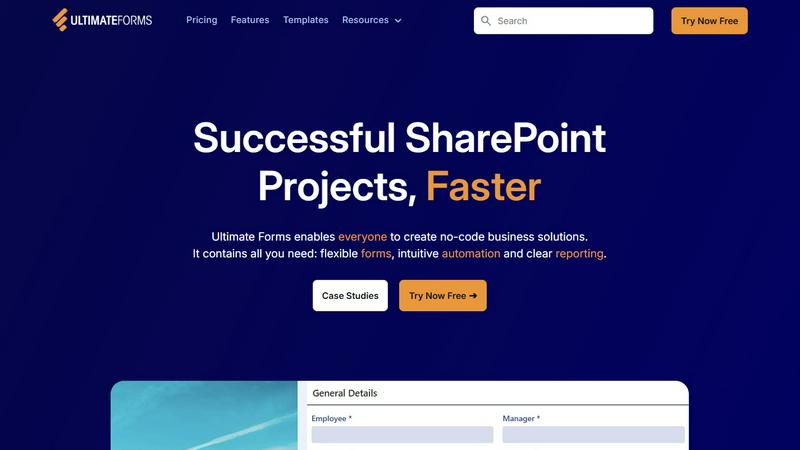
In the fast-paced digital workplace, the demand for agile, no-code solutions is exploding. Ultimate Forms by Infowise is the definitive answer for Microsoft 365 and SharePoint environments, positioning itself as the essential low-code automation layer that democratizes app development. This isn't just another form builder; it's a comprehensive platform engineered to transform SharePoint from a document repository into a dynamic hub for business processes. It empowers business analysts, power users, and IT admins to design sophisticated data capture forms, automate complex workflows, and generate insightful reports—all without writing a single line of code. By seamlessly integrating with the core Microsoft 365 stack, including Teams, Exchange, and SQL, Ultimate Forms eliminates data silos and technical bottlenecks. Its core value proposition is undeniable: accelerate project delivery from months to days, drastically reduce reliance on overburdened developers, and put the power to solve business challenges directly into the hands of those who understand them best. For organizations seeking to future-proof their operations and harness the full potential of their Microsoft investment, Ultimate Forms is the trending, must-have toolkit for rapid digital transformation.
Features of Ultimate Forms
Flexible, Responsive Forms
Go beyond basic SharePoint lists with smart, dynamic forms that provide an exceptional user experience. Features include modern tabs, repeating sections, column-level permissions, and electronic signatures, all while keeping data securely native to SharePoint. Conditional logic and input validation ensure high data quality from the point of entry, streamlining processes and saving valuable resources on data cleanup.
Intuitive No-Code Automation
Replace complex Power Automate flows and custom code with simple, versatile Actions. This visual automation builder allows users to create, update, and manage data across SharePoint and integrated apps like Microsoft Teams, Exchange, and SQL Server. By dramatically reducing the learning curve, it empowers more team members to build and maintain solutions, successfully removing IT bottlenecks and accelerating innovation.
Clear Reporting & Dashboards
Turn raw SharePoint data into actionable intelligence with powerful, shareable reports, dynamic dashboards, KPIs, calendars, and charts. This feature enables everyone in the organization to visualize information in an accessible format, improving responsiveness, accountability, and data-driven decision-making without needing advanced analytics skills or external BI tools.
Pre-built Solution Templates
Jumpstart development with a vast library of ready-to-deploy templates for common business scenarios like Project Management, HR Recruitment, and Leave Requests. You can build a solution once and deploy it automatically across multiple sites and tenants, ensuring consistency and saving enormous amounts of time and effort on repetitive configuration and setup.
Use Cases of Ultimate Forms
Streamlined HR Recruitment Portal
Create a multi-stage candidate portal to manage the entire hiring lifecycle. From initial application forms with resume parsing to automated interview scheduling, candidate scoring, and approval workflows, Ultimate Forms centralizes the process within SharePoint. It ensures a smooth experience for candidates and hiring managers while maintaining clear audit trails and reducing time-to-hire.
Comprehensive Project Management
Manage customers, projects, tasks, and work hours from a single, automated hub. Build forms for project requests, dynamic dashboards for real-time KPI tracking, and automate task assignments and status updates. This use case eliminates spreadsheet chaos, improves team collaboration, and provides leadership with instant visibility into project health and resource allocation.
Automated Employee Leave Requests
Digitize and simplify the employee leave management process. Employees submit requests through a intuitive form, which then triggers automated approval workflows routed to the correct managers based on dynamic rules. Upon approval, the platform can automatically update team calendars in Outlook and sync data back to HR systems, ensuring accuracy and reducing administrative overhead.
Integrated IT Asset Tracking
Build a robust system to track hardware, software, and other company assets throughout their lifecycle. Use forms for check-in/check-out, barcode scanning integration, and set up automated alerts for maintenance schedules or warranty expirations. This provides IT with a single source of truth, improves accountability, and optimizes asset utilization across the organization.
Frequently Asked Questions
Is Ultimate Forms a replacement for Microsoft Power Apps?
Not a replacement, but a powerful complementary tool specifically optimized for the SharePoint ecosystem. While Power Apps is a general-purpose platform, Ultimate Forms is purpose-built for deep SharePoint and Microsoft 365 integration, offering pre-built components, simpler automation for SharePoint data, and a lower learning curve for business users focused on enhancing SharePoint sites and lists.
Do I need coding skills to use Ultimate Forms?
No, that's the core appeal. Ultimate Forms is a true no-code/low-code platform designed for business analysts, power users, and administrators. Its intuitive, visual designers for forms, automation (Actions), and reports allow you to create complex business solutions using configuration and point-and-click logic, eliminating the need for JavaScript, CSS, or other custom code.
How does Ultimate Forms handle security and compliance?
Security is paramount. All data resides natively within your SharePoint environment, inheriting its robust, enterprise-grade security model, permissions, and compliance features. Ultimate Forms adds granular control at the form and field level, enabling you to set permissions for tabs, sections, and even individual columns, ensuring users only see and edit the data they are authorized to access.
Can I try Ultimate Forms before purchasing?
Yes, Infowise offers a "Try Now Free" option, allowing you to experience the platform's capabilities firsthand in your own environment. This is typically a fully-functional trial period where you can build forms, test automation, and explore templates to validate how Ultimate Forms can solve your specific business challenges before making a commitment.