
Alternatives to EditTextImage
Explore the best alternatives and competitors to EditTextImage.
Explore 20 alternatives to EditTextImage. Compare features, pricing, and find the best fit for your needs.

MyType FYI
Explore your visual type with ten free rounds of fictional faces, a base result and optional original portraits, posters or five-second videos.
PavoAI
All-in-one AI video creation for text-to-video, image-to-video, editing, avatars, music, subtitles, and upscaling.
RemoveObjectFromPhoto
Remove unwanted objects, people, and text from photos with AI for clean, natural-looking results in seconds.
ImageAgent
Create and edit AI images through conversation, using text or reference images and refining results in chat.
GenX
All-in-one AI workspace to generate images, videos, and audio with multiple leading AI models.

AppIconGenerator
Generate iOS and Android app icons from any image and export all platform sizes for free.
FreeCreate
Create AI images from text or reference photos and turn prompts or still images into short videos with FreeCreate. Start free—no account needed.
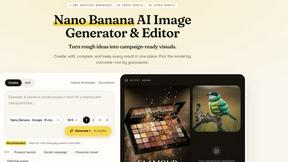
Nano AI
Create and edit AI images, generate videos, and compare models in one creative workbench.
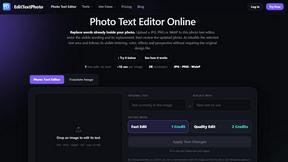
EditTextPhoto
AI-powered image text editor to edit, replace, fix, or translate text in images while preserving the original font, color, size, and style.
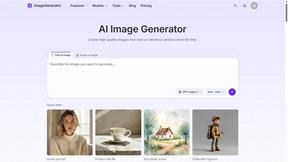
ImageGenerator
Create and edit AI images online with multiple models, text-to-image, image-to-image, background removal, and upscaling.
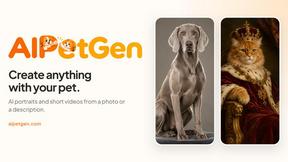
AIPetGen
AIPetGen turns a photo of your dog, cat, or other pet, or a written description, into a new picture or a short animation.

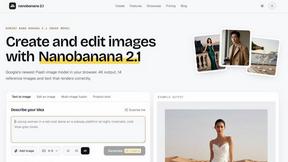
nanobanana 21
A fast, simple AI image studio powered by Nano Banana 2.1 - precise edits, readable text, consistent characters, up to 14 reference images.
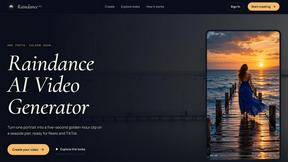
Raindance AI
Turn a single portrait into a cinematic five-second seaside video, ready for TikTok, Reels and Shorts.
AI Album Cover Maker
Create release-ready album covers from a prompt or photo. Generate, refine, and export art for singles, EPs, mixtapes, and playlists.
Ideogram Studio
Create text-perfect logos, posters, ads, packaging, and ecommerce visuals with Ideogram 4 AI workflows.

Qwen Image Edit
Edit and generate visuals with Qwen Image Edit using prompts for background changes, text edits, posters, outpainting, and style exploration.

MetaMuse
Create AI videos from prompts and references, then generate and edit campaign-ready visuals with MetaMuse image and video tools.
AIEnhancer
Enhance photos, create AI images, and generate videos with flexible workflows, creative effects, and a shared asset library.
About EditTextImage Alternatives
SECTION 1 - ALTERNATIVES INTRO The image editing landscape is being reshaped by a new wave of AI-driven tools that eliminate the need for traditional design software, and EditTextImage sits at the forefront of this emerging category: AI-powered text replacement for images. Instead of requiring you to hunt down original PSD files or manually clone stamp over text, this tool uses machine learning to sample typography directly from pixels, preserving fonts, colors, shadows, and even perspective in seconds. It’s a hot niche that solves a very real pain point for marketers, social media managers, and content creators who need to fix a typo or swap a date on a finished asset without starting from scratch. However, users commonly look for alternatives because of specific constraints around pricing, volume, or platform integration. While EditTextImage offers a one-time $9.90 for 30 edits, power users who need hundreds of edits monthly may find the per-edit cost restrictive compared to subscription-based suites. Others might need a solution that integrates directly into their existing workflow, such as a browser extension, API access for automated batch processing, or the ability to handle video frames. When evaluating alternatives, look for tools that match your typical edit volume, offer transparent pricing without hidden subscriptions, and provide output quality that matches or exceeds 2K resolution. The key is finding a service that delivers that same pixel-perfect font matching while aligning with your budget and technical requirements.
FAQs about EditTextImage Alternatives
What is EditTextImage?
EditTextImage is an AI-powered online tool that allows you to change text in any image without needing Photoshop, font files, or a subscription. It works by sampling the typeface directly from the pixels of the original image, then seamlessly re-rendering the replacement text with the same font, color, drop shadow, and perspective. The entire process takes about 10 seconds and outputs at 2K resolution, making it ideal for fixing typos, swapping dates, or A/B testing headlines on finished designs.
Is EditTextImage free?
Yes, EditTextImage offers a free trial where your first edit is completely free with no credit card required. After that, it operates on a pay-as-you-go model with a one-time payment of $9.90 for 30 edits. There are no recurring subscriptions, hidden fees, or monthly commitments, so you only pay for what you use.
Who is EditTextImage for?
EditTextImage is designed for marketers, social media managers, content creators, and anyone who needs to quickly edit text in finished images like posters, screenshots, product photos, or social media graphics. It’s especially useful for professionals who have lost the original design file or need to make changes to images that use paid fonts or hand-lettering they don’t have installed on their system.
What are the main features of EditTextImage?
The core feature is AI-driven text replacement that preserves the original font, color, layout, drop shadow, and perspective by sampling typography directly from the pixels. It works with any typeface, including paid fonts and hand-lettering, and requires no manual font installation. The tool processes edits in about 10 seconds, outputs at 2K resolution, and is entirely web-based, so no software download is needed.