
Alternatives to ShadowLock
Explore the best alternatives and competitors to ShadowLock.
Explore 20 alternatives to ShadowLock. Compare features, pricing, and find the best fit for your needs.

PavoAI
All-in-one AI video creation for text-to-video, image-to-video, editing, avatars, music, subtitles, and upscaling.
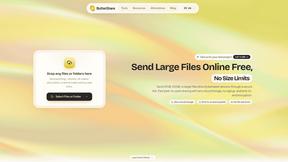
ButterShare
Realtime peer-to-peer file transfer in the browser. Send files directly between devices, no account and no upload to a server.

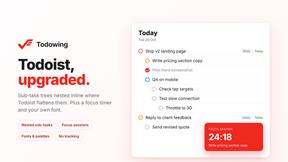
Todowing
Chrome extension that nests Todoist sub-tasks inline in Today, Upcoming, filter, label and board views. Free tier, $19.99 lifetime unlock.
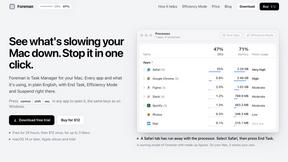
Foreman
See every app and what it's using in plain English, and end or slow down the one that's hogging your Mac.
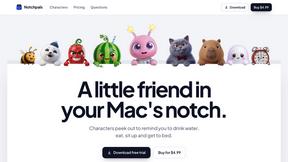
Notchpals
Little characters peek out of your Mac's notch to remind you to drink water, eat, sit up and get to bed. Quiet during calls. $4.99 once.

LightScreen
Free light screen tool online. Turn any display into a flashlight, ambient light, or solid-color screen. No download or sign-up.

CADCraft
Free, open-source 2D CAD in Rust for precise drafting, DWG/DXF workflows, and AI-assisted automation via MCP, JSON, and CLI.
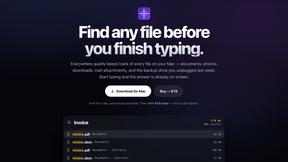
Everywhere
Fast file search for the Mac. Results as you type, files inside Mail and Photos, works with Wi-Fi off. $19 once.
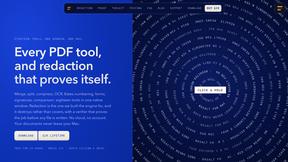
Basalt
Eighteen PDF tools in one native Mac window: merge, split, compress, OCR, Bates numbering, forms, signing and redaction. Offline. $29 once.
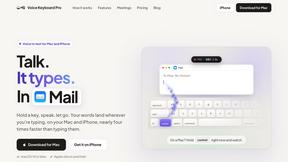
Voice Keyboard Pro
Hold a key, say what you mean, let go. Clean, punctuated text lands at the cursor in any app on your Mac or iPhone.
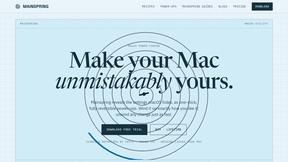
Mainspring
Mainspring turns the settings macOS hides into 90+ one-click, fully reversible power-ups for Finder, Dock, screenshots and more. $29 once.
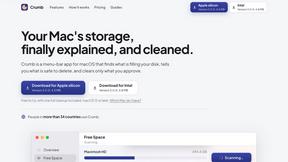
Crumb
A Mac menu bar app for a full disk. See what is using your space, read whether it comes back on its own, and remove only what you tick.
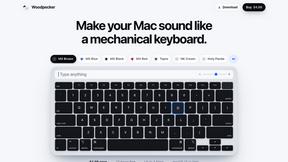
Woodpecker
Make your Mac sound like a real mechanical keyboard. Every key plays its own recording, 22 switches, quiet on calls. $4.99 once.

Inkling
Catch a thought without leaving what you are doing. Notes, checklists and a little companion in your Mac's notch. $12 once.
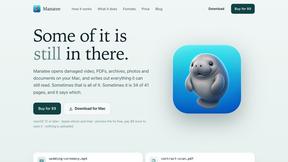
Manatee
A Mac app that opens damaged video, PDFs, archives and documents and writes out everything it can still read. $9 once, no uploads.

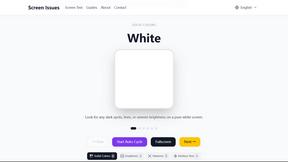
Screen Issues
Free Online Screen Test Tool - Instantly diagnose dead pixels, lines, color issues, and flickering. Multiple test modes, no download needed.
About ShadowLock Alternatives
ShadowLock is a rapidly emerging shadow AI detection and governance platform that gives MSPs and IT teams real-time visibility and control over how employees use AI tools, before sensitive data leaves the endpoint. As the enterprise landscape pivots to generative AI, this kind of tool has become a critical piece of the security stack, but users often look for alternatives due to specific pricing tiers, the need for deeper integration with existing SIEM or DLP stacks, or a desire for more granular control over browser extensions versus desktop agents. Some teams require a lighter agent that works across non-Windows environments, while others need a simpler, less feature-heavy solution for smaller client bases. When evaluating an alternative, focus on three core capabilities: real-time visibility into both browser-based AI interactions and desktop AI apps, including local LLMs like Ollama; the ability to block or audit without keystroke logging or content transmission to maintain privacy; and a multi-tenant dashboard that supports audit-ready reporting across all clients from a single pane of glass. Prioritize solutions that deploy silently via your existing RMM stack and cover blind spots like personal accounts and browser extensions, as these are the attack vectors legacy controls miss. Finally, ensure the alternative offers a clear, transparent pricing model that scales with your client count, not just per-user fees.
FAQs about ShadowLock Alternatives
What is ShadowLock?
ShadowLock is a shadow AI detection and governance platform designed to prevent data leaks to unapproved AI tools. It gives MSPs and IT teams real-time visibility and control over how employees use AI tools before sensitive data leaves the endpoint. The platform covers blind spots like browser extensions, desktop AI apps, local LLMs such as Ollama, and personal accounts.
Who is ShadowLock for?
ShadowLock is built specifically for Managed Service Providers (MSPs) and internal IT teams who need to govern AI usage across multiple clients or departments from a single, centralized dashboard. It is ideal for organizations that want to block or audit risky AI interactions without compromising employee privacy. The platform is designed for teams that need audit-ready reports and silent deployment via existing RMM tools.
What are the main features of ShadowLock?
ShadowLock includes a browser extension that intercepts and classifies risky pastes to AI sites, a Windows agent that blocks desktop AI apps and deploys silently via your existing RMM, and a multi-tenant dashboard for auditing or blocking controls with audit-ready reports. It covers blind spots managed-device controls miss, such as personal accounts and local LLMs. The platform is private by design, with no keystroke logging and zero content transmission.
Is ShadowLock secure?
Yes, ShadowLock is private by design and does not log keystrokes or transmit any content from the endpoint, ensuring user privacy is maintained. It focuses solely on intercepting and classifying risky pastes or blocking unauthorized desktop AI applications. The platform provides audit-ready reports that help organizations maintain compliance without exposing sensitive data to third parties.