
Changeflow vs TinyFast
Side-by-side comparison to help you choose the right tool.

Changeflow
Stay ahead with Changeflow, the AI tool that tracks essential web changes and delivers insights tailored to your needs.
Last updated: March 4, 2026

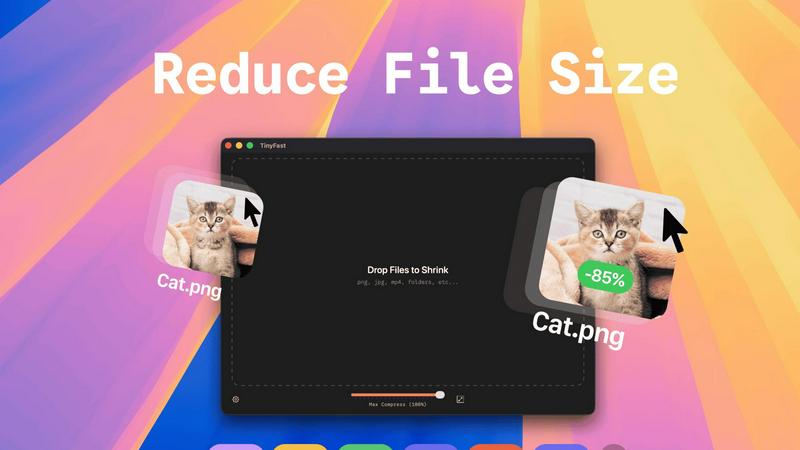
Effortlessly compress images, videos, and PDFs on your Mac with TinyFast's fast and private drag-and-drop solution.
Last updated: February 28, 2026
Visual Comparison
Changeflow

TinyFast
Feature Comparison
Changeflow
AI-Powered Intelligence
Changeflow employs sophisticated AI algorithms to filter out irrelevant updates, delivering only the changes that matter most to your business. This technology minimizes false positives, ensuring you stay focused on actionable insights rather than unnecessary noise.
Natural Language Setup
Setting up Changeflow is a breeze. Simply describe in plain English what you want to track, and our AI takes care of the rest. No technical jargon or complicated configurations are required, making it accessible for users of all technical backgrounds.
Customized Summaries
Forget about sifting through lengthy web pages. Changeflow provides AI-generated summaries that highlight what changed and why it matters to you. This feature saves you time and helps you make informed decisions quickly.
Advanced Anti-Blocking Technology
With Changeflow's sophisticated anti-blocking mechanisms, you can expect reliable access to monitored pages, even on challenging sites. This ensures that you never miss important updates due to access restrictions, setting Changeflow apart from its competitors.
TinyFast
Batch & Drag-Drop Shrink
With TinyFast, you can easily drag entire folders into the application for bulk compression. This feature allows you to optimize multiple files at once, saving you precious time while ensuring that your assets are quickly and efficiently reduced in size.
Blazing-Fast Compression
TinyFast utilizes optimized native engines to shrink large files in seconds. This enables users to bypass the frustrating waits associated with online compression tools, allowing for rapid processing without the hassle of uploads and downloads.
Resize Resolution
This feature allows users to automatically resize their images and videos to fit specific needs. Whether you require smaller resolutions for web uploads or different formats for social media, TinyFast streamlines the process, ensuring high-quality outputs every time.
100% Local & Private
TinyFast operates entirely on your device, meaning your files never leave your Mac. This design ensures total privacy, making it ideal for users concerned about data security. No uploads or cloud servers mean your sensitive information remains confidential.
Use Cases
Changeflow
Competitor Price Monitoring
Businesses can leverage Changeflow to keep tabs on competitor pricing strategies. With timely alerts about price changes, companies can adjust their own pricing and marketing strategies to maintain a competitive edge.
Regulatory Compliance Tracking
Compliance teams at Fortune 500 companies rely on Changeflow to monitor critical regulatory updates, such as FDA guidance and SEC filings. This ensures they remain compliant with industry standards and legal requirements.
Market Movement Insights
Changeflow is a vital tool for financial analysts and business strategists who need to track market movements and news mentions. With real-time updates, teams can make informed decisions and respond to market shifts proactively.
Legal Document Monitoring
Legal professionals at Am Law 200 firms use Changeflow to monitor court dockets and legal citations. By staying updated on relevant legal documents, they can better serve their clients and prepare for cases effectively.
TinyFast
Streamlined Workflow for Designers
Designers can use TinyFast to efficiently compress large images and graphics without sacrificing quality. This expedites their workflow, allowing them to focus on creativity instead of waiting for files to upload or download.
Content Creation Simplified
For content creators, TinyFast provides a quick solution for compressing videos and images intended for social media or websites. By optimizing file sizes, creators can ensure faster loading times and better user experiences for their audiences.
Secure File Management for Developers
Developers often handle sensitive files and assets. TinyFast offers a secure way to compress and manage these files locally, reducing the risk of data breaches associated with online compression services.
Efficient Document Handling for Businesses
Businesses can benefit from using TinyFast to compress PDF and document files efficiently. This allows teams to share large files quickly while maintaining the integrity and quality of the documents, enhancing collaboration and productivity.
Overview
About Changeflow
Changeflow is a cutting-edge web monitoring tool designed to keep businesses informed of critical updates across the internet. Utilizing advanced AI technology, Changeflow doesn't just notify users that something has changed on a webpage; it carefully analyzes the content, understands its context, and delivers concise summaries of the most relevant changes. This feature is particularly valuable for business teams needing to track competitor pricing, monitor regulatory updates, and stay ahead in fast-paced markets. With an impressive success rate of 99.9% in accessing pages that other tools struggle with, Changeflow empowers organizations—from Fortune 500 companies to Am Law 200 firms—with the ability to efficiently manage information flows. Through its user-friendly natural language setup, shared workspaces, and advanced API capabilities, Changeflow is not just another tool; it is an essential asset for modern businesses aiming to thrive in a data-driven landscape.
About TinyFast
TinyFast is a cutting-edge macOS application that transforms the way users compress their files, making it an indispensable tool for developers, designers, and content creators. Whether you're working with images, videos, documents, or audio files, TinyFast supports a wide range of formats, including PNG, JPEG, MP4, MOV, PDF, SVG, WebP, MP3, and GIF. Its intuitive drag-and-drop interface allows users to compress files directly on their Mac, ensuring that sensitive data remains secure and private. By eliminating the need for uploading files to unknown servers, TinyFast prioritizes speed and confidentiality, providing a seamless user experience. With TinyFast, you can maintain high-quality assets while significantly reducing file sizes, enabling efficient workflows without compromising security. Say goodbye to tedious online compression tools and embrace the simplicity and effectiveness of TinyFast, designed for anyone who values both efficiency and data protection.
Frequently Asked Questions
Changeflow FAQ
How does Changeflow ensure I only receive relevant updates?
Changeflow's AI analyzes the context of webpage changes and filters updates based on your specific interests. This means you will receive concise notifications about changes that truly matter to your business.
What types of pages can I track with Changeflow?
You can track virtually any webpage, including competitor sites, regulatory bodies, news outlets, and more. Changeflow's advanced technology allows it to navigate complex pages that might block other monitoring tools.
How quickly will I receive updates after changes occur?
Changeflow provides real-time updates, ensuring that you are informed as soon as changes happen. Notifications can be delivered to your email or through your dashboard, keeping you in the loop at all times.
Can I collaborate with my team using Changeflow?
Absolutely! Changeflow includes shared workspaces that allow team members to stay aligned on monitoring objectives. Additionally, API access enables you to integrate Changeflow into your existing workflows seamlessly.
TinyFast FAQ
How does TinyFast ensure my files remain private?
TinyFast operates entirely on your local device, meaning files never get uploaded to any servers. This guarantees that your data remains confidential and secure.
What file types can I compress using TinyFast?
TinyFast supports a wide range of file types, including images (PNG, JPEG, GIF), videos (MP4, MOV), documents (PDF, DOCX), and audio files (MP3), making it a versatile tool for various needs.
Is TinyFast easy to use for non-technical users?
Absolutely! TinyFast features a user-friendly drag-and-drop interface, making it accessible for everyone, regardless of technical expertise. Simply drag your files into the app and watch them get compressed instantly.
What kind of compression speeds can I expect from TinyFast?
TinyFast is designed to offer blazing-fast compression speeds, allowing you to shrink large files in seconds. This efficiency eliminates the long wait times typically associated with online compression tools.
Alternatives
Changeflow Alternatives
Changeflow is an AI-driven tool that specializes in providing market and competitor insights by monitoring web pages for changes. Classified under the productivity and management category, Changeflow goes beyond simple notifications by delivering detailed summaries of significant updates, making it invaluable for businesses and legal teams alike. Users often seek alternatives due to varying needs such as pricing, specific features, or compatibility with existing platforms. When searching for alternatives, it’s essential to consider the core features that matter most to your business. Look for tools that offer similar capabilities in tracking and summarizing changes, as well as the ability to integrate seamlessly into your workflow. User-friendly setup, reliability, and support are also critical factors to ensure you choose a solution that aligns with your goals and operational requirements.
TinyFast Alternatives
TinyFast is a cutting-edge application designed for macOS users, providing a seamless solution for compressing various file types such as images, videos, and PDFs. As a tool that emphasizes speed and privacy, TinyFast allows users to manage their compression tasks locally, avoiding the risks associated with online services. Many users seek alternatives to TinyFast for reasons such as pricing concerns, specific feature requirements, or compatibility with different operating systems and devices. When searching for an alternative, it's essential to consider factors like ease of use, file format support, compression quality, and the level of privacy offered by the solution. When evaluating options, look for applications that prioritize local processing, ensuring your sensitive files remain secure while also providing the necessary features to streamline your workflow. The ideal alternative should not only meet your technical needs but also enhance your productivity, allowing you to focus on your creative or professional endeavors without compromising on quality or security.