
Looktara vs PhotoWeather
Side-by-side comparison to help you choose the right tool.
Looktara
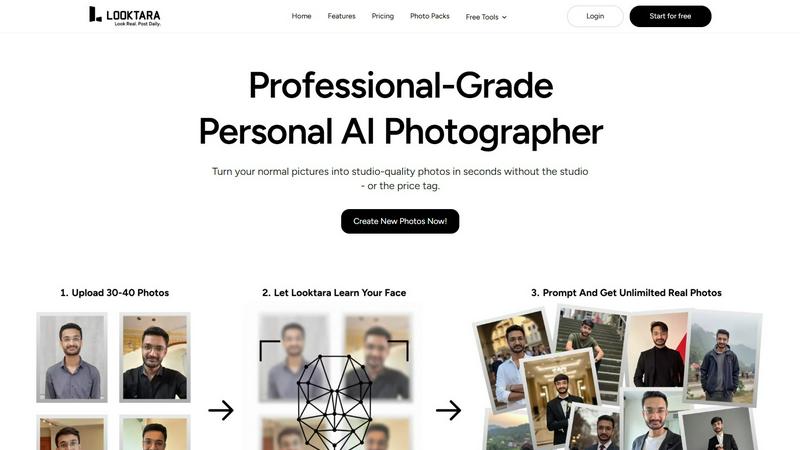
Looktara is your personal AI photographer creating professional photos from your images in minutes.
Last updated: February 28, 2026

PhotoWeather
Get real-time alerts for ideal photography conditions and never miss the perfect shot again with PhotoWeather.
Last updated: February 28, 2026
Visual Comparison
Looktara
PhotoWeather

Feature Comparison
Looktara
Your Private, Encrypted AI Model
Looktara's core technology is a game-changer. Unlike public AI models, it creates a unique, isolated model just for you from about 30 uploaded photos. This model is encrypted and stored privately, ensuring your biometric data is secure and never used for training other systems. It learns your genuine facial structure, skin texture, and personal style in about 10 minutes, forming the foundation for all your future photos. This private approach guarantees that every generated image is a true reflection of you, not a generic composite.
Authentic Expression & Natural Detail
Looktara is engineered to solve the "uncanny valley" problem plaguing other AI tools. It captures natural expressions, subtle body language, and realistic details that others miss. Say goodbye to over-smoothed, plastic-like skin and awkward, stiff poses. The AI is fine-tuned to replicate your authentic smile, gaze, and posture, resulting in photos that resonate with genuine humanity and professionalism, making you look approachable and confident.
Context-Based Styling for Any Platform
One size does not fit all in the digital world. Looktara provides unparalleled control, allowing you to tailor images for specific platforms and vibes. Need a formal, trustworthy headshot for LinkedIn? A creative and relaxed shot for Instagram? A friendly profile for a dating app? You guide the AI with your prompts, ensuring the styling, attire, and background perfectly match your industry, personal brand, and the platform's audience, giving you consistent confidence everywhere.
Integrated Free Editing Toolkit
Beyond generation, Looktara acts as your all-in-one visual content suite. It includes a powerful set of free tools like background removal, face blurring, image cropping, resizing, compression, and format conversion. This means you can instantly edit your AI-generated photos or any other images for polish and consistency without ever leaving the ecosystem, streamlining your entire workflow from creation to publication.
PhotoWeather
Ready-Made Templates
PhotoWeather provides an array of ready-made templates tailored for photographers. These templates cover a variety of conditions, including "Fog and Mist," "Golden and Blue Hour," and "Aurora Visibility." This feature allows users to quickly set alerts based on common photography scenarios, ensuring they are notified when conditions are just right for their desired shot.
Powerful Rule Builder
With over 80 parameters to choose from, PhotoWeather's powerful rule builder lets photographers create highly specific alerts. Users can define conditions such as cloud cover, wind speed, humidity, and astronomical events. The ability to combine conditions using AND/OR/NOT logic allows for precise tailoring, such as setting an alert for "Golden Hour + 20–60% clouds + wind <7 m/s," making it a must-have for serious photographers.
Smart Notifications
PhotoWeather sends smart notifications that keep photographers informed in real-time. Users can opt for daily digests to plan their shooting days or receive instant alerts when conditions change. Additionally, the calendar integration feature allows users to sync opportunities directly into their schedules, ensuring that they are always prepared for the next big photo opportunity.
Reliable Forecast Sources
PhotoWeather aggregates data from trusted weather services such as ECMWF, NOAA, and Météo-France, providing users with accurate and reliable forecasts. This feature ensures that photographers can rely on the alerts they receive, knowing they are based on robust meteorological data. This reliability is crucial for making informed decisions about when and where to shoot.
Use Cases
Looktara
Elevating Your Professional Brand on LinkedIn
Consistently refresh your LinkedIn profile with a library of high-quality, professional headshots. Looktara allows you to generate photos in various professional attire and settings (office, conference, studio) that maintain a cohesive and credible brand image. Never use a stale or low-quality photo again, and always have the perfect shot for article features, company updates, or connection requests.
Crafting a Cohesive Instagram Aesthetic
For influencers, creators, and small business owners, maintaining a visually appealing feed is crucial. Looktara enables you to generate a series of authentic, on-brand solo photos in consistent styles or themes. Whether you need content for a product launch, a personal story, or a themed series, you can produce beautiful, genuine images that enhance your feed's aesthetic without the cost of multiple photoshoots.
Creating Perfect Dating Profile Photos
Navigate the world of online dating with authentic and flattering photos. Looktara helps you generate natural, friendly, and approachable images that truly represent you in various social settings—casual coffee shop, hobby activity, or a nice outdoor scene. Avoid the pitfalls of group crops, old photos, or awkward selfies by having a selection of great solo shots that show your best self.
Rapid Personal Branding for Entrepreneurs
Startups and solo entrepreneurs can build a strong visual identity from day one. Use Looktara to quickly generate a suite of professional photos for your website "About" page, speaker bios, podcast artwork, and marketing materials. This ensures you present a polished, trustworthy, and consistent image across all touchpoints, essential for establishing credibility and attracting clients or investors.
PhotoWeather
Landscape Photography
Landscape photographers can use PhotoWeather to set specific alerts for conditions that enhance their photography, such as foggy mornings or dramatic cloud formations. By customizing their alerts, they can ensure they are in the right place at the right time to capture stunning landscapes.
Astro Photography
Astro photographers benefit from PhotoWeather's ability to track astronomical events and cloud cover. Users can set alerts for clear nights, moon phases, and other celestial conditions, ensuring they never miss a chance to capture the Milky Way or a lunar eclipse.
Wildlife Photography
Wildlife photographers can take advantage of the app to monitor weather conditions that affect animal behavior. For instance, they can set alerts for mild weather, which can lead to increased animal activity, ensuring they are ready to capture those fleeting moments.
Event Photography
Event photographers, such as those covering weddings or outdoor festivals, can also use PhotoWeather to stay informed about changing weather conditions. By setting alerts for impending rain or changes in light, they can better prepare for their shoots and adapt their plans as necessary.
Overview
About Looktara
Forget everything you know about AI photo generators. The era of generic, plastic-looking avatars is over. Looktara is the groundbreaking personal AI photographer that's setting a new standard for digital identity. It's not just another filter app; it's a private, encrypted studio that learns you. By analyzing a small set of your photos, Looktara builds an isolated AI model that understands your unique features, expressions, and style. This isn't about creating a fantasy version of you—it's about generating authentic, professional-grade photos that are unmistakably real. Need a sharp headshot for LinkedIn in 5 seconds? A candid, engaging shot for Instagram? Looktara delivers with stunning versatility, giving you complete creative control over the tone, setting, and message. Designed for professionals, creators, and anyone serious about their online presence, Looktara eliminates the cost, scheduling nightmares, and awkwardness of traditional photoshoots. Your personal photographer is now on-demand, creating over 18 million photos for a global community and redefining authenticity in the age of AI.
About PhotoWeather
PhotoWeather is an innovative weather alert system specifically designed for outdoor photographers, ensuring that you never miss the perfect lighting or atmospheric conditions for your shots. By continuously monitoring weather forecasts 24/7, it alerts users only when conditions align with their photography goals, whether it be capturing sunrise fog, dramatic storms, or vibrant golden-hour lighting. With its user-friendly interface and advanced rule-setting capabilities, photographers can easily customize alerts based on their specific needs. This tool is perfect for landscape, wildlife, and astro photographers who want to maximize their shooting opportunities without the hassle of constantly checking weather apps. PhotoWeather empowers photographers to focus on their art while it takes care of the weather, guiding them to the best moments for capturing breathtaking images.
Frequently Asked Questions
Looktara FAQ
How many photos do I need to upload to get started?
You only need to upload around 30 photos of yourself to train your personal AI model. The key is variety: include photos with different angles, lighting conditions, expressions (smiling, serious), and backgrounds. This diversity helps the AI learn a comprehensive and accurate representation of your unique features, ensuring the highest quality output for your generated photos.
Is my data and photo privacy protected?
Absolutely. Privacy and security are foundational to Looktara. Your uploaded photos are used to create a private, encrypted AI model that is isolated to your account only. This model is not used to train any general AI systems, and your data is not shared with third parties. You maintain complete ownership and control over your personal AI model and all the images it generates.
How long does it take to generate new photos?
Once your personal AI model is trained (which takes about 10 minutes), generating a new, high-quality photo is incredibly fast. You can expect to receive your final image in approximately 5 seconds after submitting your generation request. This allows for rapid iteration and experimentation with different styles, prompts, and settings on the fly.
Can I control the style and setting of the generated photos?
Yes, you have full creative control. Looktara is designed for context-based styling. You guide the AI using text prompts to specify the desired vibe, setting (e.g., "modern office," "cozy cafe"), attire ("professional suit," "casual sweater"), and even expression. This ensures the output aligns perfectly with your vision and the specific platform or purpose you have in mind.
PhotoWeather FAQ
How do I get started with PhotoWeather?
Getting started is simple! Download the app from the App Store or Google Play, create an account, and begin adding your favorite shooting locations. You can then set your desired conditions and start receiving alerts tailored to your photography goals.
How accurate are the forecasts from PhotoWeather?
PhotoWeather utilizes data from reputable sources like ECMWF and NOAA, providing high accuracy in weather forecasts. The app is designed to keep you informed with the most reliable predictions for the conditions that matter most to photographers.
Can I create my own rules for alerts?
Yes! PhotoWeather offers a robust rule builder that allows you to create custom alerts based on over 80 weather parameters. You can tailor your alerts to match your unique photography preferences, ensuring you never miss the right conditions.
Do you support calendar sync for reminders?
Absolutely! PhotoWeather offers calendar integration, allowing you to sync your alerts and opportunities directly into your personal calendar. This ensures you receive timely reminders and can plan your photography sessions efficiently.
Alternatives
Looktara Alternatives
Looktara is a leading player in the generative AI art space, specifically designed as a personal AI photographer. It creates custom, professional-grade images from your own photos in minutes, revolutionizing personal branding and social media presence. Users often explore alternatives for various reasons. Some seek different pricing models or subscription tiers, while others prioritize specific features like more extensive editing controls, different artistic styles, or integration with other platforms. The need for a tool that aligns with a unique workflow or budget is a common driver. When evaluating other options, key considerations include the quality and authenticity of the AI-generated output, the speed of model training and image generation, data privacy and security protocols, and the level of creative control offered. The goal is to find a solution that delivers genuine, high-quality results tailored to your digital identity.
PhotoWeather Alternatives
PhotoWeather is an innovative photography app designed to provide users with real-time alerts for optimal photo conditions, including golden hour lighting, dramatic clouds, and various atmospheric phenomena. As a specialized tool within the photography category, it helps photographers seize the perfect moment without the hassle of constantly checking weather forecasts. Users often seek alternatives to PhotoWeather for various reasons, such as pricing, feature sets, or specific platform compatibility. When searching for alternatives, it's essential to consider factors like the range of customizable alerts, the ability to set specific rules based on weather conditions, and user-friendly interfaces that streamline the photography planning process. Ultimately, the best choice will align with individual photography goals and preferences.