
Lovalingo vs YouTube to Transcript
Side-by-side comparison to help you choose the right tool.

Lovalingo
Instantly translate and index your React app with zero flash and automated SEO.
Last updated: February 28, 2026

YouTube to Transcript
Effortlessly convert any YouTube video into accurate transcripts for free, with no signup or limits on usage.
Last updated: March 3, 2026
Visual Comparison
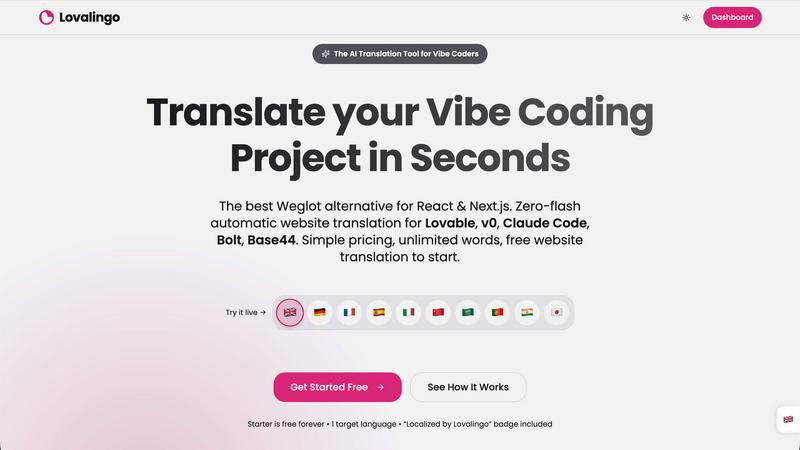
Lovalingo
YouTube to Transcript

Feature Comparison
Lovalingo
One-Prompt Installation & Setup
Forget complex configuration dashboards. Lovalingo is installed by copying a single, comprehensive prompt into your AI coding assistant (like ChatGPT or Claude). Your AI tool handles the npm installation and code wrapping, getting your project live in 20+ languages in under 60 seconds. This seamless integration is specifically engineered for the rapid, prompt-driven development style of modern vibe coding.
Zero-Flash, Render-Native Translation
Unlike script-based tools like Weglot that manipulate the DOM after the page loads (causing flicker and layout shifts), Lovalingo integrates at the React render level. The correct language is determined and rendered before the page paints, ensuring perfect layout stability, native performance, and a flawless user experience with absolutely no visual glitches or content flashes.
Automatic Translation & Zero Maintenance
Lovalingo completely removes the need for manual translation files. It automatically detects text content in your application and handles translations in real-time. As you build and add new features, the system auto-translates the new content. This means no more managing thousands of string entries across multiple JSON files for different languages.
Built-In Multilingual SEO Engine
Go global and get indexed correctly from the start. Lovalingo automatically generates and manages multilingual sitemaps, hreflang tags, and meta descriptions for you. This native SEO integration ensures search engines properly understand your site's language structure, driving organic traffic from your target international markets without any manual setup.
YouTube to Transcript
Completely Free
YouTube to Transcript stands out as a 100 percent free service, meaning users can generate transcripts without worrying about hidden fees or premium tiers. This allows everyone to access its powerful features without any financial burden.
Multi-language Support
With the ability to translate transcripts into over 125 languages, this tool caters to a global audience. Users can easily convert their transcripts to their preferred language, making it easier to reach wider audiences and enhance content accessibility.
Unlimited Usage
One of the most attractive features of YouTube to Transcript is the unlimited usage policy. Users can generate as many transcripts as they need, without any restrictions on the number of videos or their lengths, facilitating extensive research or content creation efforts.
Clean Formatting
The resulting transcripts can be exported in a clean format, making them ideal for various applications such as SEO optimization, note-taking, or repurposing content for different platforms. This feature ensures that users can utilize the text effectively in their projects.
Use Cases
Lovalingo
SaaS Founders Scaling Internationally
For startup founders and product teams launching into new markets, Lovalingo removes the technical and operational barrier of internationalization. You can deploy a fully multilingual version of your SaaS application in minutes, not weeks, enabling rapid testing and growth in global markets with proper SEO from day one.
Agencies Building on Lovable & v0
Development agencies using AI-powered platforms to build client projects can now deliver multilingual sites as a standard offering. Lovalingo's one-prompt setup and automatic translation allow agencies to quote, build, and deploy internationalized projects faster and more reliably, increasing their service value without increasing development time.
Developers Using AI Coding Assistants
Individual developers and indie hackers leveraging tools like Claude Code or Cursor to build projects can integrate professional-grade i18n without breaking their flow. It turns the complex task of translation into a simple prompt, allowing solo builders to create globally-ready apps with the same speed as single-language ones.
Migrating From Weglot or Manual i18n
Teams frustrated with the cost, layout instability, or complexity of script-based translators or manual i18n libraries can seamlessly switch. Lovalingo offers a more stable, integrated, and cost-effective solution with predictable per-project pricing and unlimited words, making it a superior alternative for React/Next.js applications.
YouTube to Transcript
Content Creation
Content creators can use YouTube to Transcript to generate accurate subtitles for their videos, improving accessibility for viewers and enhancing engagement across different platforms. This feature ensures that their content reaches a broader audience.
Academic Research
Students and researchers can benefit from this tool by extracting transcripts from educational videos. This allows them to quickly reference material, quote sources accurately, and enhance their understanding of complex topics without spending hours watching videos.
Language Learning
Language learners can utilize YouTube to Transcript to get transcripts in their target language. This helps in improving their writing and comprehension skills while providing them with real-world examples of spoken language in context.
Accessibility Enhancement
Individuals with hearing impairments or those who prefer reading can use YouTube to Transcript to access video content in text form. This tool promotes inclusivity and ensures that everyone can benefit from online resources, regardless of their learning preferences.
Overview
About Lovalingo
Lovalingo is the AI-native translation layer built for the next generation of developers. It completely eliminates the traditional, painful i18n workflow of managing JSON files, broken layouts, and SEO headaches. Designed specifically for "vibe coders" using AI-powered tools like Lovable, v0, Claude Code, Bolt, and Base44, Lovalingo automates the entire process. It provides render-native, zero-flash translation that integrates directly into your React or Next.js application's render flow, not as a post-load DOM hack. This means your app scales to any language instantly with a single prompt, offering native SEO capabilities like automatic hreflang tags and sitemaps from day one. It's for SaaS founders targeting global markets, agencies building on modern AI platforms, and any developer who wants to ship multilingual features without the manual maintenance bottleneck.
About YouTube to Transcript
YouTube to Transcript is a revolutionary web-based tool designed to simplify the process of converting YouTube videos into text. This innovative platform is perfect for content creators, students, researchers, and professionals who need quick access to video content in a readable format. By simply pasting the URL of any YouTube video, users can instantly generate high-quality transcripts and subtitles without any hassle. The main value proposition lies in its ease of use, offering a completely free service with no hidden costs, registration, or limits on video duration. With support for over 125 languages, YouTube to Transcript ensures that users from diverse backgrounds can benefit from its capabilities, making it an essential tool for anyone looking to enhance their productivity and content accessibility.
Frequently Asked Questions
Lovalingo FAQ
How does Lovalingo compare to Weglot?
Lovalingo is a native React library, while Weglot is an external script that manipulates the DOM post-load. This means Lovalingo offers zero flicker and perfect layout stability. It's also significantly cheaper (with a free Starter plan), offers unlimited words, and is installed with one prompt versus a complex dashboard configuration, making it built for modern AI-driven development.
Is there really no manual translation management?
Correct. Lovalingo is designed for full automation. Once installed, it detects and translates the text content in your application automatically. There are no JSON or .po files for you to create, update, or manage. New content you add is translated on the fly, eliminating the traditional maintenance burden of i18n.
Which frameworks and tools does it support?
Lovalingo is built specifically for React and Next.js applications. It is 100% compatible and optimized for projects built with AI "vibe coding" platforms including Lovable, v0.dev, Claude Code, Bolt.new, and Base44. Its installation is designed to be executed via prompt in these AI coding environments.
What does the "Localized by Lovalingo" badge mean?
The free Starter plan includes a small, non-intrusive badge on your site that credits Lovalingo. This allows developers to use the service for free for one target language. Upgrading to a paid plan removes this badge and unlocks additional languages, advanced SEO features, and more control over the translation output.
YouTube to Transcript FAQ
Is YouTube to Transcript free to use?
Yes, YouTube to Transcript is completely free to use with no hidden costs or premium tiers, ensuring that everyone can access its robust features.
How do I get a transcript of a YouTube video?
To obtain a transcript, simply copy the URL of the desired YouTube video, paste it into the input field on the YouTube to Transcript website, and click the generate button to receive your transcript.
How long does it take to generate the transcript?
The transcription process is instantaneous. Users can expect to receive their transcripts in seconds after inputting the YouTube video URL, making it a highly efficient tool.
Can I download the transcript?
Absolutely! Users can either copy the generated text to their clipboard or download it directly as a TXT file for easy access and storage, facilitating effortless sharing and use in various applications.
Alternatives
Lovalingo Alternatives
Lovalingo is an automated translation and SEO platform built specifically for modern React applications. It belongs to the emerging category of AI-native i18n tools designed to eliminate the manual maintenance of traditional JSON-based translation workflows. This focus on automation and developer experience is what sets it apart. Users often explore alternatives for several key reasons. Some may have budget constraints or require a different pricing model. Others might need specific integrations with a particular tech stack or CMS that isn't currently supported. Feature sets also vary widely, with some solutions prioritizing raw translation power over SEO automation, or vice versa. When evaluating options, look beyond just translation accuracy. The critical factors are how the tool impacts your core web vitals—avoiding layout shift and flicker is non-negotiable for user experience. Also, assess the depth of its SEO implementation, like automatic sitemap generation and hreflang tags, and ensure it fits seamlessly into your existing build process without creating new maintenance burdens.
YouTube to Transcript Alternatives
YouTube to Transcript is a revolutionary web-based utility that allows users to extract high-quality transcripts and subtitles from YouTube videos effortlessly. With its focus on education and productivity, this tool is especially useful for content creators, students, and researchers who need to convert video content into text quickly. The platform stands out due to its no-cost structure and no limitations on video duration, making it an appealing choice for a diverse range of users. However, as users seek solutions that best fit their unique needs, they often look for alternatives due to factors like pricing, specific features, or platform compatibility. When choosing an alternative, it's essential to consider aspects such as ease of use, language support, and whether the service imposes any limitations on the number of videos or the duration of content that can be transcribed. Finding the right fit can significantly enhance productivity and streamline workflows.