
MultiMMR vs StatPecker
Side-by-side comparison to help you choose the right tool.

MultiMMR
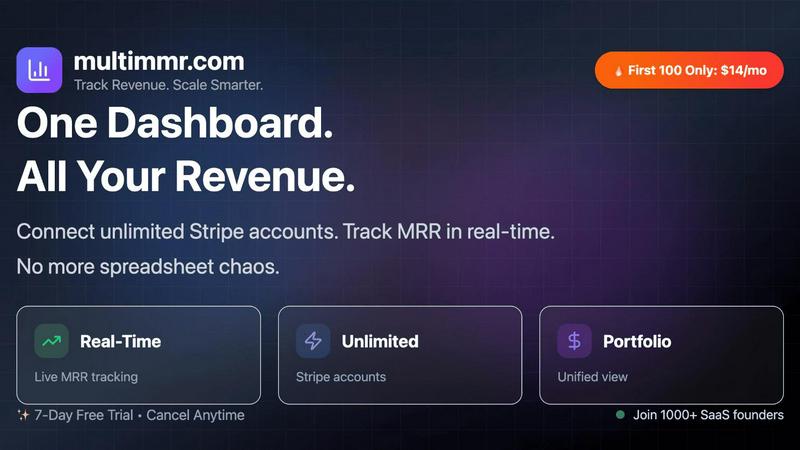
Effortlessly connect your Stripe accounts for real-time revenue insights and actionable metrics in one unified dashbo...

StatPecker
StatPecker delivers fast, secure data insights and stunning visuals, empowering leaders and creators to tell compelling.
Last updated: March 1, 2026
Visual Comparison
MultiMMR
StatPecker

Feature Comparison
MultiMMR
Real-Time Tracking
Stay ahead of the game with MultiMMR’s real-time tracking feature. This allows you to monitor user activity as it happens, enabling smarter decision-making. The instant access to user data means you can respond quickly to changes, ensuring that your goals remain on track.
All-in-One View
MultiMMR offers an all-in-one view of your SaaS analytics, bringing together data from multiple Stripe accounts into one centralized dashboard. This eliminates the need to toggle between different tools, saving you time and effort while providing a comprehensive perspective on your revenue management.
Actionable Insights
One of the standout features of MultiMMR is its capability to deliver actionable insights. Track the metrics that matter most to your business growth, empowering you to make informed decisions based on reliable data. This feature is essential for sustainable growth in a competitive landscape.
Smart Alerts
Stay informed with MultiMMR's smart alerts. This feature sends instant notifications if your MRR drops, spikes, or if high-value customers decide to cancel. These timely updates allow you to take proactive measures, minimizing potential revenue loss and maximizing customer retention.
StatPecker
Local SQL Agent
StatPecker's Local SQL Agent empowers users to analyze data locally with an easy-to-use interface. By uploading a CSV file (up to 50 MB), users can run queries and receive instant visualizations that can be shared effortlessly. This feature ensures privacy, as all data processing occurs on the user's device, eliminating concerns about data security.
Ask Your Query
With the Ask Your Query feature, users can generate insights directly by posing questions in natural language. This AI-driven capability removes the need for complex commands or extensive training, allowing users to quickly obtain validated answers from their data. It streamlines the exploration process, making data-driven insights accessible to everyone.
Publish & Embed
StatPecker allows users to publish and embed their infographics seamlessly into various platforms, including blogs, articles, and websites. This feature enhances interactivity and engagement, enabling content creators to integrate visually compelling data narratives that resonate with their audience and drive higher engagement rates.
Download & Use Anywhere
Users can easily export their infographics as image files, making it convenient to use them in reports, presentations, or any other medium. The Download & Use Anywhere feature empowers users to leverage their visuals across multiple platforms without limitations, ensuring that impactful data storytelling is always at hand.
Use Cases
MultiMMR
For Startups
Startups can leverage MultiMMR to gain a clear understanding of their revenue streams from the outset. By integrating all Stripe accounts, they can easily track MRR and ensure that their financial health is robust as they scale.
For Growth-Stage Companies
Growth-phase companies can utilize MultiMMR to streamline their reporting processes. With real-time tracking and actionable insights, they can make quick adjustments to their strategies, ensuring they remain aligned with their growth objectives.
For Established Enterprises
Established businesses can benefit from MultiMMR's all-in-one view by consolidating their financial data. This enables better oversight and more strategic decision-making, essential for maintaining competitiveness in the market.
For Financial Analysts
Financial analysts can use MultiMMR to gather and interpret vast amounts of data efficiently. The platform's beautiful charts and real-time metrics make it easier to present findings and recommendations to stakeholders, enhancing the overall decision-making process.
StatPecker
Content Creation for Blogs
Bloggers can leverage StatPecker to create stunning infographics that enhance their articles. By transforming complex data into visual stories, they can increase reader engagement and comprehension, making their content more shareable and appealing.
Marketing Campaign Reports
Marketers can utilize StatPecker to visualize campaign performance data effectively. By generating clear and impactful reports, they can present insights to stakeholders in a visually engaging manner, aiding in decision-making and strategy adjustments.
Educational Presentations
Educators can simplify complex subjects by using StatPecker to create infographics that illustrate key concepts. This visual approach enhances students' understanding and retention of information, making learning more interactive and enjoyable.
Data Analysis for Businesses
Analysts can use StatPecker to quickly visualize data from CSV files without the need for extensive BI tools. This ability to generate instant insights helps businesses make informed decisions based on credible data, driving productivity and efficiency.
Overview
About MultiMMR
MultiMMR is a cutting-edge SaaS management tool designed to revolutionize how businesses track their revenue. By providing a unified financial view, it eliminates the chaos of managing multiple Stripe accounts and endless spreadsheets. This powerful platform instantly syncs all your projects into a single centralized dashboard, delivering enterprise-grade analytics that are crucial for making informed, data-driven decisions. Whether you're a startup or an established enterprise, MultiMMR caters to your needs, allowing you to monitor your Monthly Recurring Revenue (MRR) through beautiful, actionable charts. With features like real-time tracking, smart alerts, and goal tracking, MultiMMR empowers you to simplify your reporting workflow and focus on scaling your business effectively. Experience the future of revenue management with a tool that puts you in control of your financial health.
About StatPecker
In today's data-driven landscape, the ability to present information in an engaging and visually appealing manner is crucial. StatPecker revolutionizes this need with its AI-powered platform that transforms raw data into captivating infographics in mere seconds. Designed for a diverse audience, from content creators and marketers to analysts and educators, StatPecker eliminates the headache of traditional data visualization tools. Users can effortlessly convert complex datasets into clear visuals that enhance communication and decision-making. With StatPecker, the process of data storytelling is simplified, allowing users to focus on insights rather than technical hurdles. The platform's promise of fast, cost-effective, and hassle-free data visualization enables anyone to create professional-grade graphics that captivate audiences and drive engagement.
Frequently Asked Questions
MultiMMR FAQ
What is MultiMMR?
MultiMMR is a SaaS management tool that provides a unified financial view of your revenue streams by syncing multiple Stripe accounts into one centralized dashboard.
How does MultiMMR help with reporting?
MultiMMR simplifies reporting by consolidating all relevant financial data into a single interface, allowing users to generate beautiful, actionable charts that support data-driven decision-making.
Is my data secure with MultiMMR?
Yes, MultiMMR employs advanced security measures and strong encryption to keep your analytics safe, ensuring that your sensitive financial information remains protected.
Can I try MultiMMR for free?
Absolutely! MultiMMR offers a 7-day free trial, giving you the opportunity to explore its features and see how it can enhance your revenue management before committing to a subscription.
StatPecker FAQ
How secure is my data when using StatPecker?
StatPecker prioritizes data privacy by processing all information locally on your device. This means that your data remains secure and is not transmitted over the internet, ensuring confidentiality.
Can I embed my infographics in social media?
Yes, StatPecker allows you to publish and embed your infographics across various platforms, including social media, blogs, and websites. This feature helps increase visibility and engagement with your content.
Is there a learning curve to using StatPecker?
Not at all! StatPecker is designed for users of all skill levels. Its intuitive interface and natural language query feature make it easy for anyone to generate insights and create stunning visuals without prior experience.
What types of files can I analyze with StatPecker?
Currently, StatPecker supports CSV file uploads, allowing users to analyze datasets of up to 50 MB. This capability enables users to extract valuable insights from their existing data without the need for complex software.