
PhotoFuse vs SparkPix
Side-by-side comparison to help you choose the right tool.

PhotoFuse
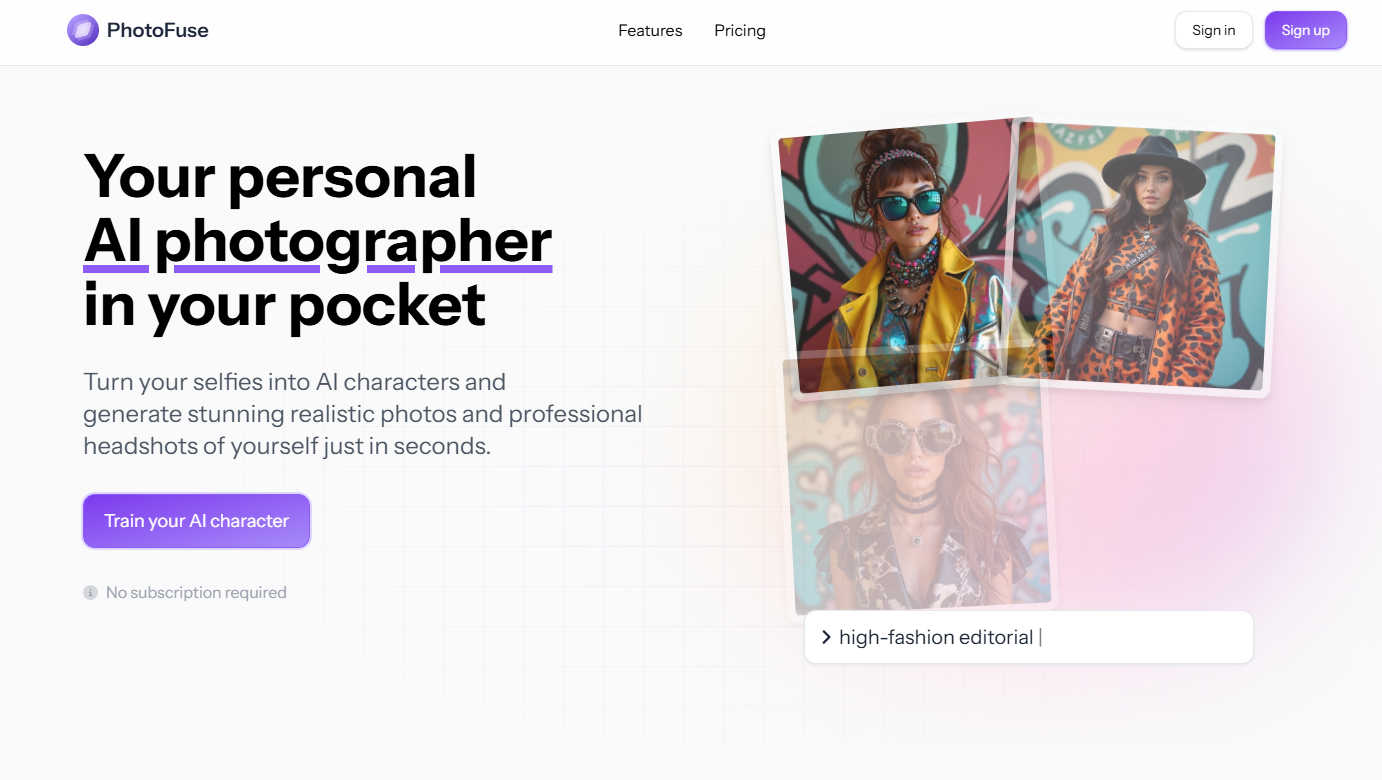
Transform your selfies into stunning AI headshots and avatars effortlessly with PhotoFuse, your pocket-sized AI.
Last updated: March 1, 2026

SparkPix
Transform your photos effortlessly with SparkPix, the AI-powered online editor that enhances, restores, and stylizes images by simply typing.
Last updated: March 11, 2026
Visual Comparison
PhotoFuse
SparkPix

Feature Comparison
PhotoFuse
Easy Photo Upload
The first step to creating your AI character is simple: upload 10-15 photos of yourself. PhotoFuse provides clear guidance on the best practices to achieve optimal results, ensuring that the transformation process is smooth and effective.
Template Selection
Choose from an extensive library of pre-made templates that resonate with your style or manually design your scene using the intuitive interface. This flexibility allows for a personalized touch, catering to various creative visions and professional needs.
Quick Image Generation
In just a few seconds, PhotoFuse generates 1-4 variations of your uploaded images. If you love one of the generated images, you can download and share it instantly. If adjustments are needed, simply tweak your selections and regenerate for the perfect outcome.
Professional Headshots
Crafting a polished headshot has never been easier. With options for backgrounds, expressions, outfits, and accessories, even those with zero technical skills can create a professional image that reflects their personality and brand.
SparkPix
AI Photo Editor
The AI Photo Editor feature allows users to type specific instructions such as "remove background" or "enhance colors," and within seconds, the AI applies the desired edits. This feature is perfect for users who want quick results without the need for extensive editing knowledge.
Background Remover
With just one click, the Background Remover can eliminate backgrounds from portraits, product images, or even complex scenes. This functionality is ideal for creating transparent backgrounds for use in marketing materials, social media posts, or e-commerce listings.
Unblur Image
The Unblur Image feature uses advanced AI algorithms to fix motion blur, out-of-focus shots, and compression artifacts. This tool is invaluable for those who want to salvage blurry images and transform them into clear, sharp photos suitable for sharing or printing.
Style Transfer
SparkPix offers a unique Style Transfer feature that allows users to convert their photos into various artistic styles, including anime, oil painting, watercolor, and pencil sketch. With over 15 styles available, users can unleash their creativity and produce stunning, original artwork from their images.
Use Cases
PhotoFuse
Social Media Profiles
PhotoFuse is perfect for enhancing your social media presence. Whether you need a fresh profile picture for Instagram, Facebook, or Twitter, the tool allows you to create eye-catching visuals that stand out in crowded feeds.
LinkedIn Headshots
Elevate your professional image with a stunning LinkedIn headshot. PhotoFuse enables users to create polished images that reflect their professionalism, helping them make a strong first impression in the business world.
Marketing Materials
Entrepreneurs and marketers can leverage PhotoFuse to create compelling visuals for promotional content. The ability to generate high-quality images quickly allows for faster content creation and more engaging marketing campaigns.
Creative Projects
For content creators, PhotoFuse offers a unique way to experiment with different styles and characters. Whether for blogs, videos, or other creative endeavors, the generated images can be tailored to fit various themes and narratives.
SparkPix
Personal Photo Enhancement
Individuals can use SparkPix to enhance their personal photos, like vacation snapshots or family portraits, by applying filters, improving colors, and removing unwanted elements, making every memory look its best.
Professional Product Photography
E-commerce businesses can leverage SparkPix to create high-quality product images without the need for expensive photography sessions. The Background Remover and AI Image Generator features can produce professional-looking product shots that attract customers.
Historical Photo Restoration
Families looking to preserve their heritage can utilize SparkPix's Photo Restoration capabilities to repair and enhance old, damaged photos. This is a perfect solution for maintaining family archives and reviving cherished memories.
Creative Artistic Projects
Artists and designers can transform their images into unique artworks using the Style Transfer feature. Whether for personal projects or professional portfolios, this capability allows for endless creative possibilities.
Overview
About PhotoFuse
PhotoFuse is a groundbreaking AI photography tool that elevates your images by transforming ordinary selfies into hyper-realistic AI characters and professional headshots in just seconds. This innovative platform is designed for both individuals and professionals, enabling anyone to create stunning visuals without requiring any technical expertise or complicated prompts. Users simply need to upload 10-15 photos, select a template that aligns with their vision, and let the AI work its magic. The result is a collection of images that capture preferred expressions, clothing styles, backgrounds, and accessories tailored to the user’s needs. Whether you are enhancing your social media presence, updating your LinkedIn profile, or creating marketing materials, PhotoFuse meets all your photographic requirements. With flexible pricing options, including freemium and pay-as-you-go plans, PhotoFuse grants full commercial rights, making it an ideal choice for entrepreneurs, content creators, and anyone eager to enhance their online image with professional-quality photographs.
About SparkPix
SparkPix is an innovative AI-powered photo editing tool that revolutionizes how users edit images by simply typing what they want. Designed for everyone from casual users to professional photographers, SparkPix eliminates the need for complex software skills like those required in Photoshop, making photo editing accessible to all. Users can enhance their photos, restore old images, remove backgrounds, and apply artistic styles with just a few clicks or typed commands. The platform is web-based, ensuring that anyone with an internet connection can access powerful editing tools from their desktop or mobile devices without the hassle of downloads. SparkPix offers a free entry-level option with credits to get started, making it an attractive choice for those looking to improve their photo editing capabilities quickly and efficiently.
Frequently Asked Questions
PhotoFuse FAQ
How does PhotoFuse generate images?
PhotoFuse utilizes advanced AI technology that analyzes the uploaded photos and applies algorithms to create hyper-realistic images based on user-selected templates and styles.
Do I need to subscribe to use PhotoFuse?
No subscription is required to use PhotoFuse. Users can choose from flexible pricing options, including freemium and pay-as-you-go plans to suit their needs.
What types of images can I create with PhotoFuse?
With PhotoFuse, you can create a variety of images, including AI characters, professional headshots, and visually appealing images for social media or marketing materials.
Is there a limit to how many photos I can upload?
Users can upload 10-15 photos to create their AI character. However, with subscription plans, there are generous credit allowances for generating multiple images, giving you the freedom to create as needed.
SparkPix FAQ
What types of photos can I edit with SparkPix?
You can edit a wide variety of photos, including portraits, landscapes, product images, and historical photos. The AI tools are designed to accommodate different editing needs and styles.
Do I need any special software to use SparkPix?
No, SparkPix is a web-based platform, which means you can access it directly from your browser on any device, including desktops and mobile phones, without the need for any downloads.
Is there a free trial available?
Yes, SparkPix offers a free plan that gives you 5 credits to start editing without requiring a credit card. This allows you to explore the features and functionality of the platform risk-free.
How does the credit system work?
SparkPix operates on a credit system where each edit or generated image costs a certain number of credits. You can purchase additional credits through various plans starting at $9.99 for 350 credits, giving you flexibility based on your editing needs.
Alternatives
PhotoFuse Alternatives
PhotoFuse is a cutting-edge AI photography tool that transforms ordinary selfies into stunning headshots and avatars within seconds. It caters to both individuals and professionals, enabling users to create hyper-realistic images effortlessly. As the demand for visually appealing content grows, users often seek alternatives to PhotoFuse for various reasons, such as pricing models, specific features, or platform compatibility. When choosing an alternative, it’s essential to consider the ease of use, the range of customization options available, and the quality of the generated images. Additionally, understanding the pricing structure and any commercial rights offered can help you find a tool that best suits your needs and enhances your online presence.
SparkPix Alternatives
SparkPix is an innovative AI photo editor that allows users to edit images effortlessly through simple text commands. With its powerful features like background removal, photo restoration, and artistic style conversion, it fits seamlessly into the growing category of online image editing tools. Users often seek alternatives to SparkPix due to various reasons, including pricing structures, feature sets, user interface preferences, or specific platform compatibilities. When searching for a suitable alternative, it’s essential to consider factors such as ease of use, the range of editing capabilities, and the accessibility of the platform on different devices. Additionally, evaluate the pricing plans to ensure they align with your budget while still meeting your editing needs.