
PhotoFuse vs PhotoWeather
Side-by-side comparison to help you choose the right tool.

PhotoFuse
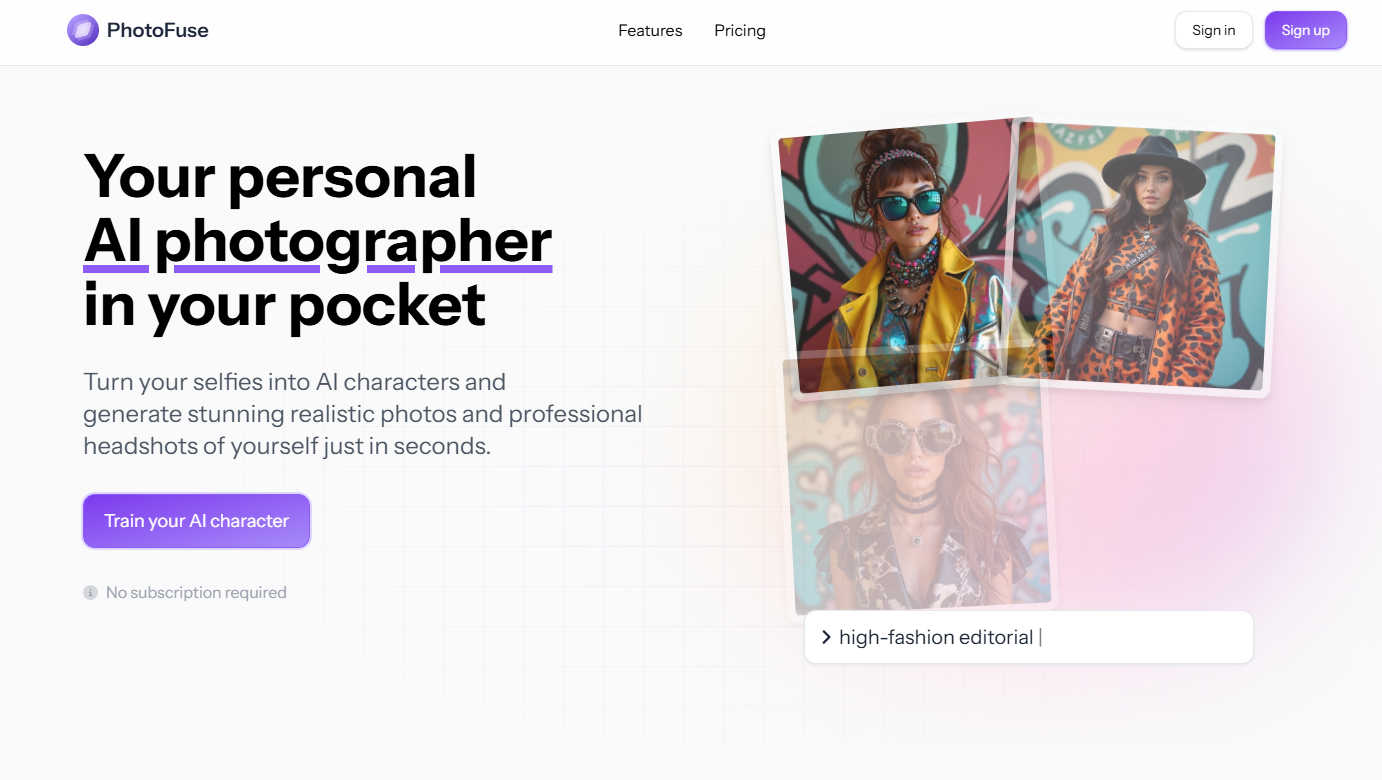
Transform your selfies into stunning AI headshots and avatars effortlessly with PhotoFuse, your pocket-sized AI.
Last updated: March 1, 2026

PhotoWeather
Get real-time alerts for ideal photography conditions and never miss the perfect shot again with PhotoWeather.
Last updated: February 28, 2026
Visual Comparison
PhotoFuse
PhotoWeather

Feature Comparison
PhotoFuse
Easy Photo Upload
The first step to creating your AI character is simple: upload 10-15 photos of yourself. PhotoFuse provides clear guidance on the best practices to achieve optimal results, ensuring that the transformation process is smooth and effective.
Template Selection
Choose from an extensive library of pre-made templates that resonate with your style or manually design your scene using the intuitive interface. This flexibility allows for a personalized touch, catering to various creative visions and professional needs.
Quick Image Generation
In just a few seconds, PhotoFuse generates 1-4 variations of your uploaded images. If you love one of the generated images, you can download and share it instantly. If adjustments are needed, simply tweak your selections and regenerate for the perfect outcome.
Professional Headshots
Crafting a polished headshot has never been easier. With options for backgrounds, expressions, outfits, and accessories, even those with zero technical skills can create a professional image that reflects their personality and brand.
PhotoWeather
Ready-Made Templates
PhotoWeather provides an array of ready-made templates tailored for photographers. These templates cover a variety of conditions, including "Fog and Mist," "Golden and Blue Hour," and "Aurora Visibility." This feature allows users to quickly set alerts based on common photography scenarios, ensuring they are notified when conditions are just right for their desired shot.
Powerful Rule Builder
With over 80 parameters to choose from, PhotoWeather's powerful rule builder lets photographers create highly specific alerts. Users can define conditions such as cloud cover, wind speed, humidity, and astronomical events. The ability to combine conditions using AND/OR/NOT logic allows for precise tailoring, such as setting an alert for "Golden Hour + 20–60% clouds + wind <7 m/s," making it a must-have for serious photographers.
Smart Notifications
PhotoWeather sends smart notifications that keep photographers informed in real-time. Users can opt for daily digests to plan their shooting days or receive instant alerts when conditions change. Additionally, the calendar integration feature allows users to sync opportunities directly into their schedules, ensuring that they are always prepared for the next big photo opportunity.
Reliable Forecast Sources
PhotoWeather aggregates data from trusted weather services such as ECMWF, NOAA, and Météo-France, providing users with accurate and reliable forecasts. This feature ensures that photographers can rely on the alerts they receive, knowing they are based on robust meteorological data. This reliability is crucial for making informed decisions about when and where to shoot.
Use Cases
PhotoFuse
Social Media Profiles
PhotoFuse is perfect for enhancing your social media presence. Whether you need a fresh profile picture for Instagram, Facebook, or Twitter, the tool allows you to create eye-catching visuals that stand out in crowded feeds.
LinkedIn Headshots
Elevate your professional image with a stunning LinkedIn headshot. PhotoFuse enables users to create polished images that reflect their professionalism, helping them make a strong first impression in the business world.
Marketing Materials
Entrepreneurs and marketers can leverage PhotoFuse to create compelling visuals for promotional content. The ability to generate high-quality images quickly allows for faster content creation and more engaging marketing campaigns.
Creative Projects
For content creators, PhotoFuse offers a unique way to experiment with different styles and characters. Whether for blogs, videos, or other creative endeavors, the generated images can be tailored to fit various themes and narratives.
PhotoWeather
Landscape Photography
Landscape photographers can use PhotoWeather to set specific alerts for conditions that enhance their photography, such as foggy mornings or dramatic cloud formations. By customizing their alerts, they can ensure they are in the right place at the right time to capture stunning landscapes.
Astro Photography
Astro photographers benefit from PhotoWeather's ability to track astronomical events and cloud cover. Users can set alerts for clear nights, moon phases, and other celestial conditions, ensuring they never miss a chance to capture the Milky Way or a lunar eclipse.
Wildlife Photography
Wildlife photographers can take advantage of the app to monitor weather conditions that affect animal behavior. For instance, they can set alerts for mild weather, which can lead to increased animal activity, ensuring they are ready to capture those fleeting moments.
Event Photography
Event photographers, such as those covering weddings or outdoor festivals, can also use PhotoWeather to stay informed about changing weather conditions. By setting alerts for impending rain or changes in light, they can better prepare for their shoots and adapt their plans as necessary.
Overview
About PhotoFuse
PhotoFuse is a groundbreaking AI photography tool that elevates your images by transforming ordinary selfies into hyper-realistic AI characters and professional headshots in just seconds. This innovative platform is designed for both individuals and professionals, enabling anyone to create stunning visuals without requiring any technical expertise or complicated prompts. Users simply need to upload 10-15 photos, select a template that aligns with their vision, and let the AI work its magic. The result is a collection of images that capture preferred expressions, clothing styles, backgrounds, and accessories tailored to the user’s needs. Whether you are enhancing your social media presence, updating your LinkedIn profile, or creating marketing materials, PhotoFuse meets all your photographic requirements. With flexible pricing options, including freemium and pay-as-you-go plans, PhotoFuse grants full commercial rights, making it an ideal choice for entrepreneurs, content creators, and anyone eager to enhance their online image with professional-quality photographs.
About PhotoWeather
PhotoWeather is an innovative weather alert system specifically designed for outdoor photographers, ensuring that you never miss the perfect lighting or atmospheric conditions for your shots. By continuously monitoring weather forecasts 24/7, it alerts users only when conditions align with their photography goals, whether it be capturing sunrise fog, dramatic storms, or vibrant golden-hour lighting. With its user-friendly interface and advanced rule-setting capabilities, photographers can easily customize alerts based on their specific needs. This tool is perfect for landscape, wildlife, and astro photographers who want to maximize their shooting opportunities without the hassle of constantly checking weather apps. PhotoWeather empowers photographers to focus on their art while it takes care of the weather, guiding them to the best moments for capturing breathtaking images.
Frequently Asked Questions
PhotoFuse FAQ
How does PhotoFuse generate images?
PhotoFuse utilizes advanced AI technology that analyzes the uploaded photos and applies algorithms to create hyper-realistic images based on user-selected templates and styles.
Do I need to subscribe to use PhotoFuse?
No subscription is required to use PhotoFuse. Users can choose from flexible pricing options, including freemium and pay-as-you-go plans to suit their needs.
What types of images can I create with PhotoFuse?
With PhotoFuse, you can create a variety of images, including AI characters, professional headshots, and visually appealing images for social media or marketing materials.
Is there a limit to how many photos I can upload?
Users can upload 10-15 photos to create their AI character. However, with subscription plans, there are generous credit allowances for generating multiple images, giving you the freedom to create as needed.
PhotoWeather FAQ
How do I get started with PhotoWeather?
Getting started is simple! Download the app from the App Store or Google Play, create an account, and begin adding your favorite shooting locations. You can then set your desired conditions and start receiving alerts tailored to your photography goals.
How accurate are the forecasts from PhotoWeather?
PhotoWeather utilizes data from reputable sources like ECMWF and NOAA, providing high accuracy in weather forecasts. The app is designed to keep you informed with the most reliable predictions for the conditions that matter most to photographers.
Can I create my own rules for alerts?
Yes! PhotoWeather offers a robust rule builder that allows you to create custom alerts based on over 80 weather parameters. You can tailor your alerts to match your unique photography preferences, ensuring you never miss the right conditions.
Do you support calendar sync for reminders?
Absolutely! PhotoWeather offers calendar integration, allowing you to sync your alerts and opportunities directly into your personal calendar. This ensures you receive timely reminders and can plan your photography sessions efficiently.
Alternatives
PhotoFuse Alternatives
PhotoFuse is a cutting-edge AI photography tool that transforms ordinary selfies into stunning headshots and avatars within seconds. It caters to both individuals and professionals, enabling users to create hyper-realistic images effortlessly. As the demand for visually appealing content grows, users often seek alternatives to PhotoFuse for various reasons, such as pricing models, specific features, or platform compatibility. When choosing an alternative, it’s essential to consider the ease of use, the range of customization options available, and the quality of the generated images. Additionally, understanding the pricing structure and any commercial rights offered can help you find a tool that best suits your needs and enhances your online presence.
PhotoWeather Alternatives
PhotoWeather is an innovative photography app designed to provide users with real-time alerts for optimal photo conditions, including golden hour lighting, dramatic clouds, and various atmospheric phenomena. As a specialized tool within the photography category, it helps photographers seize the perfect moment without the hassle of constantly checking weather forecasts. Users often seek alternatives to PhotoWeather for various reasons, such as pricing, feature sets, or specific platform compatibility. When searching for alternatives, it's essential to consider factors like the range of customizable alerts, the ability to set specific rules based on weather conditions, and user-friendly interfaces that streamline the photography planning process. Ultimately, the best choice will align with individual photography goals and preferences.