
RocketShare vs securememo.app
Side-by-side comparison to help you choose the right tool.

RocketShare
RocketShare enables private file sharing with zero-knowledge encryption, ensuring only you access your data.
Last updated: March 4, 2026
securememo.app
Securememo.app offers encrypted notes without accounts or tracking, ensuring your privacy is always protected.
Visual Comparison
RocketShare

securememo.app
Feature Comparison
RocketShare
Zero-Knowledge Encryption
RocketShare employs a zero-knowledge encryption model, meaning that your files are encrypted locally on your device. This ensures that no one, not even RocketShare, can access your data. Your privacy is safeguarded at every step.
Cloud and Local Sharing Options
With RocketShare, users can choose between cloud-based and local peer-to-peer sharing methods. This flexibility allows for seamless file transfers depending on user preference and specific needs, ensuring convenience and adaptability.
EU Data Storage Compliance
All data shared through RocketShare is stored securely within the European Union. This compliance with EU data protection regulations enhances the platform's commitment to safeguarding users' private information.
User-Friendly Interface
RocketShare features a beautifully simple and intuitive interface that allows users to easily upload and share files. Users can drop files or click to browse, making the file-sharing process straightforward and efficient without compromising security.
securememo.app
Client-Side Encryption
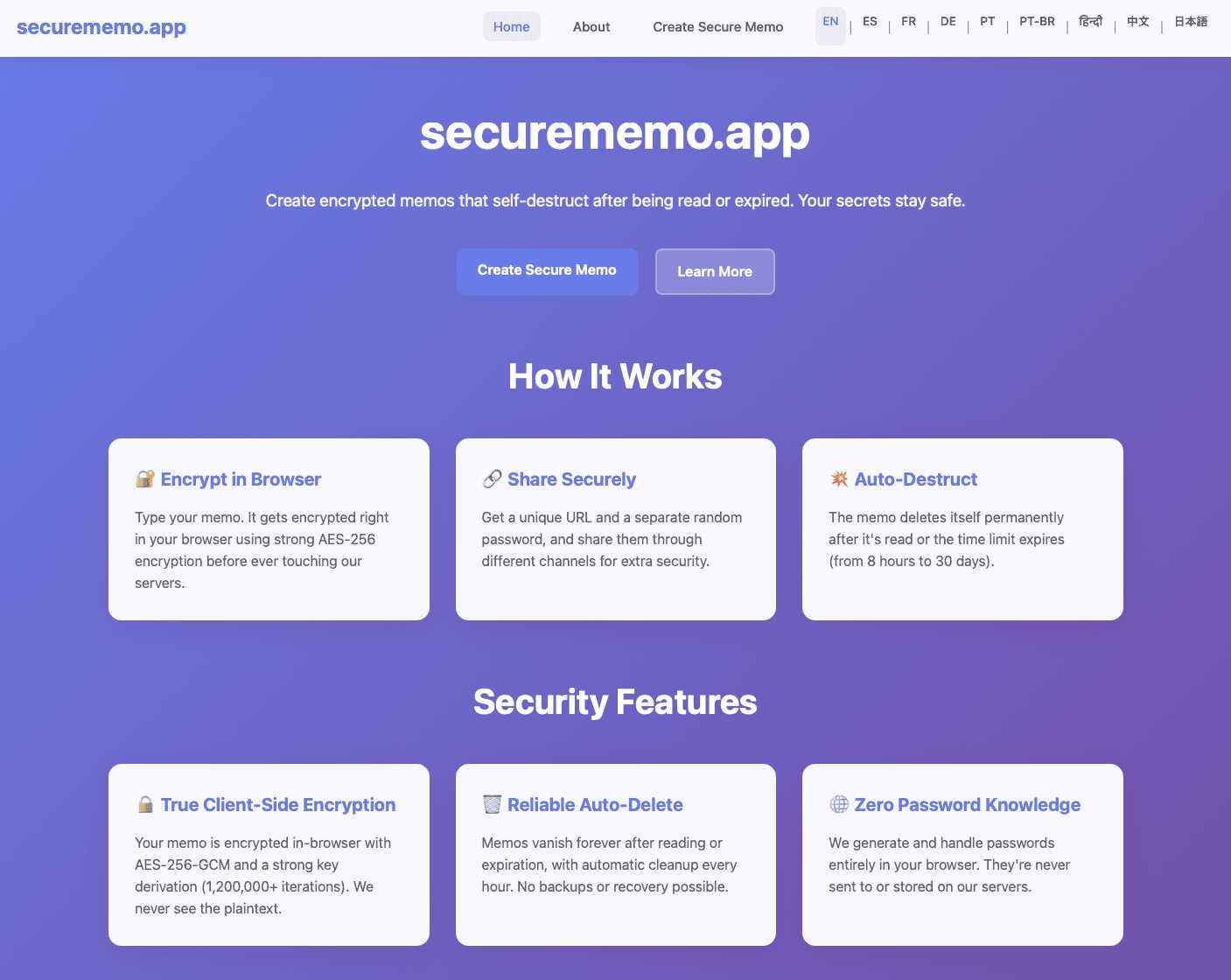
Securememo.app utilizes robust client-side encryption that ensures your notes are encrypted on your device before being transmitted. This means that no one—neither the service providers nor potential hackers—can access your sensitive information.
Self-Destructing Notes
One of the standout features of Securememo.app is its self-destructing notes. Users can set a timer for their memos to automatically delete after a specified period, adding an extra layer of security and peace of mind for those sharing sensitive information.
Unique Link Sharing
Sharing notes is seamless with Securememo.app’s unique link sharing feature. Once you create a memo, a distinct link is generated, allowing you to easily share your note with anyone while maintaining control over access.
Password Protection
Each memo can be secured with a strong, randomly generated password that is created solely on your device. This ensures that even if someone obtains the link to your memo, they cannot access it without the password, which you can share through a separate channel.
Use Cases
RocketShare
Law Firms
Lawyers can use RocketShare to send sensitive case files to clients or colleagues. The zero-knowledge encryption ensures that confidential legal documents remain secure and private throughout the sharing process.
Healthcare Providers
Healthcare professionals can securely share patient records and sensitive medical files with colleagues and patients. RocketShare's robust security measures comply with healthcare regulations, ensuring data privacy.
Creative Professionals
Photographers and videographers can confidently deliver large media files to clients without fear of unauthorized access. RocketShare protects creative works, maintaining the integrity of intellectual property.
Marketing Agencies
Marketing teams can collaborate on confidential campaigns by sharing sensitive materials and strategies securely. RocketShare facilitates seamless internal communication while ensuring that proprietary information is kept safe from prying eyes.
securememo.app
Secure Personal Notes
Individuals can use Securememo.app to jot down personal notes, reminders, or thoughts without the worry of unauthorized access. The service's secure environment ensures that private information remains confidential.
Professional Collaboration
In professional settings, teams can use Securememo.app to share confidential project notes, brainstorming ideas, or sensitive information with colleagues. The self-destructing feature ensures that sensitive data is not lingering indefinitely.
Educational Purposes
Students can utilize Securememo.app for creating and sharing study notes or collaborative projects with classmates while ensuring that their academic work remains private and secure from prying eyes.
Temporary Information Sharing
For those needing to share information temporarily, such as passwords or sensitive data for a short duration, Securememo.app allows users to create notes that self-destruct after being accessed, ensuring that the information does not remain accessible.
Overview
About RocketShare
RocketShare is an innovative and secure file-sharing platform designed with one unwavering principle: your privacy is paramount. Tailored for both individuals and businesses, it empowers users to send files of any size with the peace of mind that their data is completely inaccessible to anyone, including RocketShare itself. This is achieved through a cutting-edge zero-knowledge encryption model, ensuring that files are encrypted on the user's device before they ever leave for the internet. The encryption key remains solely in the user's control, often embedded within the share link, meaning that servers only manage encrypted and unreadable data. This unique approach combines enterprise-grade security with user-friendly self-service functionality. Whether you are a lawyer transmitting sensitive case files, a photographer delivering client galleries, or a team working collaboratively on confidential projects, RocketShare guarantees that your intellectual property and personal data remain strictly private. With support for both cloud-based and local peer-to-peer sharing options, and with data securely stored within the EU, RocketShare is the go-to solution for anyone prioritizing simplicity without sacrificing top-tier security.
About securememo.app
Securememo.app is an innovative, privacy-centric memo service designed to empower users with the ability to create, share, and manage encrypted notes directly from their web browser. In an age where data security is paramount, Securememo.app stands out by offering client-side encryption, meaning that your sensitive information is encrypted right in your browser before it ever reaches their servers. This cutting-edge approach guarantees that your notes remain inaccessible to anyone but you, ensuring your privacy is fully protected.
Whether you are a privacy-conscious individual, a professional handling sensitive information, or simply someone who values discretion in note-taking, Securememo.app delivers an exceptional user experience. The service allows for easy sharing of memos through unique links and strong, randomly generated passwords, all created on your device. With no account required, it prioritizes anonymity and ease of use. Available in over 20 languages, Securememo.app is truly a global solution for secure note-taking.
Frequently Asked Questions
RocketShare FAQ
How does RocketShare ensure my files are secure?
RocketShare utilizes zero-knowledge encryption, meaning your files are encrypted on your device before they are uploaded. This ensures that only you have access to the encryption key, keeping your files secure from everyone, including RocketShare.
Can I share large files with RocketShare?
Yes, RocketShare allows users to send files of any size. Whether you need to share a small document or a large media file, the platform is equipped to handle your needs without compromising security.
Is my data stored in compliance with regulations?
Absolutely. RocketShare stores all data securely within the European Union, ensuring compliance with strict data protection regulations and enhancing the security of your private information.
Do I need to provide payment information to use RocketShare?
No, RocketShare does not require a credit card for initial use. Users can explore the platform's features and security capabilities without any financial commitment upfront.
securememo.app FAQ
How does client-side encryption work?
Client-side encryption ensures that your data is encrypted directly in your browser before it reaches Securememo.app’s servers. This means that only you hold the decryption keys, keeping your notes private.
Do I need to create an account to use Securememo.app?
No, Securememo.app does not require any account creation, which enhances your anonymity and simplifies the user experience. You can start creating and sharing notes immediately.
How do I share a memo securely?
To share a memo, simply create a unique link and generate a strong password on your device. Share the link with your intended recipient and communicate the password through a separate, secure channel.
Is my data stored on Securememo.app’s servers?
No, Securememo.app employs a zero-knowledge architecture, meaning they do not store your data or passwords. Your notes are encrypted in your browser and are inaccessible to the service.