
documentorium vs TinyFast
Side-by-side comparison to help you choose the right tool.

documentorium
Documentorium instantly creates professional contractor documents and PDFs using AI guided forms.
Last updated: March 26, 2026

Effortlessly compress images, videos, and PDFs on your Mac with TinyFast's fast and private drag-and-drop solution.
Last updated: February 28, 2026
Visual Comparison
documentorium

TinyFast
Feature Comparison
documentorium
Trade-Specific Guided Forms
Forget adapting generic forms. documentorium's library features over 200 templates with fields built specifically for your trade. Whether you're a solar installer detailing panel specs or a plumber listing fixture models, the guided forms ask the right questions in the right order. This eliminates guesswork, ensures you capture all critical job details, and delivers documents that speak your professional language, impressing clients and reducing errors from the very first field.
Instant Professional PDF Generation
The moment you complete a form, documentorium's engine takes over. It instantly compiles your data into a clean, branded, and print-ready PDF document. There is zero manual formatting, no struggling with alignment, and no exporting issues. You get a polished, professional file ready to email to a client or print for the job site in seconds, turning administrative tasks from a chore into a seamless, one-click operation.
Complete Document History & Prefill
Every document you create is automatically saved in your personal history within the platform. This creates a powerful, searchable record of all your jobs. The real magic happens on your next job: the system can intelligently prefill recurring information like your company details, client info, and standard service descriptions. This feature dramatically accelerates document creation for repeat clients or similar service calls, making you exponentially more efficient over time.
All-Access, Simple Subscription
documentorium operates on a straightforward, transparent model. One annual subscription of $99 grants you full, unrestricted access to the entire catalog of over 200 templates across all 26 trade categories. There are no confusing tiers, no per-document fees, and no feature gates. You get everything: quotes, estimates, invoices, contracts, proposals, and more, all for a single, predictable price.
TinyFast
Batch & Drag-Drop Shrink
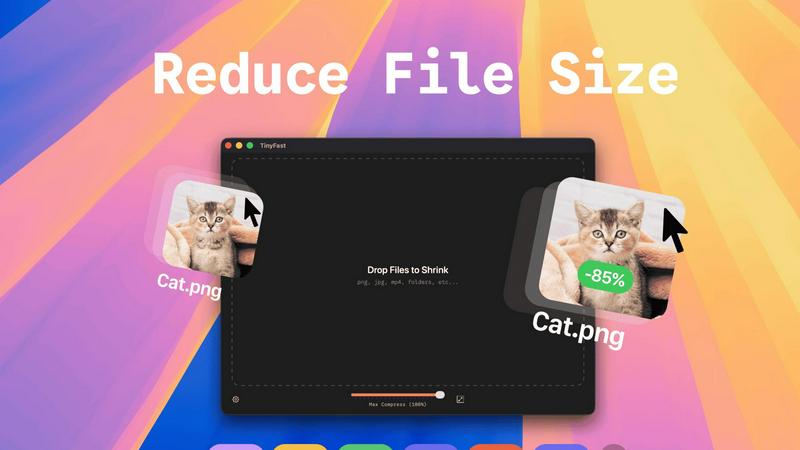
With TinyFast, you can easily drag entire folders into the application for bulk compression. This feature allows you to optimize multiple files at once, saving you precious time while ensuring that your assets are quickly and efficiently reduced in size.
Blazing-Fast Compression
TinyFast utilizes optimized native engines to shrink large files in seconds. This enables users to bypass the frustrating waits associated with online compression tools, allowing for rapid processing without the hassle of uploads and downloads.
Resize Resolution
This feature allows users to automatically resize their images and videos to fit specific needs. Whether you require smaller resolutions for web uploads or different formats for social media, TinyFast streamlines the process, ensuring high-quality outputs every time.
100% Local & Private
TinyFast operates entirely on your device, meaning your files never leave your Mac. This design ensures total privacy, making it ideal for users concerned about data security. No uploads or cloud servers mean your sensitive information remains confidential.
Use Cases
documentorium
On-the-Spot Quote Generation
An HVAC technician finishes a diagnostic check at a client's home. Instead of saying "I'll email you a quote later," they pull out their tablet, open documentorium, select the HVAC quote template, and fill in the guided form with the recommended unit, labor costs, and parts. In under two minutes, they generate and hand the client a professional PDF quote on the spot, significantly increasing the likelihood of an immediate approval and booking the job before leaving the property.
Streamlined Inspection Reporting
A home inspector completes a thorough property assessment. Using documentorium's inspection report template, they systematically input findings through trade-specific fields for roofing, electrical, plumbing, and structure. The platform organizes all notes and images into a comprehensive, easy-to-read PDF report. This professional document is instantly delivered to the real estate agent and client, providing clear, actionable data and enhancing the inspector's credibility and efficiency.
Managing Project Changes with Change Orders
A contractor is halfway through a kitchen remodel when the client requests a major appliance upgrade. To formally document the change in scope, cost, and timeline, the contractor uses documentorium's change order template. The guided form ensures all legal and financial details are captured correctly. A professional PDF is generated, signed by both parties, and filed digitally, protecting the business from disputes and ensuring clear communication and proper billing for the added work.
Creating Binding Service Contracts
A roofing company lands a large residential re-roofing project. To protect both parties and outline the project's full scope, payment schedule, and warranties, they use documentorium's contract template for roofers. The guided form includes all necessary clauses and trade-specific terms. The resulting polished, professional contract PDF builds immense trust with the homeowner, sets clear expectations, and provides legal security, allowing the roofer to focus on the work, not the paperwork.
TinyFast
Streamlined Workflow for Designers
Designers can use TinyFast to efficiently compress large images and graphics without sacrificing quality. This expedites their workflow, allowing them to focus on creativity instead of waiting for files to upload or download.
Content Creation Simplified
For content creators, TinyFast provides a quick solution for compressing videos and images intended for social media or websites. By optimizing file sizes, creators can ensure faster loading times and better user experiences for their audiences.
Secure File Management for Developers
Developers often handle sensitive files and assets. TinyFast offers a secure way to compress and manage these files locally, reducing the risk of data breaches associated with online compression services.
Efficient Document Handling for Businesses
Businesses can benefit from using TinyFast to compress PDF and document files efficiently. This allows teams to share large files quickly while maintaining the integrity and quality of the documents, enhancing collaboration and productivity.
Overview
About documentorium
Stop wrestling with generic templates and clunky word processors. documentorium is the next-gen document engine engineered exclusively for the trades. This isn't just another form-filler; it's a hyper-specialized toolkit that understands the unique language and workflow of electricians, plumbers, contractors, HVAC techs, roofers, and every service professional in between. The core mission? Obliterate the blank page and the hours wasted on formatting. With a massive library of over 200 guided templates spanning 26 trade categories, documentorium provides the exact professional framework you need. Imagine generating a print-ready, client-worthy PDF for a quote, work order, proposal, or inspection report in literal seconds. Every field is intelligently built for your specific trade, not generic blanks, ensuring accuracy and professionalism from the first click. It's about reclaiming time, elevating your brand, and closing deals faster with a seamless, no-nonsense document workflow that works as hard as you do.
About TinyFast
TinyFast is a cutting-edge macOS application that transforms the way users compress their files, making it an indispensable tool for developers, designers, and content creators. Whether you're working with images, videos, documents, or audio files, TinyFast supports a wide range of formats, including PNG, JPEG, MP4, MOV, PDF, SVG, WebP, MP3, and GIF. Its intuitive drag-and-drop interface allows users to compress files directly on their Mac, ensuring that sensitive data remains secure and private. By eliminating the need for uploading files to unknown servers, TinyFast prioritizes speed and confidentiality, providing a seamless user experience. With TinyFast, you can maintain high-quality assets while significantly reducing file sizes, enabling efficient workflows without compromising security. Say goodbye to tedious online compression tools and embrace the simplicity and effectiveness of TinyFast, designed for anyone who values both efficiency and data protection.
Frequently Asked Questions
documentorium FAQ
Can I cancel my subscription anytime?
Absolutely. You maintain full control and can cancel your subscription directly from your account settings at any time. There are no penalties or lock-in contracts. Your access will remain active until the end of your current billing period, after which you will not be charged again. It's a commitment-free tool designed for your convenience.
What happens to my documents when the free trial ends?
Your data is always safe. When your one-month free trial expires, all the documents you created remain securely stored in your account history. You can view and download them at any time. To create or edit new documents, you would need to activate the paid subscription. No existing work is ever deleted due to a trial ending.
Do I lose access to my old documents if I don't subscribe?
No, you do not lose them. Your document history is preserved. Even without an active subscription, you retain the ability to log in, view, and download all the documents you created during your trial or previous subscription period. Subscribing unlocks the ability to create and edit new documents, but your past work remains accessible.
Does documentorium provide legal advice for contracts?
No. documentorium is a powerful document generation tool that provides professional templates and forms. It is not a substitute for professional legal counsel. The platform is designed to help you create well-structured documents efficiently, but for complex legal matters or to ensure a contract fully complies with local laws, consulting with a qualified attorney is always recommended.
TinyFast FAQ
How does TinyFast ensure my files remain private?
TinyFast operates entirely on your local device, meaning files never get uploaded to any servers. This guarantees that your data remains confidential and secure.
What file types can I compress using TinyFast?
TinyFast supports a wide range of file types, including images (PNG, JPEG, GIF), videos (MP4, MOV), documents (PDF, DOCX), and audio files (MP3), making it a versatile tool for various needs.
Is TinyFast easy to use for non-technical users?
Absolutely! TinyFast features a user-friendly drag-and-drop interface, making it accessible for everyone, regardless of technical expertise. Simply drag your files into the app and watch them get compressed instantly.
What kind of compression speeds can I expect from TinyFast?
TinyFast is designed to offer blazing-fast compression speeds, allowing you to shrink large files in seconds. This efficiency eliminates the long wait times typically associated with online compression tools.
Alternatives
documentorium Alternatives
documentorium is a specialized document engine in the productivity and management category, designed specifically for tradespeople to generate professional PDFs like quotes and invoices from guided templates. Users often explore alternatives for various reasons, including budget constraints, the need for different feature sets like integrated scheduling or CRM, or a preference for a different platform like a mobile-first app or a more comprehensive business suite. When evaluating other options, it's crucial to consider your trade-specific needs. Look for solutions that offer templates and field logic built for your industry, not just generic forms. Also, assess the overall workflow integration, output quality, and whether the tool scales with your business as it grows.
TinyFast Alternatives
TinyFast is a cutting-edge application designed for macOS users, providing a seamless solution for compressing various file types such as images, videos, and PDFs. As a tool that emphasizes speed and privacy, TinyFast allows users to manage their compression tasks locally, avoiding the risks associated with online services. Many users seek alternatives to TinyFast for reasons such as pricing concerns, specific feature requirements, or compatibility with different operating systems and devices. When searching for an alternative, it's essential to consider factors like ease of use, file format support, compression quality, and the level of privacy offered by the solution. When evaluating options, look for applications that prioritize local processing, ensuring your sensitive files remain secure while also providing the necessary features to streamline your workflow. The ideal alternative should not only meet your technical needs but also enhance your productivity, allowing you to focus on your creative or professional endeavors without compromising on quality or security.