
Alternatives to Subclip
Explore the best alternatives and competitors to Subclip.
Explore 8 alternatives to Subclip. Compare features, pricing, and find the best fit for your needs.

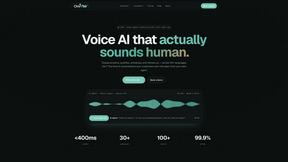
Oravaa
Oravaa deploys human-like Voice AI that autonomously qualifies leads, books appointments, and resolves support tickets across 30+ languages 24/7.

Hush Touch | Voice-to-Text for MacOS
Hush Touch is offline, on-device AI dictation for Mac that learns your voice for just $20.

Glossa
Glossa instantly translates sermons into 100+ languages live, breaking language barriers with AI.

Bantr: Offline & Unlimited TTS for Mac
Bantr is a powerful offline TTS app for Mac that delivers unlimited, private voiceovers without subscriptions or data.

KaiCalls
KaiCalls is your 24/7 AI voice agent that instantly answers calls, qualifies leads, and books appointments.

Vowen
Vowen transforms your voice into text and actions seamlessly across all apps, making your work faster and more.
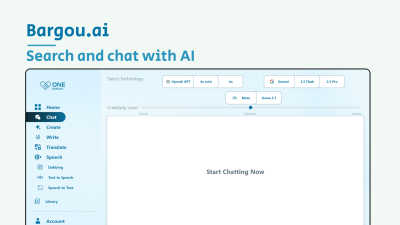
Bargou One
Bargou One is your ultimate AI suite for seamless chat, creative content, and effortless translation.
About Subclip Alternatives
The AI video editing landscape is shifting at breakneck speed, and Subclip has emerged as a powerful player by merging voice cloning, auto-dubbing, and transcript-based editing into a single, streamlined platform. It sits squarely in the Speech & Voice and AI productivity categories, designed to turn clunky timeline editing into a simple text-based workflow. However, as the market heats up, users are increasingly looking for alternatives—not because Subclip lacks power, but because specific needs often demand a different fit. Common reasons include restrictive freemium watermarks on the free tier, a need for advanced multi-track timeline control that AI-first tools sometimes abstract away, or platform compatibility issues like native Linux support or offline processing capabilities. When evaluating alternatives in this exploding space, you need to prioritize your non-negotiables. Look for tools that offer native multi-language support if global reach is your goal, and scrutinize the quality of voice cloning—some solutions sound robotic while others are eerily natural. Speed is critical, but so is output fidelity; test for background music preservation during dubbing and accuracy in silence removal. Finally, consider the ecosystem: does the tool integrate with your existing workflow like Premiere Pro or DaVinci Resolve, or is it a standalone solution? The best alternative won’t just replace Subclip’s features—it will solve the specific bottleneck in your production pipeline, whether that’s cost, collaboration, or granular control over AI-generated elements.
FAQs about Subclip Alternatives
What is Subclip?
Subclip is an AI-powered video editor that allows you to edit videos by manipulating a transcript, similar to editing a document. It falls under the Speech & Voice category and leverages artificial intelligence for tasks like voice cloning, auto-subtitle generation, silence removal, and multi-language dubbing. The platform is designed to simplify and accelerate the video production workflow for creators and professionals.
Who is Subclip for?
Subclip is built for YouTubers, podcasters, course creators, marketers, and content teams who need to produce polished videos quickly. It is particularly useful for anyone who wants to remove technical complexity from video editing, such as manually cutting out filler words or generating subtitles. The tool is ideal for solo creators and small teams looking for an AI-driven alternative to traditional timeline-based editors.
Is Subclip free?
Subclip operates on a freemium pricing model, offering a free tier that provides access to basic features. For users who need more advanced capabilities like higher export limits, longer video processing, or premium voice cloning, there are affordable paid plans available. The free tier is a great way to test the core functionality, such as silence removal and auto-subtitles, before committing to a subscription.
What are the main features of Subclip?
Subclip’s key features include voice cloning, which lets you re-record parts of a video using a cloned version of your own voice, and one-click removal of silences and filler words. It also offers automatic subtitle generation, transcript-based editing, and multi-language dubbing that preserves background music. These features are designed to replace complex manual editing steps with simple, AI-driven actions.