
Gaffa vs Zovo
Side-by-side comparison to help you choose the right tool.

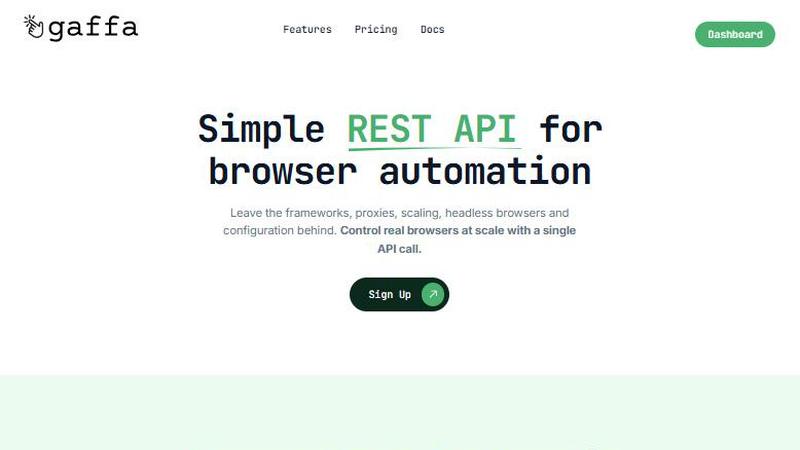
Gaffa's API simplifies web scraping and automation with real browsers, making data extraction effortless and scalable.
Last updated: March 1, 2026

Unlock 20 privacy-first Chrome extensions for developers and writers, all from a solo developer committed to your data.
Last updated: February 28, 2026
Visual Comparison
Gaffa
Zovo

Feature Comparison
Gaffa
Simple REST API
Gaffa allows you to leave behind the complexities of frameworks and configurations. With a single API call, you can control real browsers at scale, making web automation more accessible than ever.
Automate Real Browsers in Minutes
Whether you need to scrape data, take screenshots, or convert web pages to markdown, Gaffa’s intuitive interface lets you automate real browsers effortlessly, saving you valuable time.
Ready to Scale
Gaffa is built to handle any workload you throw at it. Forget about the intricacies of scaling your web data projects; Gaffa takes care of it all so you can focus on what matters.
Full Observability
With Gaffa, you can easily monitor your automation processes. The platform records your actions, providing transparency and helping you understand how your requests are being executed.
Zovo
Privacy-First Design
Every Zovo extension is built with user privacy in mind. Running entirely on your device, these tools ensure that no data leaves your browser, eliminating risks associated with data breaches and tracking. Say goodbye to invasive ads and unwanted data collection.
Community-Driven Development
Zovo thrives on user feedback, allowing members to vote on new features and tools to be developed. This unique approach not only fosters community engagement but also ensures that the most requested features are prioritized, aligning the product with real user needs.
Comprehensive Tool Suite
With 20 extensions available, Zovo provides a one-stop solution for various browser needs. From managing tabs to formatting JSON and maintaining clipboard history, each tool is designed to enhance productivity and streamline workflows without compromising on privacy.
Seamless Installation and Use
Zovo extensions can be installed in seconds without creating an account. Core features are available for free, allowing users to experience the power of the extensions immediately. Upgrading to Pro unlocks additional features when users are ready for more.
Use Cases
Gaffa
Market Research
Gaffa is perfect for market researchers looking to scrape competitor data, analyze trends, or gather customer insights, allowing for informed decision-making based on accurate web data.
E-commerce Optimization
E-commerce teams can utilize Gaffa to monitor pricing, product availability, and customer reviews across various platforms, enabling them to adjust strategies swiftly for competitive advantage.
Content Aggregation
Bloggers and content creators can automate the collection of articles, images, and other media from various sources, simplifying the content curation process and enhancing audience engagement.
Data Enrichment
Businesses can leverage Gaffa to enrich their existing datasets by automatically scraping additional information from the web, improving their understanding of customer behavior and market dynamics.
Zovo
Enhanced Writing with BeLikeNative
Users looking to improve their writing skills can leverage BeLikeNative to receive instant suggestions for rewriting sentences. This tool is especially beneficial for non-native speakers or anyone seeking to enhance their communication in professional settings.
Improved Productivity with Tab Suspender Pro
For users who manage multiple tabs, Tab Suspender Pro helps conserve memory by automatically suspending inactive tabs. This feature is perfect for professionals juggling numerous projects or students conducting research online.
Efficient Data Management with Clipboard History Pro
Clipboard History Pro allows users to manage their clipboard effectively, storing up to 100 items for easy access. This is invaluable for anyone who frequently copies and pastes information, such as content creators or researchers.
Simplified API Testing with API Testing Lite
Developers can utilize API Testing Lite to streamline their testing processes. This tool simplifies the interaction with APIs, making it easier to debug and validate requests, which is crucial for maintaining the functionality of web applications.
Overview
About Gaffa
In an era where data is king, Gaffa stands out as a revolutionary tool for anyone needing reliable web data at scale. Traditional web scraping methods often lead to a myriad of headaches, including navigating anti-bot defenses, managing proxies, and dealing with fragile infrastructure. Gaffa addresses these challenges head-on with a cutting-edge, unified API that streamlines the process of browser automation and data extraction. Aimed at developers, data scientists, and growth teams, Gaffa simplifies the entire data-gathering experience, allowing users to access clean, actionable web data without the usual operational chaos. By abstracting away the complexities of residential proxies, browser orchestration, and error handling, Gaffa enables users to execute sophisticated browsing patterns—such as scrolling, clicking, and CAPTCHA solving—through a simple REST API call. This means you can extract data in formats that suit your needs, whether it is raw HTML, LLM-ready markdown, JSON, or images. Gaffa effectively transforms a cumbersome data pipeline into a scalable, reliable utility, empowering businesses to focus on leveraging insights rather than managing infrastructure.
About Zovo
Zovo is a comprehensive suite of 20 Chrome extensions meticulously crafted by a solo developer with over a decade of experience and a stellar track record of $400K+ earned on Upwork. Designed for users who prioritize privacy and functionality, Zovo's flagship extension, BeLikeNative, empowers over 3,300 users to write like native speakers, offering one-keystroke rewrites in an impressive 80 languages. The suite also includes powerful tools like Tab Suspender Pro, JSON Formatter Pro, Clipboard History Pro, and many others, catering to a wide range of browser needs. What sets Zovo apart is its commitment to user privacy; all extensions operate locally on your device with no data harvesting or tracking. Users play an integral role in shaping the future of Zovo by voting on features and requesting new tools, ensuring that each release aligns with their needs. With new extensions launching monthly and many tools available for free online, Zovo is the go-to solution for anyone looking to enhance their browsing experience while keeping their data secure.
Frequently Asked Questions
Gaffa FAQ
What is a credit worth?
Credits are allocated based on request length and proxy bandwidth usage. Each request is charged in credits, with browser requests billed at 1 credit per 30 seconds of runtime, and proxy usage billed at 1500 credits per 1GB of bandwidth.
Does this app offer a free trial period?
Yes, Gaffa provides a free trial through its demo site, allowing users to explore key features and capabilities before committing to a paid plan. No credit card is required to start.
What is Gaffa's refund policy?
Gaffa offers refunds upon request, provided no credits have been used in the current month. This ensures that users can try the service risk-free.
Do credits rollover?
No, credits do not rollover. Any unused credits at the end of the billing cycle will expire, so it is essential to utilize them within the designated timeframe.
Zovo FAQ
What makes Zovo different from other Chrome extensions?
Zovo stands out due to its privacy-first approach, where all data is processed locally on your device with no data harvesting or tracking. Additionally, the community-driven development model allows users to influence the roadmap of new features.
How do I install Zovo extensions?
Installing Zovo extensions is quick and easy. Simply visit the Chrome Web Store, choose any extension, and click install. No account creation or sign-up is required, making it a hassle-free experience.
Are there any costs associated with using Zovo?
Most of Zovo's core features are free to use. However, users can choose to upgrade to the Pro version for access to advanced features like Focus Mode and cross-device sync, which enhances the overall functionality of the extensions.
How can I request new features or provide feedback?
Zovo encourages user interaction, allowing you to submit feature requests directly. The developer reads every submission, and the most popular requests are prioritized for development, ensuring that the tools evolve based on user needs.
Alternatives
Gaffa Alternatives
Gaffa is a cutting-edge API designed for automating real browsers, streamlining web scraping and data extraction. As a key player in the productivity and management category, it provides a unified solution for developers, data scientists, and growth teams who demand clean and actionable web data without the operational burdens typically associated with traditional scraping methods. Users often seek alternatives to Gaffa for various reasons, such as pricing considerations, specific feature sets, or unique platform requirements. When evaluating alternatives, it is essential to consider factors like ease of integration, the ability to handle complex automation tasks, and the effectiveness of anti-bot evasion techniques. A well-rounded alternative should also offer robust support and documentation to ensure a seamless transition for teams looking to optimize their data extraction processes.
Zovo Alternatives
Zovo is a comprehensive suite of 20 privacy-first Chrome extensions designed specifically for developers and writers. With tools like JSON Formatter and Tab Suspender, Zovo enhances productivity while ensuring user data remains secure and private. This collection, created by a seasoned developer with extensive freelance experience, aims to provide a seamless and efficient workflow for its users. Users often seek alternatives to Zovo for various reasons, including pricing concerns, specific feature requirements, or platform compatibility. When exploring alternatives, it's essential to consider factors such as the range of available features, user reviews, ease of use, and the commitment to privacy. Additionally, understanding the development team's responsiveness to user feedback can significantly impact long-term satisfaction with the chosen tool.